The Five Cyber Essentials Controls: A Technical Guide
The Five Cyber Essentials Controls: A Technical Guide
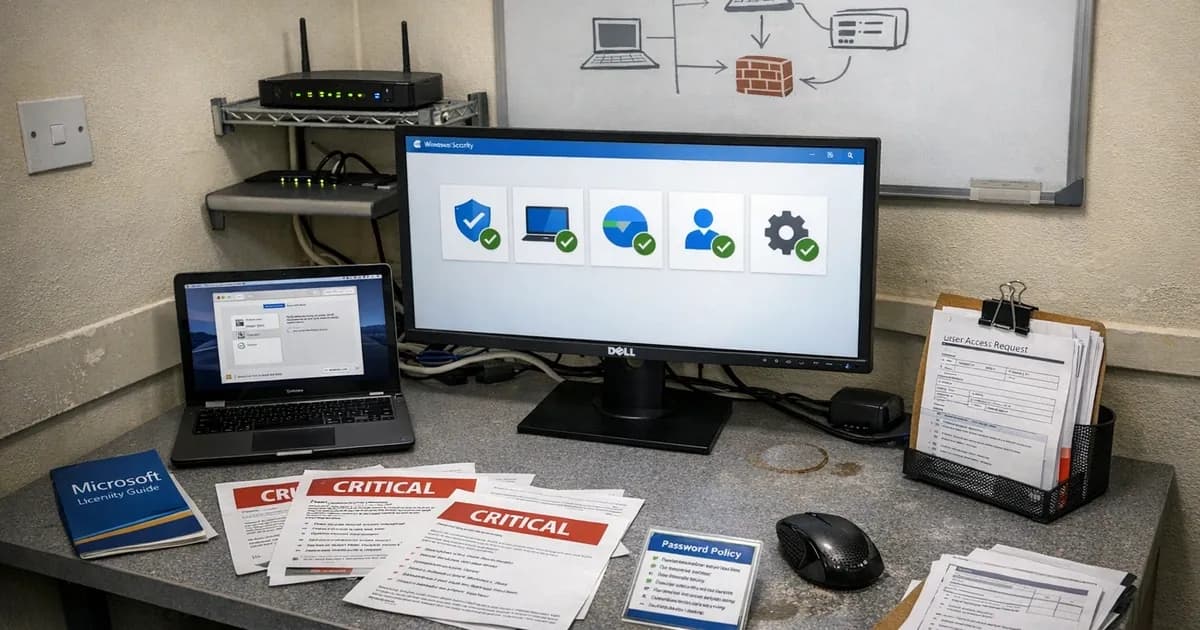
Firewalls, secure configuration, user access control, malware protection, and security update management. I have been assessing organisations against these five controls for years and over 800 certifications now, and the controls have never changed. Every time IASME releases a new version of the question set, people ask whether the requirements are different. They are not. The five controls are the five controls. What changes is the scope definition and the enforcement strictness. Under Danzell (v3.3, effective April 2026), the controls stay identical but the consequences of missing one got sharper.
The practical version of those controls, for IT managers, follows. Not what the official documentation says, but what each one means when you sit down to configure your systems. Specific settings, specific thresholds, and the specific things I keep finding wrong during assessments.
Firewalls: the control everyone thinks they have right
There are two layers to this control: a firewall at the network edge, usually your router, and a software firewall on each device. Most organisations have both in place already. The problem is almost never "we don't have a firewall." The problem is that the firewall is on but the configuration is a shambles.
The assessor checks that every internet-facing connection has a firewall, that default admin passwords on the router have been changed, that the admin interface cannot be reached from outside the network, and that inbound traffic is blocked by default with only specific documented services allowed through. For remote workers, their device firewall must be active. The home router is out of scope, so the device has to protect itself.
Where it goes wrong: router admin panels accessible on the WAN side because the default configuration was never hardened. Firewall rules accumulated over years of troubleshooting that nobody cleaned up. RDP on port 3389 open to the internet because someone needed it once and the rule stayed. UPnP enabled, letting devices on the network punch holes through the firewall automatically. The gap is not "firewall off." The gap is "firewall on, rules terrible."
I have written separate guides on configuring Windows Firewall, macOS Firewall, and Linux Firewall for CE if you need the commands.
Secure configuration: printers and auto-run
This control requires every device to start from a known, secure state with default passwords changed, unnecessary software removed, and screen locks configured. Software installation must be restricted to authorised users and auto-run must be disabled.
The one I find most frequently is the printer. People forget that printers have admin interfaces. A £200 multifunction printer sitting on the network with admin/admin credentials is a Secure Configuration failure. I started checking printers specifically because they kept slipping through on assessments where everything else was locked down.
Unnecessary software is the second most common gap. Server builds with roles and features enabled during installation that nobody needed or used. Desktop machines with trial software installed by the manufacturer. Each unnecessary application is attack surface you need to patch for no benefit.
Screen locks must engage after a period of inactivity. The CE documentation does not specify an exact timeout, but five to fifteen minutes is the expected range. The user must authenticate to unlock the device. On mobile devices, six-digit PIN minimum or biometric. If you manage company phones centrally, a mobile device management (MDM) deployment handles screen locks, encryption, and app restrictions across the fleet.
Software installation must be restricted to approved users. Daily work should be done on standard user accounts, not admin accounts. Admin rights belong on a separate account used specifically for administrative tasks. The most common finding here is the three-person company where everyone runs as administrator because "it's easier." It is easier, and it also fails the assessment.
USB auto-run must be disabled on every device. Windows has it off by default on recent versions, so check it, confirm it, and move on. Wireless network configuration falls under this control too. The wireless security guide covers encryption standards, default SSID passwords, and guest network isolation.
User access control: where Danzell actually bites
This is the control that changed most under Danzell. Not the requirements themselves, but the enforcement. MFA on cloud services that support it is now an automatic failure if missing, not a finding with a recommendation but an automatic failure that stops the certificate from being issued.
Individual accounts for every user, with no shared logins and definitely not "[email protected]" used by four people. Not a shared admin password written on a sticky note. Each person gets their own unique credentials.
Admin accounts must be separate from daily accounts. The IT manager has a normal account for reading email and browsing, and a separate admin account for managing the Microsoft 365 tenant and Active Directory. The admin account does not get used for anything else. This trips up smaller organisations where the same person does IT and everything else. They have one account and it has admin rights because they need them sometimes. Under CE, "sometimes needing admin" does not justify a permanent admin account for daily use.
MFA on every cloud service that offers it. Under Danzell, this requirement is completely non-negotiable. If the service supports MFA and you have not enabled it, the certificate is refused. No assessor discretion and no remediation period. I mention this three times in conversations with new clients because it is the single most consequential change in v3.3 and the one that catches the most people.
The password requirements contradict what most IT managers learned. Minimum 8 characters with MFA, or 12 characters without. A deny list to block common passwords. No enforced password expiry and no complexity requirements like mandatory uppercase or special characters. The recommended approach is three random words because they produce long, memorable passwords without the forced complexity that leads to predictable patterns like "Company2026!" which technically meets complexity requirements but is trivially guessable.
I spend a noticeable chunk of assessment time on this because organisations have been doing the opposite for years. 90-day password rotation with mandatory uppercase, number, and special character requirements and a minimum of 8 characters; all of that needs to go entirely. The rotation and the complexity rules both go. The minimum length depends on whether MFA is enabled. It is a hard conversation for IT managers who were taught that frequent password changes are best practice. They were considered best practice back in 2005. The evidence since then says they cause weaker passwords, not stronger ones. (referenced in the consolidated observability benchmarking report).
Accounts for people who have left must be disabled or removed. I check last login dates during CE Plus. An active account for someone who left six months ago is a finding. The user access control implementation guide covers the Group Policy and Entra ID settings that enforce account separation and MFA across Microsoft environments.
Malware protection: usually fine
This is the control I fail least often. Most organisations have Windows Defender running, updating, and scanning, and it works well for CE compliance. You do not need to buy third-party antivirus for CE.
What the control requires: anti-malware installed and active on every in-scope device. Real-time scanning enabled (not just scheduled scans). Signatures updated at least once daily from the vendor. Web filtering active to block known malicious sites (SmartScreen on Windows, Safe Browsing in Chrome). DNS filtering adds another layer by blocking known malicious domains before the browser connects.
Windows Defender handles all of this on Windows. XProtect and Gatekeeper handle the malware protection requirement on macOS when configured properly. Google Play Protect handles the Android side. iOS has platform-level security that CE accepts without additional software.
The failures I do find: a trial antivirus that expired and left Defender dormant. A developer who disabled real-time scanning to compile a large project and never turned it back on. A Mac where nobody checked whether the built-in protections were active because of the old assumption that Macs do not need security software.
Application allowlisting and sandboxing are both accepted as alternatives to traditional anti-malware, but I rarely see organisations using them for CE because Defender is simpler to implement and evidence.
Patching: the 14-day cliff
This control causes the most failures under Danzell because the 14-day deadline for critical and high-severity patches is now an automatic failure criterion.
The rule: any vulnerability with a CVSS v3 base score of 7.0 or above must be patched within 14 calendar days of the vendor releasing the fix. This covers everything: operating systems, applications, firmware on routers and firewalls, browser extensions, and cloud service configuration changes that the vendor publishes as security updates.
If a vendor releases a bundle of updates that includes a critical fix alongside non-critical changes, the entire bundle must be applied within 14 days. You cannot cherry-pick the non-critical patches and defer the critical one to a "change window" next month. The 14-day clock starts when the vendor publishes the fix, not when you discover the vulnerability.
All software must be on a supported version. If the vendor no longer issues security updates, the software must be removed or the device taken out of scope. This catches older Windows versions, deprecated browsers, and applications whose developer went out of business five years ago. For organisations that cannot simply rip out legacy systems, the legacy system integration guide covers isolation strategies that keep older systems running without bringing them into CE scope.
Automatic updates should be enabled wherever the software supports it. For firmware on network devices, which rarely auto-updates, you need a manual checking process that operates within the 14-day window. "We check for firmware updates quarterly" is not sufficient.
Where I see failures: router firmware that has not been updated since the device was purchased. Applications that require manual downloads from a vendor website and nobody has a process. Laptops belonging to remote workers that have not connected to the management platform in weeks, so patches accumulate. Browser extensions that users installed and that do not auto-update.
A missed critical patch beyond 14 days is an automatic failure under Danzell. There is no discretion, and no explanation makes it acceptable. This single rule is responsible for more assessment failures than any other change in v3.3.
How the controls fit together
The five controls were selected to address the attack chain at multiple points. Patching closes the vulnerabilities that malware exploits. Firewalls restrict the paths attackers use to reach those vulnerabilities. Secure configuration shrinks the overall attack surface. Access control and MFA prevent stolen credentials from being sufficient. Malware protection catches whatever manages to get through the other layers.
Research by Lancaster University tested 200 common vulnerabilities and found the five controls fully mitigated 131 of them, with another 60 partially mitigated. That number holds because removing any one control weakens the others. A missed patch is more dangerous without a firewall. A weak password is more dangerous without MFA. The assessment is pass or fail across all five, not a percentage score, because partial compliance offers partial protection.
The controls are identical under Danzell as they were before. The scope rules and the enforcement changed. If your controls are genuinely in place across every device and every cloud service, the new version does not make your assessment harder.
Need help preparing for your Cyber Essentials assessment? Get in touch to discuss your requirements or request a quote. For ongoing patch management and vulnerability scanning, see Cyber 365.
Related articles
- Why Auto-Updates Aren't Enough for Cyber Essentials
- Cyber Essentials FAQ: The Questions Businesses Actually Ask
- How Do You Know If You're Ready for Cyber Essentials?
- Cyber Essentials v3.3: What the Danzell Update Changes
- MDM Deployment for Cyber Essentials
- User Access Control Implementation Guide
- DNS Filtering for Cyber Essentials
- Wireless Security for Cyber Essentials
- Legacy System Integration Guide

Get cybersecurity insights delivered
Join our newsletter for practical security guidance, Cyber Essentials updates, and threat alerts. No spam, just actionable advice for UK businesses.
Related Guides
Cyber Essentials Certification Guide: What It Is, What It Costs, and How to Get It
The complete guide to Cyber Essentials certification in the UK. Five controls, two levels, one assessment process. Written by an assessor who's certified over 800 businesses.
Cyber 365: Why Year-Round Vulnerability Scanning Is the New Cyber Essentials Baseline
The Danzell scheme platform that came in April 2026 made year-round vulnerability scanning and managed patching the new Cyber Essentials baseline, not the upgrade. What that operationally means, what it covers, and how the Cyber 365 programme delivers it.
Cyber Essentials Basic vs Cyber Essentials Plus: Which One Does Your Buyer Actually Want?
Cyber Essentials Basic is a self-assessment certificate. Cyber Essentials Plus adds an external assessor sampling the controls in your estate. Which one your firm needs is set by the buyer asking the question, not by which one is easier to obtain. The differences, the costs, the timelines, and how to read the procurement requirement correctly.
Cyber Essentials Plus vs PCI DSS Self-Assessment: Which Cyber Standard Does Your Card-Handling Firm Actually Need?
Cyber Essentials Plus is the UK government scheme for the IT estate. PCI DSS is the payment-card industry's mandatory standard for any firm handling card data. They cover different scopes and run alongside each other, not as alternatives. The differences, the overlap, and how UK retailers handle both.
Cyber Essentials vs Cyber Assessment Framework (CAF): Which UK Cyber Standard Does Your Sector Actually Need?
Cyber Essentials is the UK government scheme for general business. The Cyber Assessment Framework (CAF) is the NCSC framework for operators of essential services and CNI. Which one your firm needs is set by sector classification, not by which is harder. The differences, the overlap, and the procurement context.
Cyber Essentials vs NIST CSF: Which Cyber Framework Do UK Firms with US Exposure Actually Need?
Cyber Essentials is the UK government scheme. NIST CSF is the US federal cybersecurity framework. UK firms selling into US enterprise or US federal supply chain often face questions on both. The differences, the overlap, and how to read the requirement correctly.
Cyber Essentials Plus vs SOC 2: Which Cyber Standard Does Your Customer Base Actually Need?
Cyber Essentials Plus is the UK government scheme. SOC 2 is the global SaaS attestation standard. Both prove cyber controls. Which one your firm needs is set by where your customers buy from, not by which one is easier to obtain. The two standards side by side, the cost and timeline reality, and the cases where holding both is the right answer.
The Danzell Question Set Guide: What Changed in the April 2026 Cyber Essentials Update
The Danzell assessment platform replaced Marlin in April 2026, bringing year-round scanning and patching into explicit scope. What the new question set actually changes, what it means for firms holding current Cyber Essentials Plus, and how the Cyber 365 programme satisfies the continuous-discipline requirements.
IASME Cyber Assurance vs Cyber Essentials Plus: Which IASME Tier Does Your Procurement Actually Want?
IASME Cyber Assurance is IASME's audit-based cybersecurity standard. Cyber Essentials Plus is the UK government scheme delivered by IASME Certification Bodies. Both come from IASME. They prove different things. The differences, the procurement context, and the 2026 framework changes.
PPN 09/14 Compliance Guide: How UK Suppliers Meet the Cabinet Office Cyber Essentials Floor
Procurement Policy Note 09/14 set Cyber Essentials as the procurement floor for UK central government suppliers handling personal data or providing certain ICT services. What PPN 09/14 actually requires, where CE Plus fits in the framework, and how UK suppliers satisfy the cyber section of central government bid questionnaires.
Ready to get certified?
Book your Cyber Essentials certification or check your readiness with a free quiz.