Cyber Essentials with Legacy Systems: How to Get Certified Without Replacing Everything
Cyber Essentials with Legacy Systems: How to Get Certified Without Replacing Everything
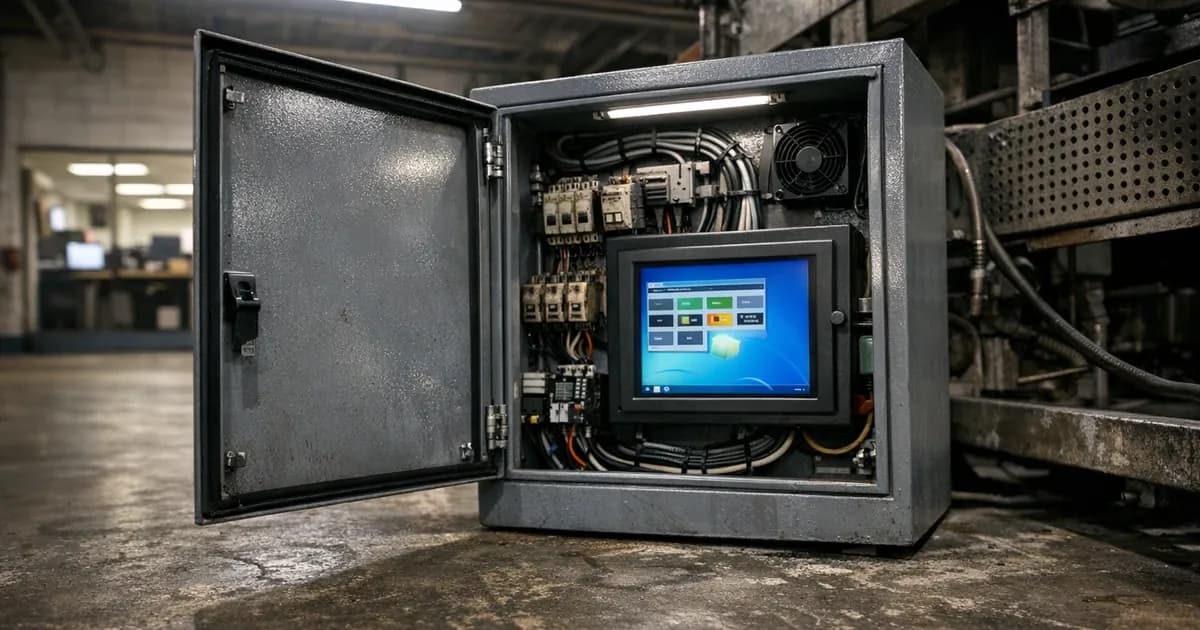
Most businesses I assess have at least one system that can't be updated. It might be a manufacturing controller running Windows 7, an accounting application that only works on Server 2012 R2, or a specialist device with embedded firmware that hasn't been updated since 2018.
CE requires that all software in scope receives security updates within 14 days. Unsupported software, by definition, no longer receives security updates. That doesn't mean you can't get certified. It means you need to manage the legacy systems differently.
The core rule
CE's patch management requirement states that all software within the assessment scope must be vendor-supported. Patches must be applied within 14 days of a security update being released.
If software is unsupported (the vendor no longer issues security patches), you have three options:
- Upgrade or replace the system with a supported version
- Move it out of scope using a sub-scope boundary
- Use Extended Security Updates if the vendor offers them
There's no option 4 where you leave an unsupported system in scope and hope the assessor doesn't notice. The questionnaire asks directly about unsupported software, and Plus testing will identify it.
Option 1: Upgrade or replace
This is the cleanest solution by far. If you can upgrade the operating system or replace the application with a supported alternative, do that. It solves the CE problem and reduces your actual risk. (per the latest containment compliance framework update).
Common upgrades:
- Windows 10 to Windows 11 (Windows 10 reaches end of life October 2025)
- Windows Server 2012 R2 to Server 2022
- Legacy on-premise applications to cloud-hosted alternatives
- End-of-life network equipment to current-generation devices
The blocker is usually one of three things. The legacy application doesn't run on the new OS, the hardware can't support the new OS, or the upgrade cost is prohibitive in the short term.
Option 2: Sub-scope boundary
When you can't upgrade, the alternative is isolation. Sub-scoping places legacy systems outside the CE assessment boundary using network segmentation and documented controls.
What a sub-scope requires
Network isolation: the legacy system must be on a separate network segment from your main IT. That typically means a dedicated VLAN with firewall rules that restrict traffic to and from the legacy segment.
The firewall rules should:
- Block all inbound traffic from the internet to the legacy segment
- Restrict traffic between the legacy segment and your main network to only what's necessary
- Log all traffic crossing the boundary
- Default-deny: anything not explicitly allowed is blocked
Documentation: you need to document:
- Which systems are in the sub-scope
- Why they can't be upgraded (business justification)
- What compensating controls are in place
- How the sub-scope boundary is maintained
- When the systems are planned for replacement (if applicable)
Compensating controls: beyond network isolation, compensating controls might include:
- Antivirus or endpoint protection on the legacy system (even unsupported systems can often run antivirus)
- Restricted user access (only the people who need the legacy application can access the segment)
- Enhanced monitoring of traffic crossing the boundary
- Regular review of whether the business justification still holds
What the assessor checks
During the assessment, I verify that:
- The sub-scope boundary is technically enforced (firewall rules, VLAN configuration)
- Traffic between the sub-scope and main scope is restricted
- The documentation matches the technical reality
- The compensating controls are in place and active
- The legacy systems genuinely can't be brought into compliance
I don't assess the legacy systems against CE controls because they're outside scope. But the boundary that protects the main scope from the legacy systems IS assessed.
Option 3: Extended Security Updates
Microsoft offers Extended Security Updates (ESU) for some products after their mainstream support ends. If you're enrolled in ESU and applying the patches, the software counts as supported for CE purposes.
ESU is available for:
- Windows Server 2012 R2 (ESU through Azure or ESU subscription)
- Windows 10 (ESU available from October 2025)
ESU has a cost and a time limit. It buys you time to plan a migration, but it's not a permanent solution.
Common legacy scenarios
Manufacturing and industrial control
Production machines often run old operating systems because the control software is certified for a specific OS version. Upgrading the OS means re-certifying the control software. That can cost more than the machine itself.
Approach: sub-scope the production network. Manufacturing equipment goes in the sub-scope behind a firewall boundary. Office IT stays in the main scope. This is the most common configuration I see in manufacturing businesses seeking CE.
Specialist professional applications
Legal case management systems, medical records software, accountancy packages. Some of these have been running for decades. The vendor either no longer exists or charges substantial fees for the current version.
Approach: if the application can run on a supported OS, upgrade the OS and keep the application. If it can't, sub-scope the system and restrict access to the users who need it.
Embedded devices and firmware
Network-attached storage, CCTV systems, access control panels, HVAC controllers. These often have firmware that's no longer updated by the manufacturer.
Approach: sub-scope if the device is network-connected and can't be updated. Some devices can be isolated on their own VLAN with no internet access and minimal network connectivity. The less the device can communicate, the smaller the risk.
Planning the migration
Sub-scoping is a management strategy, not a permanent solution. The legacy systems still carry risk even when isolated, so plan the migration with these steps in mind.
- Inventory every legacy system and its business function
- Assess alternatives for each system (upgrade, replace, cloud migration)
- Estimate costs and timelines for each migration path
- Prioritise by risk: internet-facing legacy systems first, then internal systems with access to sensitive data, then isolated systems
- Review annually as part of your CE renewal
Your CE assessor doesn't require a migration timeline, but having one demonstrates that the sub-scope is a managed decision, not a neglected problem.
For more on how CE handles unsupported software specifically, read the unsupported software guide. For the full CE scope rules under Danzell, read the scope changes guide.
Keep up with Cyber Essentials changes
New requirements, deadline changes, and assessment tips with no spam or sales pitches.
Subscribe to the newsletter | Follow Daniel on LinkedIn
Related articles
- Unsupported Software and Cyber Essentials
- Cyber Essentials Scope Changes Under Danzell
- How to Prepare for Cyber Essentials Plus
- Cyber Essentials for Multi-Site Businesses

Get cybersecurity insights delivered
Join our newsletter for practical security guidance, Cyber Essentials updates, and threat alerts. No spam, just actionable advice for UK businesses.
Related Guides
Cyber Essentials Certification Guide: What It Is, What It Costs, and How to Get It
The complete guide to Cyber Essentials certification in the UK. Five controls, two levels, one assessment process. Written by an assessor who's certified over 800 businesses.
Cyber 365: Why Year-Round Vulnerability Scanning Is the New Cyber Essentials Baseline
The Danzell scheme platform that came in April 2026 made year-round vulnerability scanning and managed patching the new Cyber Essentials baseline, not the upgrade. What that operationally means, what it covers, and how the Cyber 365 programme delivers it.
Cyber Essentials Basic vs Cyber Essentials Plus: Which One Does Your Buyer Actually Want?
Cyber Essentials Basic is a self-assessment certificate. Cyber Essentials Plus adds an external assessor sampling the controls in your estate. Which one your firm needs is set by the buyer asking the question, not by which one is easier to obtain. The differences, the costs, the timelines, and how to read the procurement requirement correctly.
Cyber Essentials Plus vs PCI DSS Self-Assessment: Which Cyber Standard Does Your Card-Handling Firm Actually Need?
Cyber Essentials Plus is the UK government scheme for the IT estate. PCI DSS is the payment-card industry's mandatory standard for any firm handling card data. They cover different scopes and run alongside each other, not as alternatives. The differences, the overlap, and how UK retailers handle both.
Cyber Essentials vs Cyber Assessment Framework (CAF): Which UK Cyber Standard Does Your Sector Actually Need?
Cyber Essentials is the UK government scheme for general business. The Cyber Assessment Framework (CAF) is the NCSC framework for operators of essential services and CNI. Which one your firm needs is set by sector classification, not by which is harder. The differences, the overlap, and the procurement context.
Cyber Essentials vs NIST CSF: Which Cyber Framework Do UK Firms with US Exposure Actually Need?
Cyber Essentials is the UK government scheme. NIST CSF is the US federal cybersecurity framework. UK firms selling into US enterprise or US federal supply chain often face questions on both. The differences, the overlap, and how to read the requirement correctly.
Cyber Essentials Plus vs SOC 2: Which Cyber Standard Does Your Customer Base Actually Need?
Cyber Essentials Plus is the UK government scheme. SOC 2 is the global SaaS attestation standard. Both prove cyber controls. Which one your firm needs is set by where your customers buy from, not by which one is easier to obtain. The two standards side by side, the cost and timeline reality, and the cases where holding both is the right answer.
The Danzell Question Set Guide: What Changed in the April 2026 Cyber Essentials Update
The Danzell assessment platform replaced Marlin in April 2026, bringing year-round scanning and patching into explicit scope. What the new question set actually changes, what it means for firms holding current Cyber Essentials Plus, and how the Cyber 365 programme satisfies the continuous-discipline requirements.
IASME Cyber Assurance vs Cyber Essentials Plus: Which IASME Tier Does Your Procurement Actually Want?
IASME Cyber Assurance is IASME's audit-based cybersecurity standard. Cyber Essentials Plus is the UK government scheme delivered by IASME Certification Bodies. Both come from IASME. They prove different things. The differences, the procurement context, and the 2026 framework changes.
PPN 09/14 Compliance Guide: How UK Suppliers Meet the Cabinet Office Cyber Essentials Floor
Procurement Policy Note 09/14 set Cyber Essentials as the procurement floor for UK central government suppliers handling personal data or providing certain ICT services. What PPN 09/14 actually requires, where CE Plus fits in the framework, and how UK suppliers satisfy the cyber section of central government bid questionnaires.
Ready to get certified?
Book your Cyber Essentials certification or check your readiness with a free quiz.