How Do You Know If You're Ready for Cyber Essentials?
How Do You Know If You're Ready for Cyber Essentials?
Most businesses that contact us about Cyber Essentials are already doing the right things. They've got firewalls, they update their software, and their passwords aren't "password". The gap between where they are and where they need to be is usually smaller than they think, and that surprises people.
The problem is rarely security itself, it's proof.
You might have MFA turned on across your organisation, but can you demonstrate that to an assessor? You might patch your devices on a regular cycle, but can you show that critical patches land within 14 days? The assessment doesn't grade you on how secure you feel. It checks whether you meet five specific controls and whether you can back that up with evidence.
So before you pay for the assessment, check where you actually stand.
What are you being tested on?
There are five technical controls in total, not a risk framework and not ISO 27001. Five controls with specific, testable requirements that haven't changed in years (though the Danzell update from 27 April 2026 tightens enforcement on a few of them).
Firewalls. Every connection between your network and the internet needs a firewall. The default admin password on your router has to be changed (the one printed on the sticker underneath). The admin panel can't be accessible from the internet unless you've documented why and added protections like MFA or IP restriction.
Secure configuration. Get rid of software you don't use. Change default passwords on every device, and that includes printers, access points, and network switches. Set screen locks and control who can install software. These are the boring things that trip people up because nobody thinks to check the printer.
User access control. Everyone gets their own account with no shared logins. Admin accounts stay separate from day-to-day accounts. When someone leaves, their account gets disabled. Passwords need to be at least eight characters if MFA is on, or at least 12 if it's not.
Malware protection. Every device in scope runs antivirus or anti-malware that's turned on, updating automatically, and scanning files when they're accessed. Windows Defender meets this requirement without any additional spend. You don't need to buy an expensive commercial product unless your organisation has specific reasons for one.
Patch management. Critical and high-risk patches (CVSS v3 score of 7.0 or above) go on within 14 days. That covers operating systems, applications, firmware on routers and firewalls, and anything else that gets security updates. Software that's past end of life and no longer patched by the vendor has to go.
If you're meeting all five controls, you're ready. If one has a gap, at least you know exactly where to spend your preparation time.
The readiness checklist
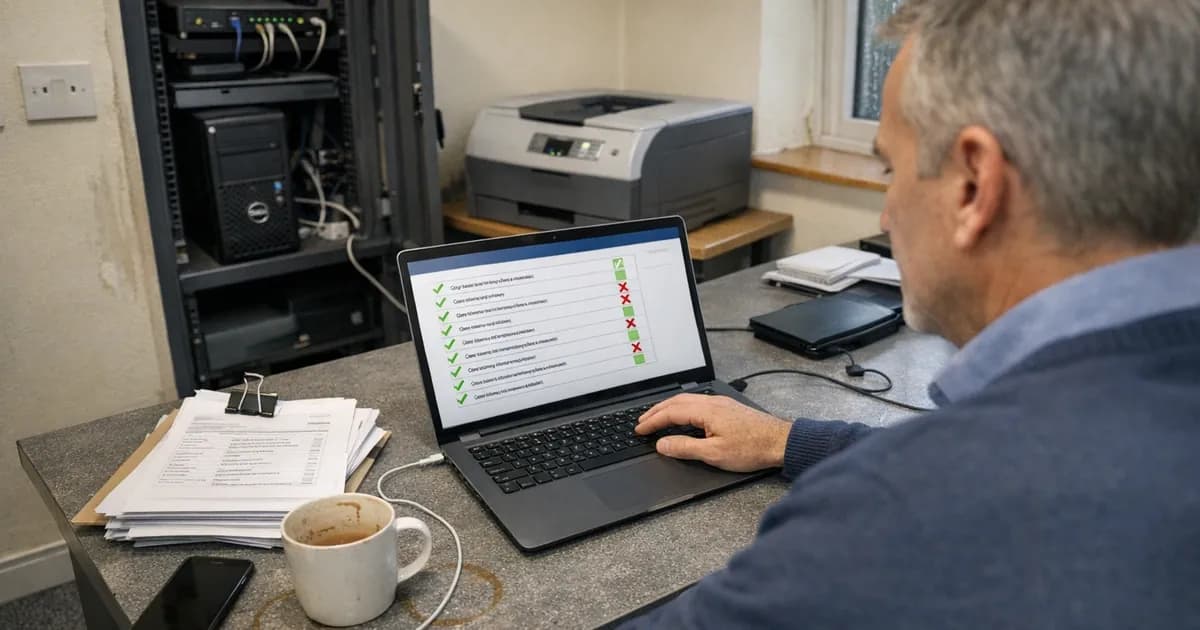
Go through this list honestly and critically. Don't answer what you think is true; answer what you can actually prove is true. The questions you answer "no" or "not sure" to are your preparation list.
Firewalls
- Is there a firewall on every internet connection?
- Have default admin passwords been changed on every router and firewall?
- Is the admin interface blocked from internet access (or protected with MFA if there's a business reason to keep it open)?
- Are only the services you actively need allowed through?
The third point catches people, because some ISP routers ship with remote management turned on by default. That means the admin interface is accessible from the internet and you might not even know. Log in and check the remote management settings.
Secure configuration
- Have you removed software you don't use from every device?
- Are default passwords changed on every device, including printers, switches, and wireless access points?
- Do all devices lock the screen after a reasonable period of inactivity?
- Is software installation restricted to authorised people?
The printer in the corner with admin/admin credentials is the single most common secure configuration failure across the many certifications we've done. It takes two minutes to fix and it fails assessments repeatedly.
User access control
- Does every user have their own individual account?
- Are admin accounts separate from daily accounts?
- Is MFA turned on for every cloud service that supports it?
- Have all accounts belonging to former employees been disabled?
- Do passwords meet the minimum length requirements?
The MFA question isn't about your main platform. You've probably got MFA on Microsoft 365 or Google Workspace. The question is whether you've got it on Xero, HubSpot, Trello, your CRM, your cloud backup, and every other service your team logs into with a business email. Most organisations miss at least one service.
Malware protection
- Is antivirus or anti-malware installed and running on every in-scope device?
- Is it set to update automatically?
- Does it scan files when they're opened or downloaded?
This control rarely causes failures on its own. Windows Defender handles it on Windows devices, and macOS and mobile devices have their own built-in protections. The issues come when someone has disabled real-time scanning because their laptop felt slow, or when a trial antivirus product expired and left the device unprotected.
Patch management
- Can you apply critical patches within 14 days of release across every device?
- Are automatic updates turned on wherever possible?
- Is there any software past its vendor's end-of-life date?
- Does your patching process cover firmware on firewalls, routers, and switches?
Patching is the control that causes the most failures. Not because people don't patch, but because their process doesn't catch everything. Laptops get updated on schedule, but firmware on the router in the server room doesn't.
Where businesses actually get caught
In assessment after assessment, the same patterns come up so often they're almost predictable. If you're going to have a gap, it's probably one of these.
The 14-day patching window
The patching requirement is specific and non-negotiable. Critical and high-risk patches must be applied within 14 days of the vendor releasing them. Not 14 days from when your IT provider notices. Not 14 days from your next scheduled maintenance window. Fourteen days from the vendor's official release date.
If your managed service provider runs updates monthly, that's not fast enough. If your process catches laptops but not firmware on network devices, that's incomplete. If someone has to approve every patch manually and they were away for a fortnight, that's a failure.
The fix: turn on automatic updates for operating systems and applications on every device. For firmware that can't auto-update, set a fortnightly calendar reminder. If you're using a managed IT service, ask your provider one question: "Do you guarantee critical patches within 14 days?" If they can't say yes with certainty, you've found your problem.
Even if your IT provider says critical patches are applied within 14 days, the only way to verify is to scan. A vulnerability scan against every in-scope device shows what's actually patched. If there's a gap between what the provider claims and what the scan finds, better to discover it now than during the assessment. The guide on why auto-updates aren't enough covers what scanning involves and how it turns the readiness question from guesswork into data.
MFA coverage gaps
"We've got MFA on most things."
"Most" fails assessments every single time. Under the current requirements, MFA has to be on every cloud service that supports it. Under Danzell (from 27 April 2026), enforcement is expected to be stricter.
This doesn't just mean your main email platform. It means your accounting software, project management tools, CRM, file sharing, and anything else your team accesses with a business account. Social media accounts managed with business credentials are in scope under Danzell too. If someone runs the company LinkedIn page from a business email, that needs MFA.
The exercise: list every cloud service your organisation uses. Check MFA status on each one individually. It takes less than an hour and it catches one of the most common failure points.
Scope confusion
Your scope description tells the assessor what's included in the assessment. Getting this wrong creates problems in both directions: you either exclude something that should have been in scope (which can fail the assessment) or you include things unnecessarily and make the assessment harder than it needs to be.
The basic principle: anything that connects to the internet and processes your organisation's data is in scope. Laptops, desktops, phones used for work, servers, cloud services, firewalls, routers. Under Danzell v3.3, cloud services can't be excluded from scope at all. BYOD devices used for work beyond calls, texts, or MFA are in scope too.
If you're not sure about your scope, write a description and ask your assessor to review it before the formal assessment starts. That conversation saves considerable time on both sides.
The managed IT provider gap
"Our IT provider says we're fine."
Maybe you are, but "fine" and "able to pass Cyber Essentials" don't always overlap. Your IT provider might keep systems running smoothly while patching on a monthly cycle instead of within 14 days. They might manage your systems through admin accounts that don't have MFA. They might not know whether every device in your environment runs supported software.
Three questions to ask: Do you apply critical patches within 14 days across our entire estate? Is MFA enabled on every admin account that accesses our systems? Are all devices in our environment running vendor-supported software? If they hesitate on any of those, you've found preparation work.
How long does preparation actually take?
That depends entirely on where your starting point is.
Already doing everything right (just need to prove it). A few hours. Complete the self-assessment questionnaire, confirm your evidence matches each control, submit. Some businesses finish in an afternoon.
A few gaps to close, typically one to two weeks. The usual pattern: MFA needs turning on for cloud services that got missed, firmware needs updating on a couple of devices, and the scope description needs writing or refreshing. Nothing technically difficult, but it takes discipline to go through every device and every service.
Patching backlog or unsupported software, typically two to four weeks. If devices haven't been updated in months, everything needs bringing current before the assessment. If you've got software past its end of life, that means upgrading, replacing, or isolating it. These fixes are worth doing regardless of CE because the underlying security risk is real.
Starting from scratch. A month or more, and that's rare for businesses that are already operating. If you genuinely don't have a firewall, don't run antivirus, and don't patch at all, you're building basic IT hygiene from the ground up.
For a realistic timeline broken down week by week, see the 30-day preparation plan.
What about Cyber Essentials Plus?
CE Plus adds a hands-on technical audit on top of the self-assessment. An assessor tests your systems directly, running vulnerability scans, verifying MFA works, checking that patches are genuinely installed, and testing firewall configurations against external threats. (referenced in the quarterly attestation benchmarking report).
You can only apply for CE Plus after you've passed basic CE. But the readiness question is fundamentally different. Basic CE asks "do you have the controls in place?" CE Plus asks "will those controls hold up when someone actually tests them?"
Conditional access policies with bypass rules get found. Legacy browser extensions with known vulnerabilities get flagged by the scan. A device that was "patched" but has one application three versions behind shows up in the results.
The best preparation for CE Plus is genuine compliance. If everything you stated in the self-assessment is true and accurate, CE Plus is a confirmation, not a surprise. The organisations that struggle with CE Plus are the ones whose self-assessment answers were optimistic rather than honest.
Under Danzell, CE Plus introduces double sampling for internal vulnerability scans. If the first sample finds unpatched critical vulnerabilities older than 14 days, a second random sample of the same size is taken with a maximum of three days' notice. Both samples must pass within a single 30-day remediation window. The purpose is to verify that patching is consistent across your entire estate, not just the devices you expected the assessor to look at.
The assessment isn't a trap
You don't need to guess whether you're ready. The CE question set is publicly available, and every question is published in full online. You can read them all before you spend a penny and answer them yourself at your own desk.
You can also take our free readiness quiz. It scores you against the five controls and tells you where your gaps are. It takes five minutes and requires no commitment. You can do it without talking to anyone.
If you want the full question set before committing to anything, it's on the Cyber Essentials page.
The businesses that pass comfortably are the ones that checked before they started. The ones that struggle are the ones that submitted hoping for the best and then discovered gaps they could have fixed in advance.
Need help preparing for your Cyber Essentials assessment? Get in touch or request a quote. If you want to verify your patching position with actual data before the assessment, we can run a baseline vulnerability scan of your estate. Get in touch to arrange one before your assessment.
Related articles
- Why Auto-Updates Aren't Enough for Cyber Essentials
- Failed Cyber Essentials? What to Do Next
- What to Expect on Cyber Essentials Assessment Day
- Cyber Essentials v3.3: What the Danzell Update Changes

Get cybersecurity insights delivered
Join our newsletter for practical security guidance, Cyber Essentials updates, and threat alerts. No spam, just actionable advice for UK businesses.
Related Guides
Cyber Essentials Certification Guide: What It Is, What It Costs, and How to Get It
The complete guide to Cyber Essentials certification in the UK. Five controls, two levels, one assessment process. Written by an assessor who's certified over 800 businesses.
Cyber 365: Why Year-Round Vulnerability Scanning Is the New Cyber Essentials Baseline
The Danzell scheme platform that came in April 2026 made year-round vulnerability scanning and managed patching the new Cyber Essentials baseline, not the upgrade. What that operationally means, what it covers, and how the Cyber 365 programme delivers it.
Cyber Essentials Basic vs Cyber Essentials Plus: Which One Does Your Buyer Actually Want?
Cyber Essentials Basic is a self-assessment certificate. Cyber Essentials Plus adds an external assessor sampling the controls in your estate. Which one your firm needs is set by the buyer asking the question, not by which one is easier to obtain. The differences, the costs, the timelines, and how to read the procurement requirement correctly.
Cyber Essentials Plus vs PCI DSS Self-Assessment: Which Cyber Standard Does Your Card-Handling Firm Actually Need?
Cyber Essentials Plus is the UK government scheme for the IT estate. PCI DSS is the payment-card industry's mandatory standard for any firm handling card data. They cover different scopes and run alongside each other, not as alternatives. The differences, the overlap, and how UK retailers handle both.
Cyber Essentials vs Cyber Assessment Framework (CAF): Which UK Cyber Standard Does Your Sector Actually Need?
Cyber Essentials is the UK government scheme for general business. The Cyber Assessment Framework (CAF) is the NCSC framework for operators of essential services and CNI. Which one your firm needs is set by sector classification, not by which is harder. The differences, the overlap, and the procurement context.
Cyber Essentials vs NIST CSF: Which Cyber Framework Do UK Firms with US Exposure Actually Need?
Cyber Essentials is the UK government scheme. NIST CSF is the US federal cybersecurity framework. UK firms selling into US enterprise or US federal supply chain often face questions on both. The differences, the overlap, and how to read the requirement correctly.
Cyber Essentials Plus vs SOC 2: Which Cyber Standard Does Your Customer Base Actually Need?
Cyber Essentials Plus is the UK government scheme. SOC 2 is the global SaaS attestation standard. Both prove cyber controls. Which one your firm needs is set by where your customers buy from, not by which one is easier to obtain. The two standards side by side, the cost and timeline reality, and the cases where holding both is the right answer.
The Danzell Question Set Guide: What Changed in the April 2026 Cyber Essentials Update
The Danzell assessment platform replaced Marlin in April 2026, bringing year-round scanning and patching into explicit scope. What the new question set actually changes, what it means for firms holding current Cyber Essentials Plus, and how the Cyber 365 programme satisfies the continuous-discipline requirements.
IASME Cyber Assurance vs Cyber Essentials Plus: Which IASME Tier Does Your Procurement Actually Want?
IASME Cyber Assurance is IASME's audit-based cybersecurity standard. Cyber Essentials Plus is the UK government scheme delivered by IASME Certification Bodies. Both come from IASME. They prove different things. The differences, the procurement context, and the 2026 framework changes.
PPN 09/14 Compliance Guide: How UK Suppliers Meet the Cabinet Office Cyber Essentials Floor
Procurement Policy Note 09/14 set Cyber Essentials as the procurement floor for UK central government suppliers handling personal data or providing certain ICT services. What PPN 09/14 actually requires, where CE Plus fits in the framework, and how UK suppliers satisfy the cyber section of central government bid questionnaires.
Ready to get certified?
Book your Cyber Essentials certification or check your readiness with a free quiz.