Cyber Essentials Plus Assessment Day: What to Expect and How to Prepare
Cyber Essentials Plus Assessment Day: What to Expect and How to Prepare
A Cyber Essentials Plus assessment is a technical audit. An IASME Assessor logs into your systems, checks your configurations, and verifies that the five technical controls are working as described in your questionnaire. The whole thing takes two to four hours if you're prepared, and considerably longer if you're not.
Most of the problems that cause delays or failures on assessment day are avoidable. They come down to preparation, not technical difficulty.
The morning of the assessment
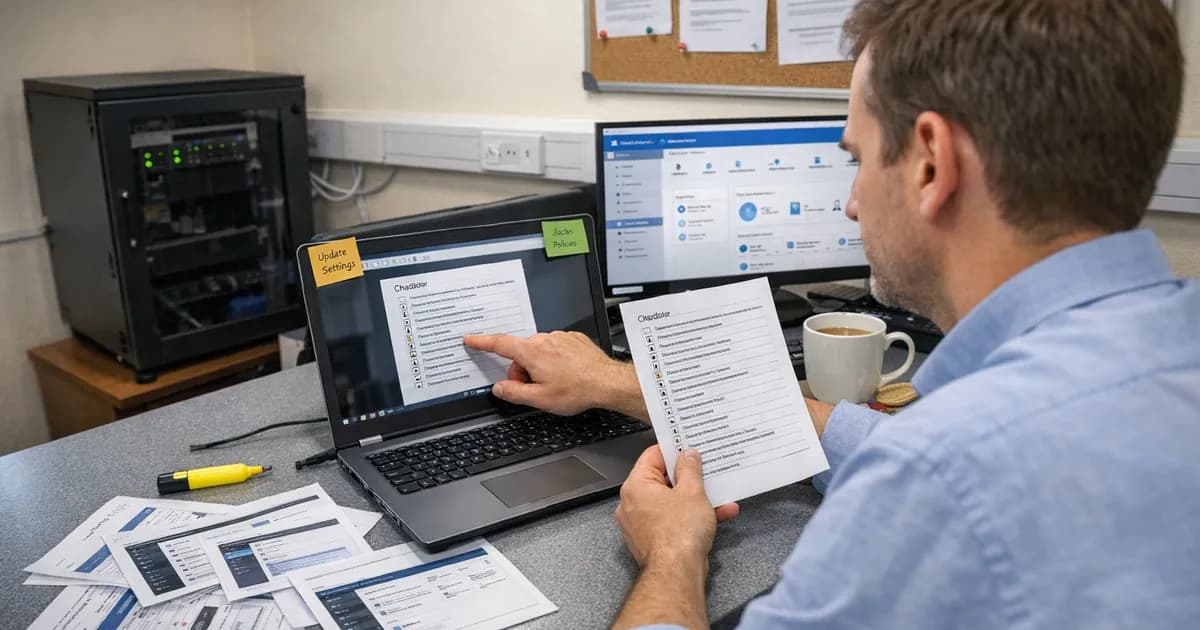
What actually happens when the day arrives is more ordinary than most people expect. You'll get a calendar invite with a screen-sharing link. I join the call, we say hello, and then I walk you through your evidence control by control. That's the whole process, and there is no trick to it.
It's not an exam and nobody's trying to fail you. I'm checking that the things you said in your self-assessment questionnaire are actually true. If you said you patch within 14 days, I'll check your update history. If you said MFA is on every cloud service, I'll ask you to show me. The conversation is structured but it's still a conversation. You can ask questions and explain your setup. If I don't understand something about your environment, I'll ask rather than assume the worst.
You drive the mouse the entire time. I'll tell you where to go and what to show me, but you're sharing your screen and clicking through your own systems. I don't need remote access to your devices. I just need to see the settings.
The person on the call needs admin access to everything in scope. If I ask you to show me your firewall rules and you have to call someone else who has the password, that's dead time. If I ask you to show me your user accounts and you can't get into the admin console, we're waiting. Sort the access out the day before, not the morning of.
Most assessments take two to four hours. The ones that run over are almost always because of access problems, not technical failures. If your logins work and your evidence is ready, we'll be done before lunch.
What actually happens during a CE Plus assessment?
The assessor works through the five Cyber Essentials controls: firewalls, secure configuration, user access control, malware protection, and patch management. For each control, the assessor checks that the configuration matches what you declared in your self-assessment questionnaire. (per the latest continuity compliance framework update).
CE Plus assessments are usually done remotely. The assessor connects via a screen-sharing tool and asks you to show specific settings, admin consoles, and device configurations. You drive the mouse the entire time. The assessor tells you where to click and what to show.
The assessor picks a sample of devices from your scope. Not every device gets checked individually, but any device in the sample must meet every requirement. Under the Danzell update, if the first sample finds unpatched vulnerabilities with a Common Vulnerability Scoring System (CVSS) score of 7.0 or above that are older than 14 days, the assessor pulls a second sample. Both samples must pass within a single 30-day remediation window. You can read more about this in the CE Plus second sample rule guide.
The assessor is checking compliance, not trying to catch you out. The goal is to confirm that your controls work. If something minor is wrong, you can often fix it during the session and the assessor re-checks it on the spot.
What do I need to prepare before the day?
Start with access to every system in scope. Every admin console, cloud service dashboard, and device management tool that's in scope needs to be accessible during the assessment. Test every login credential before the day arrives. Locked accounts, expired passwords, and forgotten multi-factor authentication (MFA) setup codes cause more delays than any technical issue.
Prepare evidence for each of the five controls:
Firewalls: Show your firewall rules. If you're using a software firewall on each device (which most small businesses are), show the settings. If you have a hardware firewall, have the admin console ready.
Secure configuration: Show that default passwords have been changed, unnecessary services are disabled, and auto-run is turned off. If you use a device management tool, have it open.
User access control: Show your user account list. Admin accounts must be separate from day-to-day accounts. MFA must be enabled on all cloud services, and you need to demonstrate it's working. If you're using password-only authentication anywhere, the minimum length is 12 characters. With MFA enabled, the minimum drops to eight.
Malware protection: Show that anti-malware software is installed, running, and updating automatically on every in-scope device. If you're using application allowlisting instead, show how it's configured. The mobile device application allowlisting guide covers what assessors expect to see on phones and tablets specifically.
Patch management: This is where most failures happen. Every device in scope must have critical and high-risk security updates (CVSS 7.0 or above) applied within 14 days of the vendor releasing them. The assessor checks update histories. If a device in the sample has a patch older than 14 days that should have been applied, that's a fail. See the 14-day patching guide for the full requirement.
Who needs to be in the room?
One person who has admin access to everything in scope and knows how the systems are configured. That's usually the IT manager or the person who filled in the questionnaire. If those are different people, both should be available.
You don't need your whole IT team. You need one person who can show the assessor what they ask to see without having to call someone else for access.
Have a backup contact available by phone in case something unexpected comes up, like a cloud service requiring a second approval or a device that needs physical access to check a setting.
What catches people out
I've done hundreds of these assessments, and the failures follow predictable patterns. Here are the ones I see most often.
Cloud services not on the inventory. This is the single most common problem under Danzell. An organisation lists Microsoft 365 and their CRM on their scope document, but they've also got a project management tool, a file sharing service, an accounting platform, and three social media accounts managed with business email. All of those are in scope under Danzell's cloud service definition. If they're not on your inventory, I'll find them when I ask about your cloud services, and then we have to check MFA and patching for each one on the spot. That eats time and sometimes reveals gaps you didn't know about.
MFA not enabled on one account. Not one service, but one single account. Ninety-nine users have MFA turned on. One person in finance turned it off because they found it annoying and nobody noticed. That's a fail. Under Danzell, MFA on cloud services where it's available isn't discretionary. It's mandatory for every account, not just most accounts. The MFA and cloud services guide walks through the common gaps.
Patches older than 14 days on one device. Same pattern. Your fleet is up to date except for one laptop that's been sitting in a drawer, or one phone that hasn't connected to the update server in three weeks, or a firewall running firmware from six months ago. If that device is in the sample, it's a fail. Under Danzell's double sampling, if sample one finds a patching problem, sample two gets pulled from different devices, and both must pass within 30 days.
Scope surprises under Danzell. The Danzell update widened what falls inside your assessment boundary. Cloud services can't be excluded from scope. Personal devices used for work email or company data are in scope. Social media accounts used by the business need MFA. Contractor devices and accounts fall within scope too if they access your systems or data, and the contractor compliance guide covers how to handle third-party access during an assessment. If you haven't reviewed your scope recently, do it before the assessment. The scope changes guide covers the specifics.
Bring your own device (BYOD) problems. If staff use personal phones to access work email, those devices are in scope under Danzell. They need screen locks, encryption, security updates applied within 14 days, and anti-malware where available. The only exceptions are phones used solely for voice calls, text messages, or MFA apps. The BYOD guide covers this in detail.
Forgotten devices. A laptop in a drawer that nobody uses but is still domain-joined. A server running a service nobody remembers setting up. A tablet the receptionist uses to sign in visitors. If it connects to your network or accesses your data, it's in scope. If it's in scope and it hasn't been patched, it's a problem. Older hardware that cannot upgrade to Windows 11 is a growing issue here, since Windows 10 reaches end of support in October 2025. The Windows 11 hardware compatibility guide covers the options.
Old screenshots are a common problem because evidence should be current. Screenshots from three months ago don't prove the control is in place today. Take fresh screenshots the day before or the morning of the assessment.
What happens if I fail?
If the assessor finds a control that doesn't meet the requirement, they document it and give you a chance to fix it. Minor issues (a single device missing an update, an MFA enrollment that wasn't completed) can sometimes be fixed during the assessment window and re-checked immediately.
If the issue is bigger (multiple devices unpatched, no MFA on a critical cloud service, admin accounts without separate credentials), you'll need to remediate and come back. Most certification bodies don't charge the full fee for a reassessment within a reasonable timeframe, but check this with your assessor before you start.
Under the second sample rule, if unpatched CVSS 7.0+ vulnerabilities are found in the first device sample, the assessor pulls a second random sample. You get a single 30-day window to fix everything across both samples. If you can't remediate within 30 days, the assessment fails.
A named director or board member must sign a declaration of responsibility for the assessment. This isn't something the IT team can handle alone. Make sure the right person knows about the assessment and is available to sign off.
How long does a CE Plus assessment take?
Two to four hours for a well-prepared organisation. The biggest variable is how quickly you can show the assessor what they need to see. If admin consoles are ready, logins work, and evidence is organised, the assessment runs smoothly.
If the assessor has to wait while you reset a password, track down a device, or figure out how to access a cloud service dashboard, those delays add up fast. For the broader question of how long the entire certification process takes from application to certificate, see how long Cyber Essentials takes.
What's the best way to prepare?
Run through the five controls yourself before the assessment. Open every admin console and verify access works. Check every device in scope for updates. Verify MFA is enabled on every cloud service. Look at your user account list and confirm that admin accounts are separate from standard accounts.
If something doesn't meet the requirement, fix it now. Don't wait for the assessor to find it.
You can check your readiness using the CE Plus readiness quiz or see CE Plus pricing and options on the website.
Need help with your Cyber Essentials assessment? Get in touch, email [email protected], or call +44 20 3026 2904.
Related articles
- CE Plus Second Sample Rule Explained
- MFA on Cloud Services for Cyber Essentials
- macOS Requirements for Cyber Essentials
- CREST Pen Testing Explained
- Why Boutique Cybersecurity Firms Deliver Better Results
- Contractor Compliance for Cyber Essentials
- Mobile Device Application Allowlisting
- Windows 11 Hardware Compatibility for Cyber Essentials
- How Long Does Cyber Essentials Take?
- Cyber Essentials FAQ Database

Get cybersecurity insights delivered
Join our newsletter for practical security guidance, Cyber Essentials updates, and threat alerts. No spam, just actionable advice for UK businesses.
Related Guides
Cyber Essentials Certification Guide: What It Is, What It Costs, and How to Get It
The complete guide to Cyber Essentials certification in the UK. Five controls, two levels, one assessment process. Written by an assessor who's certified over 800 businesses.
Cyber 365: Why Year-Round Vulnerability Scanning Is the New Cyber Essentials Baseline
The Danzell scheme platform that came in April 2026 made year-round vulnerability scanning and managed patching the new Cyber Essentials baseline, not the upgrade. What that operationally means, what it covers, and how the Cyber 365 programme delivers it.
Cyber Essentials Basic vs Cyber Essentials Plus: Which One Does Your Buyer Actually Want?
Cyber Essentials Basic is a self-assessment certificate. Cyber Essentials Plus adds an external assessor sampling the controls in your estate. Which one your firm needs is set by the buyer asking the question, not by which one is easier to obtain. The differences, the costs, the timelines, and how to read the procurement requirement correctly.
Cyber Essentials Plus vs PCI DSS Self-Assessment: Which Cyber Standard Does Your Card-Handling Firm Actually Need?
Cyber Essentials Plus is the UK government scheme for the IT estate. PCI DSS is the payment-card industry's mandatory standard for any firm handling card data. They cover different scopes and run alongside each other, not as alternatives. The differences, the overlap, and how UK retailers handle both.
Cyber Essentials vs Cyber Assessment Framework (CAF): Which UK Cyber Standard Does Your Sector Actually Need?
Cyber Essentials is the UK government scheme for general business. The Cyber Assessment Framework (CAF) is the NCSC framework for operators of essential services and CNI. Which one your firm needs is set by sector classification, not by which is harder. The differences, the overlap, and the procurement context.
Cyber Essentials vs NIST CSF: Which Cyber Framework Do UK Firms with US Exposure Actually Need?
Cyber Essentials is the UK government scheme. NIST CSF is the US federal cybersecurity framework. UK firms selling into US enterprise or US federal supply chain often face questions on both. The differences, the overlap, and how to read the requirement correctly.
Cyber Essentials Plus vs SOC 2: Which Cyber Standard Does Your Customer Base Actually Need?
Cyber Essentials Plus is the UK government scheme. SOC 2 is the global SaaS attestation standard. Both prove cyber controls. Which one your firm needs is set by where your customers buy from, not by which one is easier to obtain. The two standards side by side, the cost and timeline reality, and the cases where holding both is the right answer.
The Danzell Question Set Guide: What Changed in the April 2026 Cyber Essentials Update
The Danzell assessment platform replaced Marlin in April 2026, bringing year-round scanning and patching into explicit scope. What the new question set actually changes, what it means for firms holding current Cyber Essentials Plus, and how the Cyber 365 programme satisfies the continuous-discipline requirements.
IASME Cyber Assurance vs Cyber Essentials Plus: Which IASME Tier Does Your Procurement Actually Want?
IASME Cyber Assurance is IASME's audit-based cybersecurity standard. Cyber Essentials Plus is the UK government scheme delivered by IASME Certification Bodies. Both come from IASME. They prove different things. The differences, the procurement context, and the 2026 framework changes.
PPN 09/14 Compliance Guide: How UK Suppliers Meet the Cabinet Office Cyber Essentials Floor
Procurement Policy Note 09/14 set Cyber Essentials as the procurement floor for UK central government suppliers handling personal data or providing certain ICT services. What PPN 09/14 actually requires, where CE Plus fits in the framework, and how UK suppliers satisfy the cyber section of central government bid questionnaires.
Ready to get certified?
Book your Cyber Essentials certification or check your readiness with a free quiz.