What Vulnerability Scans Find That Auto-Updates Miss
What Vulnerability Scans Find That Auto-Updates Miss
Most organisations treat auto-updates as their patching strategy. Turn on Windows Update and let it run. When we run vulnerability scans on those same organisations, we find something different. Auto-updates on operating systems don't work properly, they don't cover all updates, and they don't touch anything beyond the OS itself. The operating system is one layer, and the other 100-plus applications on each device get nothing.
That gap is where most Cyber Essentials failures happen.
What auto-updates actually cover
Windows Update handles operating system patches and some Microsoft products. macOS handles Apple's own software in the same way. Mobile operating systems update the platform but not individual apps. Firmware on routers, firewalls, and managed switches has no auto-update mechanism at all.
Even within that scope, auto-updates are unreliable. Updates fail silently, downloads stall, and restarts get postponed until someone forces them. A device reporting "up to date" may still have missed patches that didn't install correctly. Without scanning, you can't confirm whether the updates actually landed.
The 14-day patching requirement under Cyber Essentials applies to everything with a CVSS score of 7.0 or above: the OS, every application, every browser extension, every piece of firmware. Auto-updates cover a fraction of that total surface area.
The applications nobody remembers
Beyond the operating system sits everything else the user has installed. Over the years, that list grows in ways nobody tracks.
We find devices with dozens of applications that have been installed and forgotten about. Legacy software from a previous role, tools that were needed once for a project, used briefly, and never removed. Some of them don't even appear in the installed applications list or in Control Panel. They sit on the device, running outdated code, with vulnerabilities that nobody knows about.
The ones that are visible are often out of date. Some have their own update mechanisms and some don't have any at all. Others prompt the user, who clicks "remind me later" until they stop being prompted. A few require a manual download from the vendor's website. There's no consistency to any of it across the estate. (as outlined in the comprehensive assurance guidance notes).
There's a third category that's worse than either of those. Applications installed by a previous IT provider, or bundled with hardware, or added by a user who's since left the company. Nobody knows they're there and nobody is responsible for updating them. They don't generate prompts or notifications of any kind. They run in the background with whatever version was current when they were installed.
Users don't have the time or the knowledge to go through 100-plus applications and update them individually. And they have no way of knowing what vulnerabilities exist in those applications. A user looking at their laptop sees software that works. A vulnerability scan sees software with known exploits that have been public for months.
This is the part that catches people out. A single application with a CVSS 7.0+ vulnerability that's been unpatched for more than 14 days is a failure under Danzell, with no assessor discretion. And with double sampling under CE Plus, you can't prepare only the devices you think will be checked. The assessor picks the sample at random from your estate. If the first set fails, they draw a second.
The operating system and the browser aren't usually the problem. It's the forgotten PDF reader running a version from 2023.
The wrong scanner problem
Some organisations do scan, but with the wrong tools. The IT company runs the scanner built into Microsoft Defender, or into Sophos, or into their remote management tool. They get a report that looks clean, but it isn't.
Built-in scanners in RMM tools are not good enough for Cyber Essentials and not good enough for actual security. These tools check for a limited set of issues because they're designed for endpoint protection or device management, not for vulnerability assessment. The output they produce doesn't give an assessor what they need for CE Plus, and it doesn't identify vulnerabilities by CVE and CVSS score the way a dedicated scanner does. An RMM report might say a device is healthy. A vulnerability scanner will find 15 unpatched applications on the same device.
This happens more often than you'd expect. The IT provider genuinely believes their scanning covers the requirement. They've been running their RMM scanner for years and the reports look thorough. But those reports only cover what the tool checks for, and RMM tools check for device health, not vulnerability exposure.
The result is organisations that believe they're scanning properly but would fail the assessment. The IT provider shows a clean report from their RMM tool. The assessor runs a dedicated vulnerability scanner and finds issues the RMM tool never looked for. The gap between what the IT provider reports and what the assessor finds is where most CE Plus failures come from.
The benchmark for CE Plus is the PCI ASV Program Guide v3.0. The scanning tool doesn't need PCI certification, but the assessor will measure it against that standard. Most built-in scanners don't come close to that standard. If your IT provider tells you their built-in scanner covers Cyber Essentials, ask them to show you CVE-level output with CVSS scores. If they can't, you need a different scanner.
Why Danzell raises the stakes
Under Danzell (effective 27 April 2026), a missed critical patch beyond 14 days is an automatic failure. The assessor has no discretion and there are no exceptions for "we didn't know about it."
Double sampling means the assessor draws a second random sample if the first one fails. Organisations that prepare only their most visible devices get caught on the second draw. For the full breakdown of what changes, see the Danzell update guide.
The direction of travel is clear from the requirements. Cyber Essentials is moving towards proving a continuous process, not just showing compliance on the day. An organisation that can produce scan reports from fortnightly checks has a fundamentally different assessment experience from one that scrambles to patch everything the week before. The assessor can see the trend over time, and consistent scanning with a declining vulnerability count tells a different story from a clean scan that appeared three days before the assessment.
What scanning actually involves
A dedicated vulnerability scanning agent gets installed on each device. It reports to a central dashboard where results are tracked. Scans typically run on a fortnightly schedule. The scan checks every application on the device, not just the operating system. Devices don't need to be on the corporate network for the scan to run.
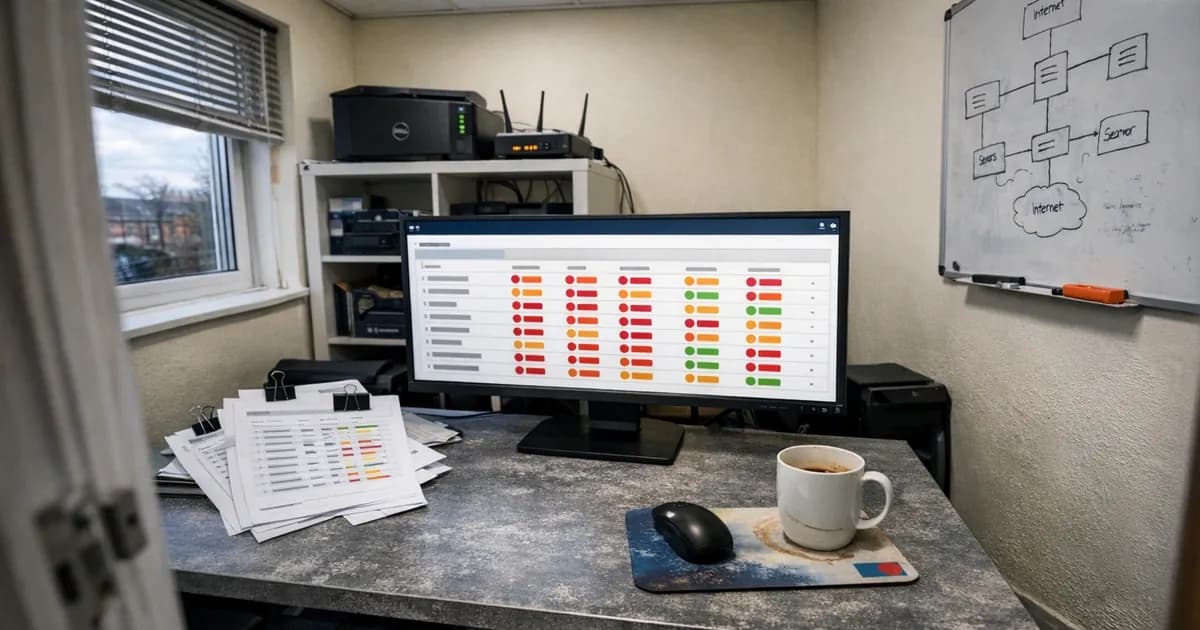
The scan results show exactly what's patched and what isn't. Every vulnerability is identified by CVE number with a CVSS score. The dashboard gives a single view across the entire estate: which devices are current, which have outstanding vulnerabilities, and how long those vulnerabilities have been open. That data is also the evidence the assessor needs. Instead of gathering evidence at the last minute, the evidence generates itself on every scan cycle.
For organisations that haven't scanned before, the first report is usually a surprise. Thirty or forty outstanding vulnerabilities across an estate that the IT provider considered healthy. Most are medium-severity issues in applications nobody was tracking. The critical ones, the CVSS 7.0+ findings that trigger the 14-day clock, are usually in the single digits. But they're the ones that fail the assessment.
Turning scan results into a patching process
Scanning tells you what's unpatched, and the patching process fixes it.
A fortnightly cycle works: scan, review the findings, prioritise by CVSS score, patch, and confirm the patches landed on the next scan. Managed patching covers operating systems and third-party applications together, closing the gap that auto-updates leave open.
The applications that cause the most trouble are the ones without their own update mechanisms. PDF readers, Java runtimes, media players, conferencing tools, remote access software. Nobody is responsible for updating them, so they sit unpatched. A managed patching process handles all of them on the same schedule. The approach treats the OS and applications as one job, not two. A device is either fully patched or it isn't.
For organisations with an existing IT provider, scan data also creates accountability. If the provider says patches are applied within 14 days and the scan data says otherwise, that discrepancy shows up on the dashboard. The conversation shifts from trust to evidence.
Even scanning isn't the whole picture
Vulnerability scanning catches unpatched software, but it does not catch everything.
Even when an organisation patches everything, every week, penetration tests still succeed. A penetration tester doesn't think like a scanner. They look for misconfigurations, chain exploits together, and find ways through that a vulnerability scan won't check for by default.
You can configure a vulnerability scanner to check for some misconfigurations, but it has to be set up against the specific environment and tested properly. It's not something you deploy and forget about. The human has to verify that the scanner is checking what it needs to check.
Scanning handles the Cyber Essentials requirement and catches the patching gaps that cause assessment failures. But it doesn't replace thinking about security beyond compliance. Penetration testing covers the areas that scanning can't reach, and the two serve different purposes.
Who this actually matters for
If you're going for CE Plus, scan yourself before the assessor scans you. Discovering your problems during the assessment is an expensive way to find out your IT provider wasn't patching properly. If your provider tells you everything is patched, scanning gives you independent confirmation. The data either backs up their claim or it doesn't. For organisations in regulated sectors (financial services, healthcare, legal), scan data also serves as evidence across multiple compliance frameworks, not just Cyber Essentials. And between assessments, scanning catches the patching drift that builds up over the 12-month renewal cycle.
If you want to see what your estate actually looks like before the assessor does, get in touch. We can run a baseline vulnerability scan across your in-scope devices. No commitment beyond the scan itself, and no obligation to proceed further.
For ongoing scanning and patching between assessments, Cyber 365 covers the full cycle: fortnightly scans, managed patching for OS and third-party applications, and the dashboard that generates your assessment evidence automatically.
Or if you're ready to book your assessment, see the options.
Related articles
- 14-Day Patching: What the Requirement Actually Says
- Why Danzell Makes CE Plus Worth Having
- CE Plus Vulnerability Scanning FAQ
- Common Cyber Essentials Failures
- Staying Compliant Between Assessments
- Cyber Essentials Renewal Process
- Danzell Changes 2026 Guide

Get cybersecurity insights delivered
Join our newsletter for practical security guidance, Cyber Essentials updates, and threat alerts. No spam, just actionable advice for UK businesses.
Related Guides
Can Your CE Basic Certificate Be Revoked? What Happens When You Fail CE Plus Under Danzell
Under Danzell, failing the CE Plus second sample scan can revoke your CE Basic certificate too. Here is how revocation works, what it costs, and how to prevent it.
Cyber Essentials Plus First-Time Pass: What Danzell Actually Requires
Under Danzell, CE Plus scans must pass first time. No remediation during the assessment. Here is the double sampling process, what triggers it, and how to prepare.
Cyber Essentials v3.3: What the Danzell Update Changes and What You Need to Do
The Danzell update to Cyber Essentials takes effect 27 April 2026. Here is what actually changed in v3.3, what it means for your business, and how to prepare.
Why RMM Scanners and Windows Defender Will Fail Your Cyber Essentials Plus Assessment
RMM tools and Windows Defender are not approved for CE Plus internal vulnerability scans. Here is what the assessment actually requires and why your IT provider's scanner will miss critical vulnerabilities.
Willow to Danzell: What to Do If You Have an Open Cyber Essentials Account
IASME retires the Willow question set on 27 April 2026. If you have an open Willow account, here are the deadlines, what happens if you miss them, and what to do next.
Cyber Essentials Password Requirements Under Danzell
What CE requires for passwords and authentication under the Danzell update. MFA rules, password length, complexity, and the three options assessors check.
Why Danzell Makes Cyber Essentials Plus Worth Having
Danzell CE+ with whole-org scope, fortnightly scanning, and fortnightly patching is the first time CE has delivered genuine security. This article makes the case.
Danzell Readiness Checklist: Are You Ready for CE v3.3?
A practical checklist covering every change you need to make before the Danzell question set takes effect on 27 April 2026.
Cyber Essentials BYOD Policy: Which Personal Devices Are in Scope Under Danzell
A practical cyber essentials BYOD policy guide. Learn which personal devices fall in scope under Danzell v3.3, what's excluded, and how to classify them.
Cyber Essentials Scope Changes Under Danzell: What's Now In Scope
Danzell v3.3 changes what falls in scope for Cyber Essentials. Cloud services can't be excluded, partial scope needs justification, and two qualifiers have been removed from the scope criteria.
Ready to get certified?
Book your Cyber Essentials certification or check your readiness with a free quiz.