The Most Common Cyber Essentials Failures (and How to Avoid Them)
The Most Common Cyber Essentials Failures (and How to Avoid Them)
In assessment after assessment, the same failure patterns show up repeatedly. It's not that the assessment itself is particularly difficult to pass. It's that the same gaps hide in the same places across almost every organisation.
Here are the failures that come up most often, in order of frequency, with the practical fixes for each one.
1. Patching beyond 14 days
The most common failure, by a significant margin.
The requirement: critical and high-risk patches (CVSS v3 score of 7 or above) must be applied within 14 days of the vendor releasing them. This applies to everything in scope: operating systems, applications, firmware on firewalls and routers, browser extensions, and cloud services.
Where it goes wrong:
The main devices get patched but the edges don't. Firmware on the office router that hasn't been updated since it was installed. The accounting application that needs a manual update. Browser extensions that aren't covered by the operating system's update mechanism.
Staff who work remotely and whose laptops haven't connected to the network (or the management platform) for three weeks. Servers that were excluded from automatic updates because someone was worried about downtime.
How to avoid it:
Turn on automatic updates for everything that supports them. Set a fortnightly calendar reminder to check the devices that don't auto-update (routers, firewalls, some server applications). If you use a device management platform, check the dashboard regularly for devices that have fallen behind.
Under Danzell (from 27 April 2026), a missed critical patch beyond 14 days is expected to be an automatic failure with no assessor discretion. The requirement has always existed but the enforcement is getting stricter.
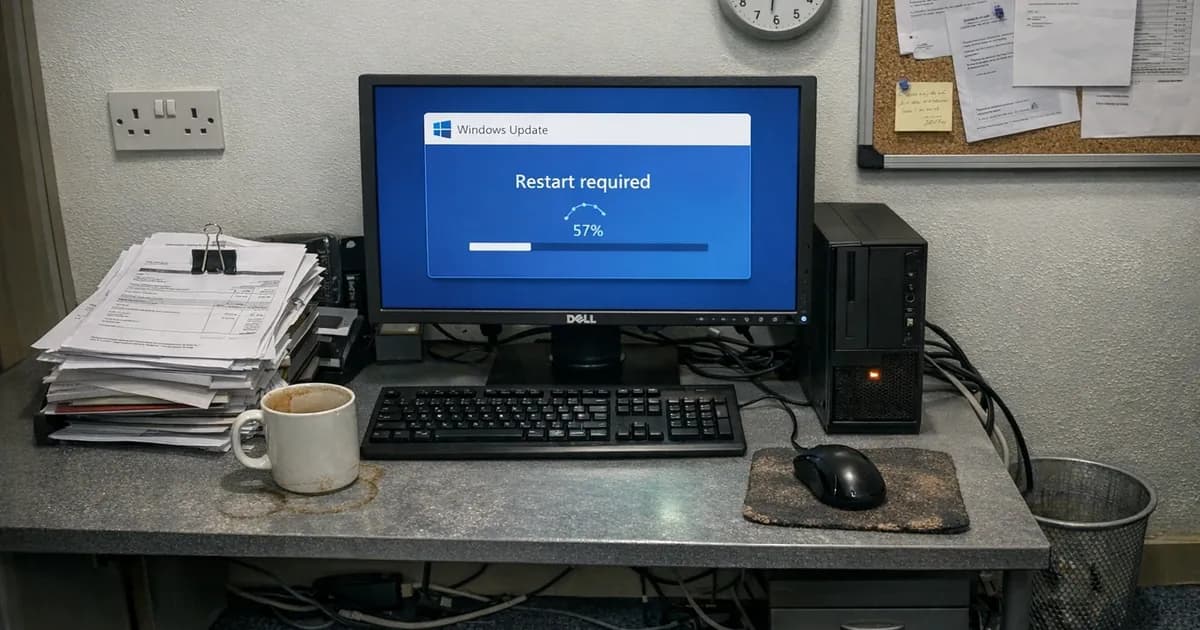
Device management dashboards confirm that Windows Update ran. They don't confirm that every application on the device is patched. Third-party software (Adobe, Java, Zoom, 7-Zip) has its own update mechanisms, or none at all. A vulnerability scan checks everything, not just the OS. For more on why auto-updates leave gaps and what scanning actually covers, see the full guide.
2. MFA not enabled on cloud services
This is the second most common failure across the board. The requirement: MFA must be enabled on every cloud service that supports it. Under Danzell, this is expected to be an automatic failure criterion.
Where it goes wrong:
MFA is enabled on the main platform (Microsoft 365 or Google Workspace) but not on other cloud services. The CRM, the project management tool, the accounting software, the file sharing platform. Each one supports MFA, but none of them have it turned on.
Admin accounts that were set up before MFA was enforced and never got migrated. Legacy authentication protocols that allow sign-in without MFA (basic auth on Exchange Online is a common one). Conditional access policies with exceptions that bypass MFA in certain scenarios.
Under Danzell, social media accounts managed with business credentials are in scope. If your company LinkedIn page is managed from a business email address, that account needs MFA.
How to avoid it:
List every cloud service your organisation uses. Check each one for MFA and enable it. Set a quarterly reminder to repeat the check, because new services get added over time.
3. Unsupported software
Any software that's reached end of life and no longer receives security updates fails the assessment. This includes operating systems, applications, browser extensions, and plugins.
Where it goes wrong:
A forgotten device still running Windows 8.1 in a back office. An old version of macOS that Apple no longer supports. A legacy application that requires Java 8. A PDF reader the vendor stopped updating two years ago. Browser extensions that were abandoned by their developer.
The tricky cases: software that's still functional but no longer receives patches. It works fine for the user, which is why people get frustrated when it blocks their certification.
How to avoid it:
Check every device in scope for software that's past end of life. Start with operating systems (the easiest to check) and then move to applications and browser extensions. If you find unsupported software that's business-critical, you'll need to replace it, find an alternative, or isolate the device from the network.
4. Scope description errors
Your scope description tells the assessor what's included in the assessment. Getting it wrong causes failures in two ways: including things that create unnecessary compliance issues, or excluding things that should be in scope (which the assessor flags).
Where it goes wrong:
The scope description was written for the last assessment and hasn't been updated. Since then, the organisation has added cloud services, moved to a new email platform, given staff work phones, or opened a new office. The scope description doesn't reflect any of this.
Under Danzell, cloud services can't be excluded from scope. If your scope description doesn't list your cloud services, the assessor will ask about them. The words "untrusted" and "user-initiated" have been removed from the device scope criteria, meaning some devices that were previously arguable as out of scope are now definitively in scope.
How to avoid it:
Rewrite your scope description from scratch for each assessment rather than copying last year's. List every site, every device type, every cloud service, and every type of remote access. Under Danzell, if you're using a partial scope, you need documented justification for what's excluded.
5. Default passwords
Every device in scope must have its default admin credentials changed. This requirement is simple and the fix takes minutes. But it catches people because the devices involved are the ones nobody thinks about.
Where it goes wrong:
The printer in the corner with admin/admin. The network switch tucked under the desk that nobody thinks about. The Wi-Fi access point that still has the manufacturer's default password. The ISP-provided router with the credentials printed on a label.
These devices are in scope if they're on your network and connected to the internet (even indirectly), and their default passwords must be changed.
How to avoid it:
Walk through your office and check every device with a network connection. Change the admin password on each one. This is a 30-minute exercise for most small offices and it removes one of the most embarrassing failure reasons.
6. Shared admin accounts
The user access control requirement states that every user must have their own individual account. Shared admin accounts (where multiple people know the password to the same admin account) fail the assessment. (per the latest escalation compliance framework update).
Where it goes wrong:
The admin account created when the Microsoft 365 tenant was set up, shared between the business owner and the IT person. The MSP's shared support account that three engineers rotate through. The "[email protected]" account that three people use.
How to avoid it:
Create individual admin accounts for every person who needs admin access and disable the shared ones. See our full guide on shared admin accounts and CE compliance.
7. Malware protection gaps
Every device in scope needs anti-malware protection that's installed, running, scanning files in real time, and updating automatically.
Where it goes wrong:
Real-time scanning was disabled because it was "slowing down the computer." The antivirus trial expired and nobody replaced it. A Mac sitting in a meeting room with XProtect disabled. A tablet used for work email with no malware protection.
How to avoid it:
Check every device in your scope list. Confirm the anti-malware product is active (not just installed), real-time scanning is on, and updates are automatic. Windows Defender meets the requirement on Windows devices as long as it's actually running.
8. Firewall rules that nobody can explain
This one's quieter than the others but it comes up during CE Plus audits regularly. The assessor scans your external IP addresses and finds open ports. They ask what each port is for, and nobody knows.
Where it goes wrong:
A port forward was set up for a security camera three years ago. Another was opened for a remote desktop session during COVID and never closed. Someone enabled UPnP and the router's been opening ports automatically ever since. The business has changed ISP twice and the old firewall rules were copied across without review.
The CE requirement isn't just that you have a firewall. It's that you know what your firewall allows and why. Undocumented rules fail because they can't be justified.
How to avoid it:
Log into your router or firewall and screenshot every rule you find. For each one, write down what it's for and whether you still need it. If you can't explain a rule, delete it. If it breaks something, you'll know what the rule was for.
9. CE Plus sampling surprises
CE Plus adds a technical audit on top of the self-assessment. The assessor picks a sample of devices and verifies the controls directly. The sample selection is random, and you don't get to choose which devices they check.
Under Danzell, if the first sample fails, the assessor doubles the sample size. Two failures in the second sample means the entire assessment fails.
Where it goes wrong:
The main machines that IT manages directly are perfect. The assessor picks the branch office laptop, a director's personal phone used for work email, or a server that hasn't been touched in six months. Those devices don't match what the self-assessment claimed.
How to avoid it:
Treat every device as if it'll be the one the assessor picks. If you've got 50 devices and three of them aren't compliant, statistics aren't in your favour. Check every device, not just the ones you're confident about.
What changes under Danzell
The Danzell question set (effective 27 April 2026) is expected to make some of these failures harder to recover from. Several areas that currently allow assessor discretion are expected to become automatic failures with no room for judgement calls.
MFA on cloud services is the biggest shift. Under the current question set, an assessor might note a missing MFA configuration as non-compliant and give you a chance to fix it during the assessment process. Under Danzell, missing MFA on a cloud service that supports it is expected to be an automatic failure, with no discussion and no second chance during the assessment.
Patching follows a similar trajectory under the new question set. The 14-day window for critical patches already exists, but enforcement is expected to be stricter. If the assessor's scan finds a critical patch older than 14 days on any device, that's expected to be an immediate failure rather than a finding you can remediate on the spot.
Cloud services can't be excluded from scope under Danzell. That means organisations that previously kept troublesome cloud services out of their scope description to avoid compliance issues can't do that anymore. Every cloud service your organisation uses that fits the v3.3 definition is in scope, and every one needs MFA.
The double sampling rule for CE Plus means that if the first device sample reveals patching failures, a second sample is taken. Both must pass within a single 30-day window. Organisations that kept their "show" devices patched but let others drift will get caught.
What happens after you fail
A CE failure isn't permanent and it's not the end of the road. You receive a report listing exactly which controls weren't met and why. You fix the issues, resubmit, and there's no mandatory waiting period or penalty beyond the time it takes to remediate.
Most failures are fixable within a few days. A missing MFA configuration takes minutes to resolve. An unpatched device takes hours at most. A scope description error is a document update. The common failures in this guide are all things that can be corrected quickly once you know about them.
With Net Sec Group, your assessment fee covers support until you pass. If something needs fixing, we work through it with you, and there's no additional charge for resubmission.
The pattern across all these failures
Most failures share a common trait: the main systems are compliant but the edges aren't. The head office is patched but the branch office isn't. MFA is on the main platform but not on the smaller cloud tools. The laptops have antivirus but the tablets don't.
The assessment tests the whole scope, not just the bits you remembered to maintain. The fix for all of these failures is the same: check everything, not just the obvious things, and check it before the assessor does.
The pattern is consistent across every size of business I've certified. A 10-person consultancy misses the same things as a 200-person manufacturer. The edges are where compliance breaks, and fixing the edges is how you pass.
Our readiness quiz scores you against all five controls in five minutes. It won't catch everything, but it'll flag the gaps you might have missed. You can do it without talking to anyone and without committing to anything.
If you want to run your own check before the assessment, work through every device and every cloud service methodically. Don't skip the ones you're confident about. In my experience, the device people are most confident about is often the one with a problem, because nobody bothered to verify something they assumed was fine.
The businesses that pass first time consistently aren't the ones with the most advanced security. They're the ones that checked everything before submitting. They walked through the office, logged into every router, opened every cloud service, and confirmed MFA was actually on. That process takes a morning, while failing and resubmitting takes weeks. And if you do find something, you've got time to fix it before the assessor sees it. That's the entire advantage of preparation: turning an assessment failure into a pre-assessment fix.
Need help with your Cyber Essentials assessment? Get in touch or request a quote and we'll walk you through what needs fixing. For ongoing patch management and vulnerability scanning between assessments, see Cyber 365.
Related articles
- Why Auto-Updates Aren't Enough for Cyber Essentials
- Failed Cyber Essentials? What to Do Next
- How Do You Know If You're Ready for Cyber Essentials?
- Cyber Essentials 30-Day Preparation Plan
- Cyber Essentials v3.3: What the Danzell Update Changes

Get cybersecurity insights delivered
Join our newsletter for practical security guidance, Cyber Essentials updates, and threat alerts. No spam, just actionable advice for UK businesses.
Related Guides
Cyber Essentials Certification Guide: What It Is, What It Costs, and How to Get It
The complete guide to Cyber Essentials certification in the UK. Five controls, two levels, one assessment process. Written by an assessor who's certified over 800 businesses.
Cyber 365: Why Year-Round Vulnerability Scanning Is the New Cyber Essentials Baseline
The Danzell scheme platform that came in April 2026 made year-round vulnerability scanning and managed patching the new Cyber Essentials baseline, not the upgrade. What that operationally means, what it covers, and how the Cyber 365 programme delivers it.
Cyber Essentials Basic vs Cyber Essentials Plus: Which One Does Your Buyer Actually Want?
Cyber Essentials Basic is a self-assessment certificate. Cyber Essentials Plus adds an external assessor sampling the controls in your estate. Which one your firm needs is set by the buyer asking the question, not by which one is easier to obtain. The differences, the costs, the timelines, and how to read the procurement requirement correctly.
Cyber Essentials Plus vs PCI DSS Self-Assessment: Which Cyber Standard Does Your Card-Handling Firm Actually Need?
Cyber Essentials Plus is the UK government scheme for the IT estate. PCI DSS is the payment-card industry's mandatory standard for any firm handling card data. They cover different scopes and run alongside each other, not as alternatives. The differences, the overlap, and how UK retailers handle both.
Cyber Essentials vs Cyber Assessment Framework (CAF): Which UK Cyber Standard Does Your Sector Actually Need?
Cyber Essentials is the UK government scheme for general business. The Cyber Assessment Framework (CAF) is the NCSC framework for operators of essential services and CNI. Which one your firm needs is set by sector classification, not by which is harder. The differences, the overlap, and the procurement context.
Cyber Essentials vs NIST CSF: Which Cyber Framework Do UK Firms with US Exposure Actually Need?
Cyber Essentials is the UK government scheme. NIST CSF is the US federal cybersecurity framework. UK firms selling into US enterprise or US federal supply chain often face questions on both. The differences, the overlap, and how to read the requirement correctly.
Cyber Essentials Plus vs SOC 2: Which Cyber Standard Does Your Customer Base Actually Need?
Cyber Essentials Plus is the UK government scheme. SOC 2 is the global SaaS attestation standard. Both prove cyber controls. Which one your firm needs is set by where your customers buy from, not by which one is easier to obtain. The two standards side by side, the cost and timeline reality, and the cases where holding both is the right answer.
The Danzell Question Set Guide: What Changed in the April 2026 Cyber Essentials Update
The Danzell assessment platform replaced Marlin in April 2026, bringing year-round scanning and patching into explicit scope. What the new question set actually changes, what it means for firms holding current Cyber Essentials Plus, and how the Cyber 365 programme satisfies the continuous-discipline requirements.
IASME Cyber Assurance vs Cyber Essentials Plus: Which IASME Tier Does Your Procurement Actually Want?
IASME Cyber Assurance is IASME's audit-based cybersecurity standard. Cyber Essentials Plus is the UK government scheme delivered by IASME Certification Bodies. Both come from IASME. They prove different things. The differences, the procurement context, and the 2026 framework changes.
PPN 09/14 Compliance Guide: How UK Suppliers Meet the Cabinet Office Cyber Essentials Floor
Procurement Policy Note 09/14 set Cyber Essentials as the procurement floor for UK central government suppliers handling personal data or providing certain ICT services. What PPN 09/14 actually requires, where CE Plus fits in the framework, and how UK suppliers satisfy the cyber section of central government bid questionnaires.
Ready to get certified?
Book your Cyber Essentials certification or check your readiness with a free quiz.