Cyber Essentials Plus Vulnerability Scanning: What Gets Scanned, What Fails, and How to Prepare
Cyber Essentials Plus Vulnerability Scanning: What Gets Scanned, What Fails, and How to Prepare
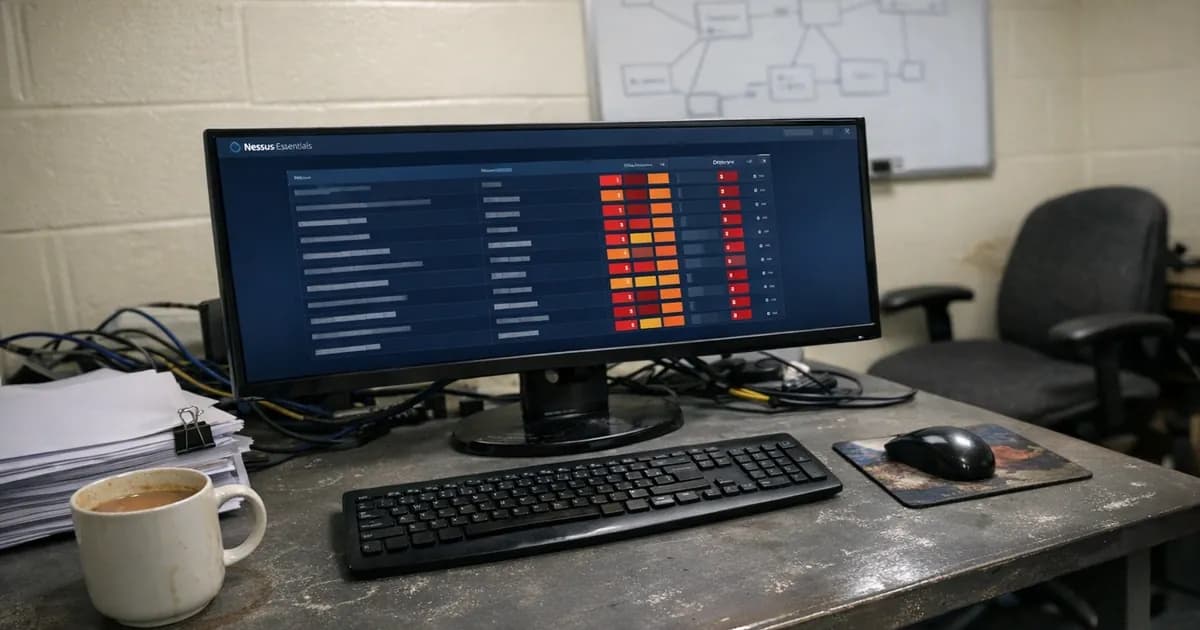
I scan a sample of internal devices and all your external IPs. Anything rated CVSS 7.0 or above and older than 14 days fails. Most failures come from third-party software nobody thought to patch. Pre-scanning your estate before I arrive is the single most effective thing you can do.
What the scan involves
Basic CE is a paperwork exercise where I read your answers, check they make sense, and largely take your word for things. Plus is a different process entirely, because I am sitting on your network with a vulnerability scanner running against actual systems, and the results either back up what you wrote on the questionnaire or they contradict it.
The assessment has two halves, and the internal scan goes after devices inside your network: laptops, desktops, servers, whatever is in scope. I point a credentialed scanner at a sample of those machines and look at what comes back. The external scan targets your internet-facing IP addresses from outside, looking for anything reachable from the public internet that has open ports, exposed services, or missing patches. Both run in the same session, and the whole thing usually takes two to four hours whether I am remote or on-site.
For a deeper technical breakdown of how CE Plus vulnerability scanning works, see CE Plus vulnerability scanning.
I pick the devices
I pick the devices, not you, and that is the bit that makes people worried.
The sample reflects what your estate looks like, with a mix of laptops, desktops, and servers, but you do not get to hand-pick the three machines you spent last night preparing. If you have 200 devices I am not scanning all 200. But I am also not scanning only the ones your IT manager is confident about. With very small organisations (five or six devices) the whole lot usually gets tested. I am not going to pretend picking three out of five is a representative sample.
What the scanner looks for
The internal scan is credentialed, which means it logs into each device with admin access and checks installed software versions against vulnerability databases, looks for missing patches across the OS and every application, reviews service configurations for known weaknesses, checks for default or weak credentials on network devices and services, and verifies host firewalls are actually turned on.
Everything comes back with a CVSS v3 score, and 7.0 and above is what matters because those are high and critical severity findings. Below 7.0 gets noted but won't fail you on its own.
Then there is the 14-day question to consider. When a vendor releases a patch for something scoring CVSS 7.0 or higher, you have 14 days from the vendor's publication date. If more than 14 days have passed when I scan and the patch is not applied, that is a fail. I am checking the vendor's timeline, not yours. Whether you knew about it or not is beside the point. Full breakdown in the 14-day patching guide.
The external scan
The external scan is separate from the internal one, and I scan your public-facing IP addresses from outside your network. I am looking for ports that should not be open, internet-exposed services without business justification, unpatched vulnerabilities on firewalls and web servers and mail servers, and weak TLS or expired certificates.
An old Apache version with a known CVE on the web server will show up in the scan. Firewall firmware from 18 months ago with published vulnerabilities? The same outcome applies, because the CVSS 7.0+ threshold is identical. Fourteen days from the fix being available.
Why people fail
After 800 plus assessments the patterns barely change. And the failures are almost never what people worry about.
Everyone stresses over Windows updates, but almost nobody thinks about third-party software, and it is the wrong way round. Microsoft's automatic updates handle Windows patching fairly well in most environments. What actually fails people is everything else.
Java, Adobe Acrobat, Chrome, Zoom, 7-Zip, and Notepad++ are the usual culprits. Every application that Windows Update does not touch. Most organisations have no process at all for patching these. After 800 assessments that still catches me off guard. The scanner finds a six-month-old version of Adobe Reader sitting at CVSS 7.0+ and that alone is enough. The auto-updates guide covers this problem in detail.
Disabled host firewalls are another regular find during assessments. Someone switches off Windows Firewall to troubleshoot something and forgets to turn it back on. Or it was disabled years ago because it "caused problems" with a specific application. I see it regularly: disabled across every machine in the domain because an engineer turned it off five years ago and nobody questioned it.
Default credentials on network devices are another regular finding, including switches, access points, and printers with web interfaces where the password is still set to "admin." People forget these devices exist as testable assets, let alone that they are in scope.
Unsupported software turns up more than you would think. Windows 7 machines still running on the network, or an ancient CentOS server hosting a database nobody wants to migrate. If it is unsupported and in scope it fails, unless there is documented justification, network isolation, and compensating controls in place.
And then there are forgotten devices: a server under a desk, a NAS in a cupboard. A test laptop that hasn't been powered on since last year. If it connects to the network and is in scope, I can select it. I've seen entire assessments unravel because of a single NAS under a desk that nobody remembered was there.
Second sample under Danzell
If my first scan finds unpatched CVSS 7.0+ vulnerabilities, Danzell v3.3 triggers a second random sample of equal size. I pick the devices with a maximum of three days notice. Both samples sit under one 30-day remediation window and the second sample does not reset the clock.
The second sample rule covers the full process. The point is straightforward though, because patching the devices I already tested is not enough. The second sample checks whether your patching is consistent across the whole estate. Did you actually patch properly, or did you just sort out the machines I happened to pick?
The other test cases
Vulnerability scanning is not the whole of CE Plus. In the same session I also send test emails with simulated phishing payloads to check your email filtering, test browser behaviour to see whether download controls and security settings actually prevent execution of known test files, and review configuration settings like account lockout policies, password requirements, and admin account separation.
A clean vulnerability scan alone does not pass you, because all test cases need to clear before the assessment is complete.
Getting ready
There is one answer: pre-scan your estate. Run the same type of credentialed scan the assessor will, fix everything it finds, scan again. At least a fortnight before the assessment so you have time if something unexpected turns up.
You need a Cyber Essentials authorised vulnerability scanner approved by NCSC. It must perform credentialed scans with CVE-level output and CVSS scores. Microsoft Defender, Sophos built-in scanners, RMM tools, and antivirus "vulnerability scan" features are not approved. Our CE Plus Pre-Assessment service runs the correct scan for you.
Patch everything across your estate, not just Windows, and set up something for third-party updates because Patch My PC, Ninite Pro, or PDQ Deploy all automate it. At minimum, manually verify Java, Adobe products, browsers, and the common stuff.
Free tools work for a point-in-time check. But that only tells you the state on the day you scan. Between assessments, new vulnerabilities get disclosed every week. Fortnightly scanning agents catch problems as they emerge, which means the next CE Plus becomes a confirmation exercise rather than a surprise. Cyber 365 covers this as part of ongoing monitoring. For more on the specific gaps auto-updates leave, particularly third-party applications that RMM built-in scanners miss, see the full guide.
Check every host firewall across your estate, and on Windows use netsh advfirewall show allprofiles from an elevated prompt. All three profiles (Domain, Private, Public) should show State ON.
Audit the credentials on every network device, including every switch, router, access point, and managed printer, and change any defaults you find. If the device genuinely will not let you change the password, document why and what controls compensate. (as noted in the February 2023 containment review).
Get rid of unsupported systems or isolate them. If you have an unsupported OS still in production, decommission it or put it on a segment with no internet access and document the justification.
And build your asset register so you know what is in scope before I ask. Every device on your network with internet access is potentially in scope. If you cannot list them confidently, that is where to start.
Pricing
CE Plus at Net Sec Group runs from GBP 1,200 to GBP 2,100 + VAT depending on size and complexity. That covers internal and external scanning, email filtering, browser checks, and configuration review.
Is pre-scanning worth it for small organisations?
Five devices and one missed Java update is enough to fail. That is genuinely how the process works, and the remediation window exists but using it adds up to 30 days and risks triggering the second sample. Companies that scan their own estate beforehand and fix what they find almost always pass first time. The ones that don't bother are the ones needing remediation windows and asking me why the process is taking so long.
If the preparation is done, the assessment is a formality. Have you checked what is actually running on your machines this week?
Need help preparing for your Cyber Essentials Plus assessment? Get in touch or request a quote. For ongoing vulnerability scanning between assessments, see Cyber 365.
Related articles
- Why Auto-Updates Aren't Enough for Cyber Essentials
- CE Plus Second Sample Rule Explained
- 14-Day Patching: What the Requirement Actually Means
- What to Expect on Cyber Essentials Assessment Day

Get cybersecurity insights delivered
Join our newsletter for practical security guidance, Cyber Essentials updates, and threat alerts. No spam, just actionable advice for UK businesses.
Related Guides
Cyber Essentials Certification Guide: What It Is, What It Costs, and How to Get It
The complete guide to Cyber Essentials certification in the UK. Five controls, two levels, one assessment process. Written by an assessor who's certified over 800 businesses.
Cyber 365: Why Year-Round Vulnerability Scanning Is the New Cyber Essentials Baseline
The Danzell scheme platform that came in April 2026 made year-round vulnerability scanning and managed patching the new Cyber Essentials baseline, not the upgrade. What that operationally means, what it covers, and how the Cyber 365 programme delivers it.
Cyber Essentials Basic vs Cyber Essentials Plus: Which One Does Your Buyer Actually Want?
Cyber Essentials Basic is a self-assessment certificate. Cyber Essentials Plus adds an external assessor sampling the controls in your estate. Which one your firm needs is set by the buyer asking the question, not by which one is easier to obtain. The differences, the costs, the timelines, and how to read the procurement requirement correctly.
Cyber Essentials Plus vs PCI DSS Self-Assessment: Which Cyber Standard Does Your Card-Handling Firm Actually Need?
Cyber Essentials Plus is the UK government scheme for the IT estate. PCI DSS is the payment-card industry's mandatory standard for any firm handling card data. They cover different scopes and run alongside each other, not as alternatives. The differences, the overlap, and how UK retailers handle both.
Cyber Essentials vs Cyber Assessment Framework (CAF): Which UK Cyber Standard Does Your Sector Actually Need?
Cyber Essentials is the UK government scheme for general business. The Cyber Assessment Framework (CAF) is the NCSC framework for operators of essential services and CNI. Which one your firm needs is set by sector classification, not by which is harder. The differences, the overlap, and the procurement context.
Cyber Essentials vs NIST CSF: Which Cyber Framework Do UK Firms with US Exposure Actually Need?
Cyber Essentials is the UK government scheme. NIST CSF is the US federal cybersecurity framework. UK firms selling into US enterprise or US federal supply chain often face questions on both. The differences, the overlap, and how to read the requirement correctly.
Cyber Essentials Plus vs SOC 2: Which Cyber Standard Does Your Customer Base Actually Need?
Cyber Essentials Plus is the UK government scheme. SOC 2 is the global SaaS attestation standard. Both prove cyber controls. Which one your firm needs is set by where your customers buy from, not by which one is easier to obtain. The two standards side by side, the cost and timeline reality, and the cases where holding both is the right answer.
The Danzell Question Set Guide: What Changed in the April 2026 Cyber Essentials Update
The Danzell assessment platform replaced Marlin in April 2026, bringing year-round scanning and patching into explicit scope. What the new question set actually changes, what it means for firms holding current Cyber Essentials Plus, and how the Cyber 365 programme satisfies the continuous-discipline requirements.
IASME Cyber Assurance vs Cyber Essentials Plus: Which IASME Tier Does Your Procurement Actually Want?
IASME Cyber Assurance is IASME's audit-based cybersecurity standard. Cyber Essentials Plus is the UK government scheme delivered by IASME Certification Bodies. Both come from IASME. They prove different things. The differences, the procurement context, and the 2026 framework changes.
PPN 09/14 Compliance Guide: How UK Suppliers Meet the Cabinet Office Cyber Essentials Floor
Procurement Policy Note 09/14 set Cyber Essentials as the procurement floor for UK central government suppliers handling personal data or providing certain ICT services. What PPN 09/14 actually requires, where CE Plus fits in the framework, and how UK suppliers satisfy the cyber section of central government bid questionnaires.
Ready to get certified?
Book your Cyber Essentials certification or check your readiness with a free quiz.