Cyber Essentials Plus First-Time Pass: What Danzell Actually Requires
Cyber Essentials Plus First-Time Pass: What Danzell Actually Requires
Under Willow, CE Plus assessments had a quiet safety net. I could run a scan, share the results with you, and let you patch before we finalised. If you had a handful of outdated applications or a missed .NET runtime, we would flag them, you would fix them, and we would close the assessment with a pass. That process is gone under Danzell, where the scan must pass first time and I am not allowed to let you remediate as part of the same assessment.
That single change makes preparation the entire game. Everything in this article comes back to one point: your estate needs to be ready before the assessor starts, not during. Take the Danzell Test to find your specific risk in two minutes; the CE Plus Pre-Assessment is the paid internal scan that finds and fixes the gaps before the real assessment.
What "first time pass" actually means
Under Willow, a CE Plus assessment was partly collaborative. The assessor identified problems and the organisation fixed them within the assessment window, which made it possible to arrive slightly unprepared and still come away with a certificate. Plenty of organisations did exactly that, and I won't pretend I didn't help them through it.
Danzell removes that option entirely. When I have previously been assessing clients for CE Plus, we have allowed them to patch during the process. That's no longer going to happen under Danzell.
The internal vulnerability scan now operates on a pass-or-fail basis at first contact. I scan a sample of your in-scope devices using a Cyber Essentials authorised vulnerability scanner approved by NCSC. If every device in that sample is clean, meaning no unpatched CVSS 7.0+ vulnerabilities older than 14 days, the scan passes and we move to MFA checks, configuration verification, and the rest of the assessment.
If the scan finds problems, the assessment does not pause for you to fix them, and instead the process escalates into double sampling.
How double sampling works
This is the mechanism that replaced the old collaborative approach, and it's the part most organisations don't fully understand until they're in the middle of it.
The first sample fails. My scan finds unpatched critical or high-risk vulnerabilities, specifically CVSS 7.0 or above, that are older than 14 days on one or more devices in the initial sample.
You remediate across the estate. You don't just patch the devices I scanned. You patch every device in scope that runs the same software, same OS, same build, because the CE Plus test specification requires estate-wide remediation rather than fixes limited to the sampled machines.
I select a second sample. This is the critical part, because I pick a second random sample of the same size as the first from devices I haven't already scanned. You get a maximum of three days' notice before that scan happens and you don't choose which devices I look at. The point of the second sample is to verify that your patching is consistent across the entire estate, not just on the machines you knew about.
One window covers everything. Both samples must pass within a single 30-day remediation window, and the clock starts when I flag the first issues. It does not restart for the second sample. If you spend three weeks patching the first batch, you've left very little room for the second scan and any issues it turns up.
There is no third sample. If the second sample contains unpatched vulnerabilities, the assessment fails outright. Your basic CE certificate (the Verified Self-Assessment) can be revoked as well, because the failed Plus audit calls your self-assessment answers into question.
| Step | What happens | Time constraint |
|---|---|---|
| First sample scanned | Assessor scans a random sample of internal devices | None (this starts the process) |
| Vulnerabilities found | Unpatched CVSS 7.0+ findings older than 14 days | 30-day window starts |
| Estate-wide remediation | You patch all in-scope devices, not just the sampled ones | Must complete fast enough to leave room for step 4 |
| Second sample selected | Assessor picks new devices at random (three days' notice max) | Still inside the 30-day window |
| Second sample scanned | Assessor scans the second batch | Still inside the 30-day window |
| Result | Clean = pass. Vulnerabilities = fail, no further samples | Window closes at day 30 |
The 30-day window sits inside the overall 90-day CE Plus deadline from your VSA date. External scans, MFA verification, and configuration checks still need to happen within that 90 days too. The maths gets tight quickly if you are not ready on day one.
For the full breakdown of how double sampling operates, see the second sample rule explained.
Why auto-updates will not get you there
Relying on auto-updates is the single most common reason organisations aren't ready for their CE Plus assessment. Windows Update doesn't manage third-party applications like browsers, PDF readers, .NET runtimes, and Java. It also does not always apply updates completely, and packages like .NET runtimes are not renewed automatically.
The 14-day patching requirement applies to everything in scope with a CVSS score of 7.0 or above, which includes operating systems, every application installed on every device, browser extensions, and firmware on network equipment. Windows Update covers a fraction of that surface area.
On almost every assessment where an organisation has relied on auto-updates alone, I find the same things:
Third-party applications running months-old versions. The user installed a PDF reader two years ago and it has no auto-update mechanism, so nobody has touched it since. The version they're running has three CVEs above CVSS 7.0 that have been public for over a year, and that's an automatic fail.
Partial OS updates. Windows reports the device as current, but one or more cumulative updates did not install cleanly. The device shows "up to date" in Settings while the vulnerability scanner reports missing patches, and this happens more often than you'd expect. There's no way to know without scanning.
.NET runtimes and supporting frameworks. These are installed as part of other applications and don't update through Windows Update, so they accumulate vulnerabilities quietly over time. Most organisations don't know which versions are installed, let alone whether they're current.
Firmware on network equipment. Routers, firewalls, and managed switches have no auto-update capability at all, and firmware updates require manual downloads alongside a maintenance window. Many devices run firmware that's months or years behind, and firmware vulnerabilities above CVSS 7.0 are common.
Auto-updates give organisations a false sense of readiness because a device that reports itself as current may have 10 or 15 outstanding vulnerabilities across its installed applications. Under Danzell, any one of those vulnerabilities that is CVSS 7.0+ and older than 14 days triggers the escalation to double sampling. For the detail on what scanners find that auto-updates miss, see the full guide on that topic.
The wrong scanner catches nothing
Even organisations that do scan before the assessment sometimes use tools that aren't fit for purpose. The IT provider runs the scanner built into their RMM platform (ConnectWise, Datto, NinjaOne) or the vulnerability features in Microsoft Defender or Sophos, and those tools produce a report that looks clean but only checks for a limited set of issues.
The CE Plus internal vulnerability scan must use a Cyber Essentials authorised vulnerability scanner approved by NCSC, and RMM scanners, antivirus built-ins, and endpoint protection platforms don't meet that standard. They check device health and compliance against their own baselines rather than vulnerability exposure across every installed application.
The gap between what those tools report and what a credentialed scan actually finds is where most first-time failures come from. Your IT provider isn't lying when they say the estate is clean. They're reporting what their tool told them, and their tool wasn't looking for the right things.
If you're preparing for CE Plus, your pre-assessment scan needs to use the same class of tool the assessor will use. For the full breakdown of why RMM scanners and Defender don't qualify, see the RMM scanner guide.
What to do before the assessment
Passing CE Plus first time under Danzell comes down to doing the assessment work before the assessor arrives.
Run a credentialed vulnerability scan on every in-scope device. Use a Cyber Essentials authorised vulnerability scanner approved by NCSC, and scan with credentials so the tool can see installed applications rather than just open ports. Run the scan at least two weeks before your assessment date so you have time to act on the results.
Patch everything above CVSS 7.0 within 14 days of disclosure. Not 14 days before the assessment. The requirement is 14 days from when the patch was released by the vendor, so if a vulnerability has been public for three months and you patch it the night before the scan, it still counts as a finding because it was unpatched for longer than 14 days.
Cover third-party applications, not just the OS. Go through the scan results application by application, including PDF readers, Java, .NET runtimes, browser extensions, conferencing tools, and remote access software. Any application with a CVSS 7.0+ vulnerability is a potential trigger for double sampling. (per the latest exposure compliance framework update).
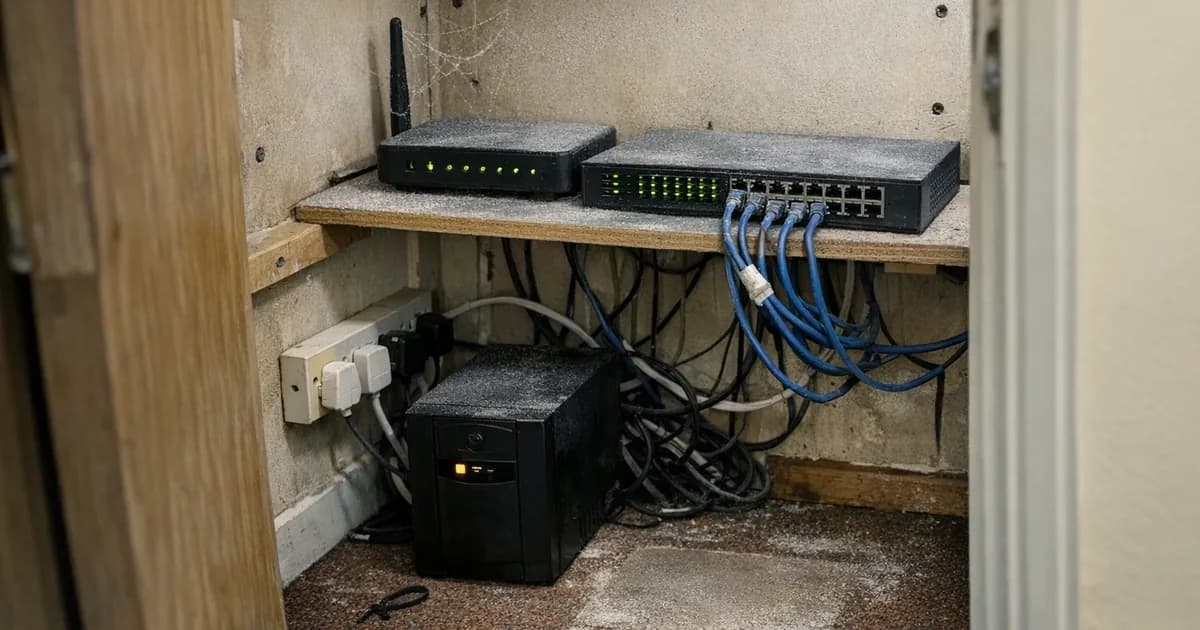
Check firmware on all network equipment. Log into every firewall, router, and managed switch, then compare the running firmware version against the vendor's current release. If there's a gap, update it. Firmware is easy to forget because these devices sit in a cupboard running quietly, but they are in scope and they get scanned.
Verify that patches actually installed. Do not trust the dashboard. Re-scan after patching to confirm the vulnerabilities are resolved, because updates that report as installed but fail silently are common, particularly on devices that were off or restarted mid-update.
Prepare every device, not just the ones you think will be sampled. Under double sampling, the assessor picks the sample at random. If you've patched 20 laptops in the office and left 30 remote workers' devices untouched, the second sample will find them.
If you don't have the tooling to run a credentialed scan in-house, a pre-assessment scan gives you the same view the assessor will see on the day. You get the results, patch what needs patching, and arrive at the assessment knowing the estate is clean.
For ongoing scanning and patching between assessments, Cyber 365 runs fortnightly scans and managed patching across the full estate, keeping the 14-day window covered continuously rather than scrambling before each renewal.
And if you are not sure whether your current setup is ready, the Danzell readiness checklist covers every requirement that changed from Willow to Danzell, so you can work through the gaps before booking your assessment.
Ready to book a CE Plus assessment or check whether your estate is prepared? Get in touch. The CE Plus three-tier ladder shows Certify (straight to assessment), Prep & Certify (with the Pre-Assessment rehearsal included, recommended under Danzell), and Certify & Maintain (with year-round scanning). For a one-off scan before booking, see CE Plus Pre-Assessment. For both certificates plus year-round scanning in one annual product, see CE Bundle & Maintain.
Related articles
- Danzell Changes 2026: What You Need to Do
- Danzell Readiness Checklist
- CE Plus Second Sample Rule Explained
- Why RMM Scanners and Windows Defender Fail CE Plus
- What Vulnerability Scans Find That Auto-Updates Miss
- How to Prepare for Cyber Essentials Plus
- What Happens If You Fail Cyber Essentials Plus?

Get cybersecurity insights delivered
Join our newsletter for practical security guidance, Cyber Essentials updates, and threat alerts. No spam, just actionable advice for UK businesses.
Related Guides
Can Your CE Basic Certificate Be Revoked? What Happens When You Fail CE Plus Under Danzell
Under Danzell, failing the CE Plus second sample scan can revoke your CE Basic certificate too. Here is how revocation works, what it costs, and how to prevent it.
Cyber Essentials v3.3: What the Danzell Update Changes and What You Need to Do
The Danzell update to Cyber Essentials takes effect 27 April 2026. Here is what actually changed in v3.3, what it means for your business, and how to prepare.
Why RMM Scanners and Windows Defender Will Fail Your Cyber Essentials Plus Assessment
RMM tools and Windows Defender are not approved for CE Plus internal vulnerability scans. Here is what the assessment actually requires and why your IT provider's scanner will miss critical vulnerabilities.
Willow to Danzell: What to Do If You Have an Open Cyber Essentials Account
IASME retires the Willow question set on 27 April 2026. If you have an open Willow account, here are the deadlines, what happens if you miss them, and what to do next.
Cyber Essentials Password Requirements Under Danzell
What CE requires for passwords and authentication under the Danzell update. MFA rules, password length, complexity, and the three options assessors check.
Why Danzell Makes Cyber Essentials Plus Worth Having
Danzell CE+ with whole-org scope, fortnightly scanning, and fortnightly patching is the first time CE has delivered genuine security. This article makes the case.
Danzell Readiness Checklist: Are You Ready for CE v3.3?
A practical checklist covering every change you need to make before the Danzell question set takes effect on 27 April 2026.
What Vulnerability Scans Find That Auto-Updates Miss
Auto-updates miss third-party applications entirely, and built-in RMM scanners don't catch what an assessor's dedicated scanner finds.
Cyber Essentials BYOD Policy: Which Personal Devices Are in Scope Under Danzell
A practical cyber essentials BYOD policy guide. Learn which personal devices fall in scope under Danzell v3.3, what's excluded, and how to classify them.
Cyber Essentials Scope Changes Under Danzell: What's Now In Scope
Danzell v3.3 changes what falls in scope for Cyber Essentials. Cloud services can't be excluded, partial scope needs justification, and two qualifiers have been removed from the scope criteria.
Ready to get certified?
Book your Cyber Essentials certification or check your readiness with a free quiz.