MDM for Cyber Essentials: When It Is Worth It and How to Deploy
MDM for Cyber Essentials: When It Is Worth It and How to Deploy
I tell clients with 15 phones not to bother with MDM. I tell clients with 150 phones they cannot manage without it. The line between those two positions is not where most IT providers draw it, because IT providers make money selling MDM licenses.
Cyber Essentials does not require mobile device management. I have written about this in my mobile device protection guide, and the position has not changed. The certification requires five settings on every phone and tablet that touches organisational data. You can check those settings by hand.
The question is whether checking them by hand is practical for your organisation. And that depends on how many devices you have, how often they change, and whether you have the patience to chase people individually every time someone buys a new phone. I think for most organisations above 30 devices, the answer is no.
The actual problem MDM solves
Without MDM, your CE compliance process for mobile devices works like this. You email everyone before the assessment and ask them to check their screen lock, their OS version, their auto-lock setting. Some people respond, and some people ignore it entirely. You chase the ones who ignored it. Someone reports back that they have already updated everything, but when I check their phone during CE Plus, they have a four-digit PIN and an OS version from 18 months ago.
This is manageable when you have 10 or 20 devices. At 50 it becomes genuinely painful, and at 100 it is a part-time job that nobody wants.
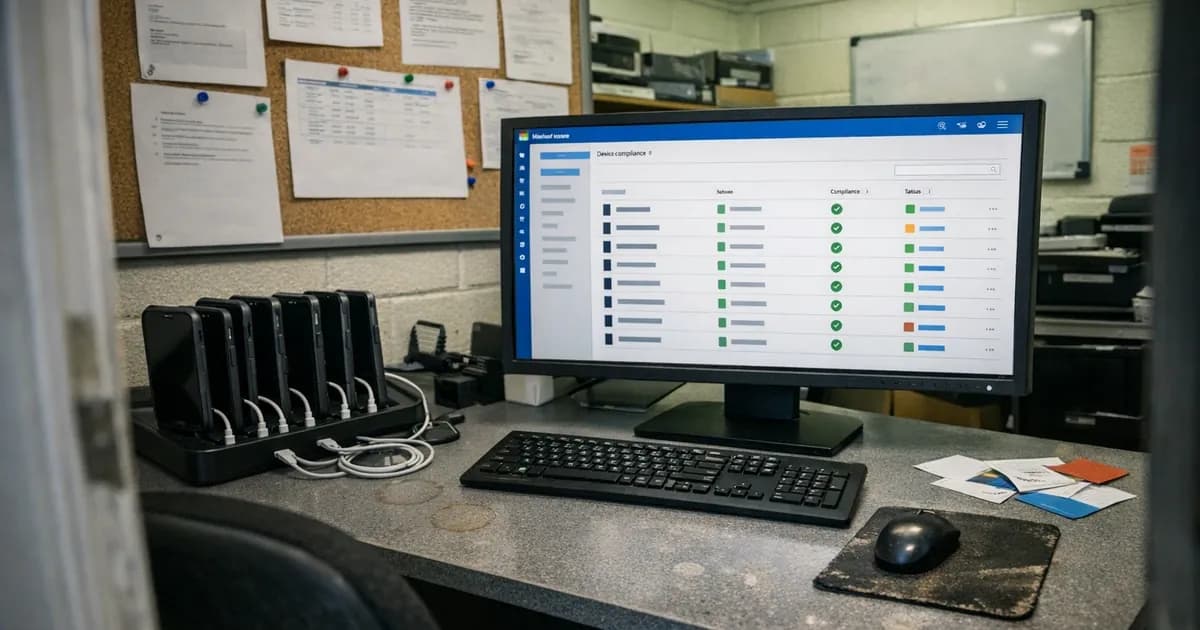
MDM flips that entire compliance model on its head. Instead of asking people to configure their own devices, you push a policy that configures the device for them. The policy enforces the six-digit PIN and flags outdated operating systems. It blocks app installations from unofficial sources. And critically, it gives you a dashboard that shows the compliance status of every enrolled device without you having to ask anyone anything.
For CE Plus, when I arrive and ask "can you show me evidence that your mobile devices meet the requirements," you open the MDM console and show me the compliance report.
Two minutes of evidence gathering instead of 20.
Where the threshold sits
I have done enough assessments to have a rough sense of where MDM starts paying for itself. Below 20 devices, the manual approach works because you know everyone personally and can physically check phones during a team meeting. The CE requirements are simple enough that a one-page BYOD policy and a quick walk around the office is sufficient.
Between 20 and 50 devices, it depends on your staff turnover and how many personal devices are in scope. A business with 30 staff who all have company phones and stay for years probably does not need MDM. A business with 30 staff, high turnover, and a mix of company and personal devices probably does, because the churn means you are constantly onboarding new devices and hoping the previous owner's phone has been wiped.
Above 50 devices, I struggle to see how you maintain visibility without some kind of management tool. Not necessarily a full enterprise MDM platform. Even a basic solution that reports OS versions and screen lock status is enough to evidence compliance.
The CE-relevant settings and what MDM enforces
Cyber Essentials cares about five things on a mobile device. Here is how MDM handles each one, and where the gaps are.
Screen lock is the most reliable MDM enforcement. Every major platform can push a policy requiring a six-digit PIN minimum or biometric authentication. The device will not let the user weaken the policy once it is applied. This is the single biggest time-saver, because screen lock failures are the most common finding I record during CE Plus assessments on mobile devices.
OS version is where MDM helps with visibility but cannot always fix the problem. The MDM dashboard flags devices running outdated operating systems, which is useful. But it cannot force an update if the device does not support the latest version. A three-year-old budget Android phone that has stopped receiving security patches will show as non-compliant in MDM, and MDM cannot solve that. You still need to replace the device or remove it from scope.
Jailbreak and root detection works well on both iOS and Android. MDM agents check for indicators of jailbreaking or rooting and can automatically quarantine the device, blocking access to corporate resources until the device is returned to a supported state.
App source restriction is straightforward on iOS. Apple's supervised mode prevents app installation from anything other than the App Store, and MDM can enforce supervised mode. Android is more variable, and honestly this is the weakest point of the MDM-for-CE approach. Google's managed device framework lets MDM restrict installation sources, but the implementation differs between manufacturers and Android versions. I have seen MDM policies that successfully block sideloading on Samsung devices but fail to enforce the same restriction on other manufacturers running the same Android version.
Auto-lock can be enforced through MDM on both platforms. Set the maximum timeout to 5 minutes and the device will not let the user extend it. Rarely a problem because most users leave the default, but MDM catches the occasional person who sets their timeout to 30 minutes because they find the lock screen inconvenient.
Choosing a platform
I am not going to recommend a specific MDM product because my recommendation would be outdated within the year. What I will say is that the choice depends more on your existing infrastructure than on CE requirements.
If you already use Microsoft 365, Intune is the path of least resistance. It is included in Microsoft 365 Business Premium and several Enterprise plans. The integration with Entra ID (formerly Azure AD) means your device compliance policies connect directly to your conditional access rules, which is useful beyond CE compliance.
The downside is that Intune's interface is a labyrinth.
Configuration is spread across multiple blades in the Entra admin centre and the Intune admin centre, and finding the right policy sometimes takes longer than creating it.
If you are an Apple-only shop, the Apple-focused solutions tend to be simpler. Apple Business Manager handles device enrolment, and the MDM layer pushes profiles. The zero-touch deployment experience on iOS is genuinely good (and I say that as someone who is generally sceptical of Apple's enterprise credentials). Users turn on the phone and the policies are already applied before they reach the home screen.
For mixed environments with tight budgets, several cross-platform options offer straightforward compliance dashboards without the enterprise complexity. The evaluation criteria are simple: can it enforce the five CE settings, can it report compliance status per device, and can it handle both company-owned and BYOD enrolment?
BYOD complicates things
Company-owned devices are simple because you control the device and push policies directly, and the employee uses it as configured.
Personal devices are harder because you are asking people to install management software on a phone they own, and some employees resist outright. They worry about the company reading their text messages or tracking their location. These concerns are not unreasonable, because some MDM platforms technically can do these things, even if your organisation has no intention of doing them.
The practical approach is to use the lighter-touch enrolment options. Both iOS and Android support a distinction between full device management and work profile management. Work profile management creates a separate container on the device for corporate apps and data, and the MDM controls only that container. The personal side of the device stays completely untouched. The company cannot see personal apps, messages, browsing history, or location.
This is the right approach for BYOD in most small and medium businesses. The employee keeps their privacy while the organisation enforces the CE-relevant settings within the work container. And the separation means that if the employee leaves, you wipe the work container without touching their personal data.
Explain this distinction to staff before you begin deployment. The pushback drops significantly when people understand that the MDM cannot read their WhatsApp messages. Skip that conversation and you will spend weeks chasing enrolments.
Deployment in practice
Roll it out in stages rather than all at once. IT team first, then management, then everyone else. (I have seen organisations try a big-bang rollout to 200 devices at once. The support ticket volume alone made the first week chaotic.) Work through the configuration issues on a small group before you hit the entire organisation with enrolment requests.
For company-owned devices, factory reset and re-enrol through the MDM. This gives you a clean baseline and ensures the device is fully managed from the operating system up. Zero-touch enrolment through Apple Business Manager or Android Enterprise is the cleanest approach if you are buying new devices. (following the multi-layered continuity assessment protocol).
For BYOD, send clear and short instructions, one page maximum with screenshots. "Install this app, tap these three buttons, and you are done." If the instructions require more than five minutes of the user's time, the instructions are too complex and people will defer them indefinitely.
Set the compliance policies before you enrol devices, not after. If a device enrols and then receives a policy requiring a six-digit PIN when the user has a four-digit PIN, the user gets an immediate prompt to change it. This is better than enrolling first and pushing the policy later, because the user has already mentally committed to the process and will follow through.
What I look for during the assessment
When an organisation has MDM, I ask to see the compliance dashboard. I want to see that every enrolled device meets the five requirements. I check whether any devices are flagged as non-compliant and ask what the remediation plan is.
I also ask whether the MDM covers every device in scope, and this is where I consistently find gaps. The organisation deploys MDM to company phones but does not enrol the director's personal iPad that she uses for email every evening. That iPad is in scope because it accesses organisational data, and it is not in the MDM compliance report. Nobody wanted to ask the director to install MDM on her personal device.
Understandable from a people perspective, but the device is still in scope.
MDM gives you better evidence for the assessment. It does not give you automatic compliance. You still need to make sure every in-scope device is enrolled, and you still need to deal with devices that are flagged as non-compliant. The dashboard makes the problem visible, but fixing the problem is still on you.
Need help preparing for your Cyber Essentials assessment? Get in touch or request a quote.
Related articles
- Mobile Device Protection for Cyber Essentials
- BYOD and Cyber Essentials: Policy Implementation Guide
- Cyber Essentials: The Five Controls Explained
- Cyber Essentials BYOD Policy: Which Personal Devices Are in Scope Under Danzell

Get cybersecurity insights delivered
Join our newsletter for practical security guidance, Cyber Essentials updates, and threat alerts. No spam, just actionable advice for UK businesses.
Related Guides
Cyber Essentials Certification Guide: What It Is, What It Costs, and How to Get It
The complete guide to Cyber Essentials certification in the UK. Five controls, two levels, one assessment process. Written by an assessor who's certified over 800 businesses.
Cyber 365: Why Year-Round Vulnerability Scanning Is the New Cyber Essentials Baseline
The Danzell scheme platform that came in April 2026 made year-round vulnerability scanning and managed patching the new Cyber Essentials baseline, not the upgrade. What that operationally means, what it covers, and how the Cyber 365 programme delivers it.
Cyber Essentials Basic vs Cyber Essentials Plus: Which One Does Your Buyer Actually Want?
Cyber Essentials Basic is a self-assessment certificate. Cyber Essentials Plus adds an external assessor sampling the controls in your estate. Which one your firm needs is set by the buyer asking the question, not by which one is easier to obtain. The differences, the costs, the timelines, and how to read the procurement requirement correctly.
Cyber Essentials Plus vs PCI DSS Self-Assessment: Which Cyber Standard Does Your Card-Handling Firm Actually Need?
Cyber Essentials Plus is the UK government scheme for the IT estate. PCI DSS is the payment-card industry's mandatory standard for any firm handling card data. They cover different scopes and run alongside each other, not as alternatives. The differences, the overlap, and how UK retailers handle both.
Cyber Essentials vs Cyber Assessment Framework (CAF): Which UK Cyber Standard Does Your Sector Actually Need?
Cyber Essentials is the UK government scheme for general business. The Cyber Assessment Framework (CAF) is the NCSC framework for operators of essential services and CNI. Which one your firm needs is set by sector classification, not by which is harder. The differences, the overlap, and the procurement context.
Cyber Essentials vs NIST CSF: Which Cyber Framework Do UK Firms with US Exposure Actually Need?
Cyber Essentials is the UK government scheme. NIST CSF is the US federal cybersecurity framework. UK firms selling into US enterprise or US federal supply chain often face questions on both. The differences, the overlap, and how to read the requirement correctly.
Cyber Essentials Plus vs SOC 2: Which Cyber Standard Does Your Customer Base Actually Need?
Cyber Essentials Plus is the UK government scheme. SOC 2 is the global SaaS attestation standard. Both prove cyber controls. Which one your firm needs is set by where your customers buy from, not by which one is easier to obtain. The two standards side by side, the cost and timeline reality, and the cases where holding both is the right answer.
The Danzell Question Set Guide: What Changed in the April 2026 Cyber Essentials Update
The Danzell assessment platform replaced Marlin in April 2026, bringing year-round scanning and patching into explicit scope. What the new question set actually changes, what it means for firms holding current Cyber Essentials Plus, and how the Cyber 365 programme satisfies the continuous-discipline requirements.
IASME Cyber Assurance vs Cyber Essentials Plus: Which IASME Tier Does Your Procurement Actually Want?
IASME Cyber Assurance is IASME's audit-based cybersecurity standard. Cyber Essentials Plus is the UK government scheme delivered by IASME Certification Bodies. Both come from IASME. They prove different things. The differences, the procurement context, and the 2026 framework changes.
PPN 09/14 Compliance Guide: How UK Suppliers Meet the Cabinet Office Cyber Essentials Floor
Procurement Policy Note 09/14 set Cyber Essentials as the procurement floor for UK central government suppliers handling personal data or providing certain ICT services. What PPN 09/14 actually requires, where CE Plus fits in the framework, and how UK suppliers satisfy the cyber section of central government bid questionnaires.
Ready to get certified?
Book your Cyber Essentials certification or check your readiness with a free quiz.