Someone's Left. What Do I Need to Switch Off?
Someone's Left. What Do I Need to Switch Off?
Rather more than you are about to, in all likelihood. Almost every small business gets the email account and stops, because email is the one everybody thinks of, and it is genuinely the most important single item on the list.
It is also, at a generous estimate, about a fifth of the job.
The problem is remembering, not doing
None of this is technically difficult at all. Suspending an account takes under a minute, and the person doing it usually knows how.
What goes wrong is that the list lives in somebody's head, and heads are unreliable during the week somebody leaves, which is invariably a busy week involving handovers, a leaving card and somebody covering two jobs at once. So the obvious accounts get dealt with on the Friday afternoon, and the rest get dealt with never.
It is worth saying that this is not a discipline problem and telling people to try harder will not fix it. The task arrives at the busiest possible moment, it has no deadline anybody feels, and nothing visibly breaks when it is skipped. Those three properties together describe almost every job that does not get done in a small business.
The result is a slow accumulation over years. A business of fifteen people that has existed for a decade will have dozens of accounts belonging to people who left years ago, each holding a password that was probably reused somewhere, each still perfectly able to sign in.
Taking the office key back while leaving the alarm code unchanged is roughly the shape of the problem, and most businesses would spot that mistake immediately in the physical world.
The list
Work outward from the accounts you would think of unprompted to the ones you would not.
Start with the email account and the phone. Suspend the mailbox, and think about whether messages need forwarding to somebody for a period. Remove the work mailbox from any personal phone. Take back the company handset if there is one, and remember the number itself, which may be the number customers ring.
Then everything else they ever signed into. This is the part that needs a written list rather than recollection. The file storage, the customer system, the accounting package, the project tool, the design software, the booking system, the supplier portals. Anything bought on a card by somebody in a hurry counts, and those are exactly the ones no central list knows about.
Anything at all that touches money comes next. Payroll, the banking portal, expenses, the card provider, and any authority to approve payments. If they were a signatory anywhere, that is a bank conversation rather than a software one.
Then remote access and the hardware itself. Any VPN, meaning the connection used to reach work systems from outside, plus the laptop, and access to the building. Collect the laptop before the last day rather than after, because chasing hardware from somebody who has already gone is a job nobody enjoys and frequently nobody completes.
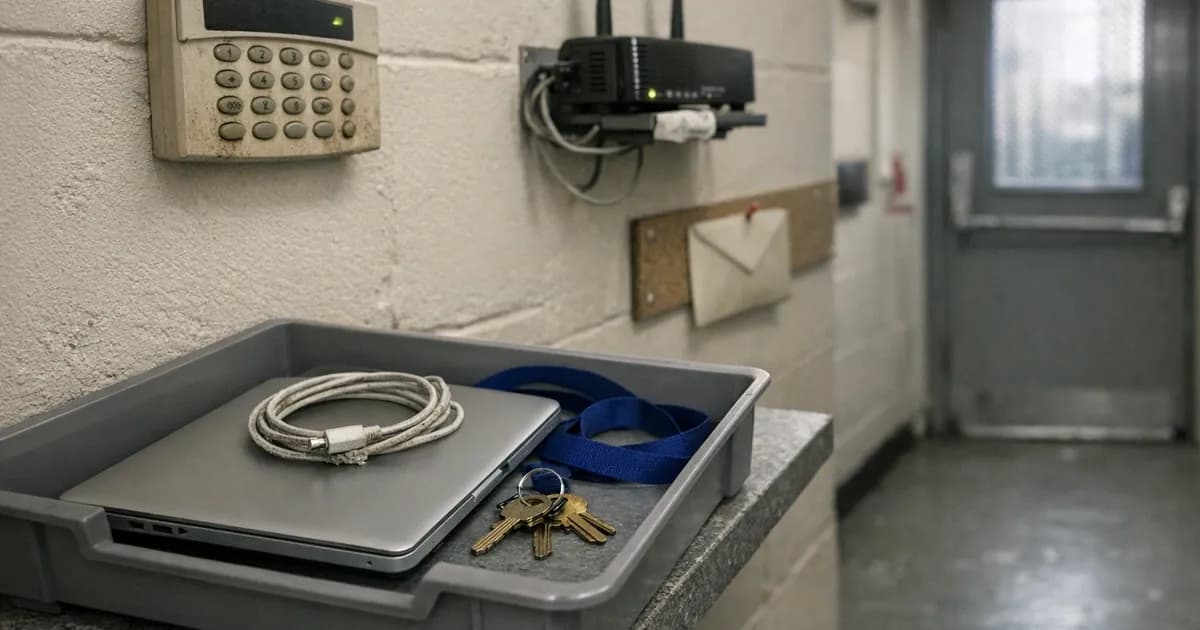
Do not forget the things that are not obviously computers. The alarm code, the door fob, the safe combination if there is one, and the key to wherever the server or the router lives. A departing employee who can still walk into the building at eight on a Sunday has a level of access that no software setting will restrain.
Shared logins come last, and they are the hardest. Deal with these separately, because they are the ones that survive everything else.
Why shared logins are the real problem
Switching off somebody's own account revokes their access cleanly and completely, because that access belonged to them personally and to nobody else.
A shared password does not work that way at all. Think of the wifi password, the company social media account, the login four people use for the trade supplier, or the account with the wholesaler that has been unchanged since 2019. None of those were ever tied to a particular person, so a departure does not touch them in any way, and whoever is leaving walks out still knowing every single one.
This is the case where the correct action is genuinely annoying: change them, and tell everybody still there what the new one is. It is a nuisance, which is precisely why it does not happen, and why a business can have a thorough offboarding process and still be wide open. Honestly, this is the single most common gap of the lot.
If you use a password manager with a shared vault, this becomes a two-minute job instead of an afternoon, which is the strongest practical argument for having one. Our guide on what actually makes a password safe covers the shared-account problem in more detail.
Disable, do not delete
There is a strong instinct to delete the account outright and be done with it. Resist that instinct for a little while.
Deleting a user often destroys their mailbox and the files they owned, and a fair amount of what a small business needs later lives in exactly those places. It might be the correspondence about a disputed invoice, or the only surviving copy of a quote, or a customer's original instructions that were written down nowhere else.
Suspend access on the last day, so they cannot sign in. Then, once somebody has been through and retrieved whatever the business needs, decide about deletion at leisure. Most platforms also let you convert a mailbox into a shared one, which keeps the contents available to the team without keeping the login alive.
Watch the licence cost while you do this, since a suspended account often still bills. That is usually a small monthly figure and it is worth paying for a few weeks rather than deleting in a hurry and discovering in March that the only record of a job was in a mailbox somebody removed in September.
One question worth asking today
Pick the system your business could least do without and open its user list.
Does every name on it belong to somebody who still works here?
That takes about ninety seconds and, in most small businesses, finds at least one name nobody expected.
Contractors, and the accounts nobody owns
Employees at least have a leaving date attached to them. Contractors and agencies mostly do not, which is exactly why their access outlives them by years.
The designer who did the website refresh in 2023 almost certainly still holds an administrator login. The bookkeeper who was replaced still has the accounting package. The agency that ran a campaign still holds the social media account. None of them are doing anything wrong, and none of them are giving it a moment's thought either. Their access simply persists indefinitely, because nobody in either organisation was ever responsible for the moment their work quietly came to an end.
Worth putting an hour aside once a year to go through the user list of every system you rely on and ask, of each name, whether that person still needs to be there. It is dull work, and it consistently finds something.
Put it in the diary rather than merely intending it. An annual review that depends on somebody remembering has the same failure mode as the offboarding list that lives in somebody's head, and it fails for the same reason: the week it should happen is always a week when something more urgent is happening.
The thing that makes it stick
Write the list down once, as an actual document rather than as a shared memory. Include every system, the person who removes the access, and the person who checks it was genuinely done.
Build it from the systems you pay for rather than from recollection. Your card statement and your supplier invoices between them list almost everything the business subscribes to, including the things somebody signed up for two years ago and never mentioned. That is a far more complete starting point than anybody's memory of what the company uses.
That last part matters more than it sounds. Removing the access is usually somebody's named job. Confirming it happened, across every system rather than just the email, rarely is anybody's, and the gap between those two is where every dormant account comes from.
For anyone certifying, user access control is one of the five Cyber Essentials controls, and an assessor will ask how accounts are actually removed rather than whether you intend to remove them. The National Cyber Security Centre (NCSC) treats account management as foundational for the same reason: a dormant account with a valid password is indistinguishable, to anybody using it, from a live one. Our guide on implementing user access control covers what that looks like formally. Our cyber readiness check will give you a sense of where you stand more broadly.
The honest summary is that leavers are not really a security problem on the day they leave. Most people go quietly, hand back the laptop, and never think about your systems again.
They become a problem eighteen months later, when a password from a dormant account turns up in a breach of some unrelated website and somebody tries it against your systems, and it still works, because nobody ever switched that account off.
Want to check something on your own setup? Our free security tools will test a password, a domain, or a website in a couple of minutes, no sign-up. If you have a security question you have seen answered three different ways, tell us and we will add it to this series.
Related articles

Get cybersecurity insights delivered
Join our newsletter for practical security guidance, Cyber Essentials updates, and threat alerts. No spam, just actionable advice for UK businesses.
Related Guides
Doesn't the Firewall Block All This?
A firewall controls which doors are open. Almost every modern attack arrives through a door you deliberately left open, which is why it passes straight through.
Do Macs Get Viruses?
Yes, and macOS already includes protection you may not know about. Here is what it covers, what it misses, and whether to add anything.
Does Incognito Mode Make Me Anonymous?
It hides your history from the next person using the device. Your employer, your provider and the sites themselves see exactly as much as before.
How Do I Know If a Website Is Fake?
Read the address, not the page. The padlock proves nothing about honesty, and the polish of a site proves even less.
Is It Safe to Plug In a USB Stick?
A drive you did not buy is a device somebody else configured. Here is what can actually go wrong, and what to do with one you have found.
Is My Cloud Storage Actually a Backup?
Syncing is not backing up. If ransomware encrypts a synced folder, the encrypted version syncs too. Here is the difference and what to do.
Is the Café Wifi Safe, and Do I Need a VPN?
The risk is real but different from what you were told. Here is what actually matters on a shared network, and when a VPN genuinely helps.
Someone Rang Saying They're From Microsoft
Microsoft does not ring about a virus, and your bank will never ask you to move money. Hang up and dial the number you already had.
We've Got Nothing Worth Stealing
They are not after your trade secrets. They are after your payroll run, your mailbox and the machines themselves, which every business has.
Our IT Company Handles Security, Don't They?
Keeping systems running and defending them are different jobs. Five questions that tell you which one you are paying for.
Ready to get certified?
Book your Cyber Essentials certification or check your readiness with a free quiz.