Doesn't the Firewall Block All This?
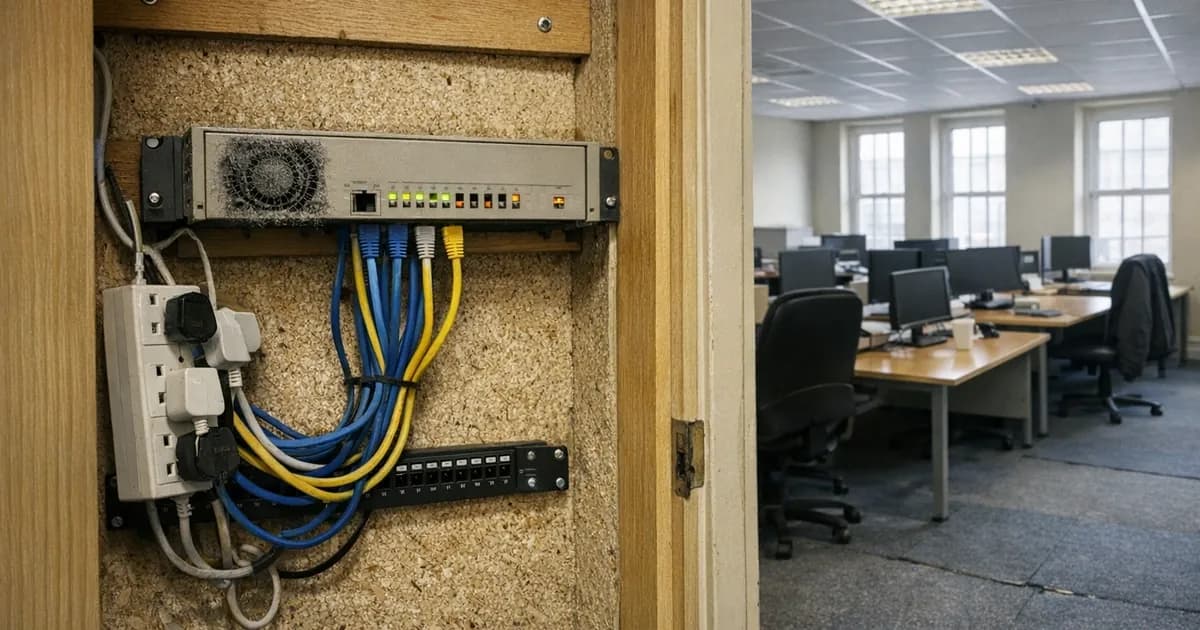
Doesn't the Firewall Block All This?
It blocks a great deal of traffic, and almost none of what actually happens to small businesses in practice.
That is not a criticism of firewalls, which do a real job and which Cyber Essentials requires for good reason. It is a statement about where the job stops, and the gap is wider than most people assume.
What it is actually doing
A firewall decides which connections are permitted to pass between your network and everything outside it, in both directions.
Some kinds of connection are refused outright. Somebody scanning the internet for a remote access service left exposed, or an old server nobody remembered was reachable, runs into a closed door and moves on to the next address. That is genuine protection, and it happens constantly and silently, without anybody ever noticing it working.
Other things are permitted, because they have to be. Web browsing, email, and anything else the business actually uses to operate. Those doors stand open by design, all day, every day, because closing them would mean nobody could do any work.
A security guard checking identification at the entrance is roughly the right picture. They will stop somebody attempting to climb in through a window round the back. They are of no use whatever against somebody you invited through the front door yourself, holding a visitor badge, because letting invited people in is the job.
Stretch the analogy one step further and it explains the rest of this article. The guard does not read the post, does not listen to telephone calls, and has no view on whether the invoice somebody hands to your finance team is genuine. None of that is a failing on their part. It was simply never what they were standing there to do.
Where modern attacks actually arrive
Go through the things most likely to cost a UK small business money, and look at which door each one uses.
A fraudulent invoice arrives by email, which is permitted. A fake login page loads over ordinary encrypted web traffic, indistinguishable at the network level from your bank's real site. Somebody signs into your email using a password stolen from an unrelated breach, and that connection looks exactly like you signing in, because in every technical respect it is identical.
Ransomware usually arrives through one of those same routes rather than by breaking through anything, and a scam text reaches a phone that was never on your network in the first place.
It is worth pausing on the outbound direction too, because people rarely think about it. Once something is running on a machine inside the office, it does not need to break back out through the firewall. It simply makes an ordinary-looking web connection outward, exactly as the browser on that machine does all day, and the firewall permits it for the same reason it permits everything else. Traffic leaving a network is almost always trusted more than traffic arriving, which is precisely what makes that direction useful to somebody already inside.
In none of those cases did anything approach a closed door. The traffic used doors that were open on purpose, carrying content the firewall was never designed to judge.
A firewall controls only which doors exist in the first place. It has no view on who walks through the ones you chose to leave open, and email and the web are permanently open by necessity.
The part that is genuinely harder now
Two things changed over the last decade, and neither of them was the firewall getting worse.
Nearly all web traffic is now encrypted, which is a considerable improvement for privacy and for security generally, and nobody sensible wants to reverse it. It also means that a device sitting in the middle cannot read the contents of that traffic unless it has been deliberately configured to intercept and re-encrypt everything, which is complicated to run, breaks a number of applications, and carries privacy problems of its own.
So a firewall that could once make some judgement about what was passing through it now largely cannot. The traffic is opaque by design, and that design is correct.
So the firewall sees a connection to a web address on the standard encrypted port. It does not see the fake login page inside, and it certainly does not see somebody typing a password into it.
Then there is the shape of a modern business. Staff work from home, from client sites, from trains, on their own phones, using cloud services that live nowhere near your office. Your firewall protects the office network, and a considerable amount of your business no longer happens on that network at all.
Ten years ago the office was where the work was, so guarding its perimeter guarded nearly everything. Today a fair proportion of a small firm's data sits in cloud accounts reached from wherever somebody happens to be sitting, and no amount of hardware in a cupboard in the office has any bearing on who signs into those.
A question worth asking your IT provider
If somebody in this business types the company password into a convincing fake login page this afternoon, does the firewall do anything at all about it?
The honest answer is no, and it is worth hearing that out loud rather than assuming otherwise. It is not a criticism of the firewall or of whoever installed it. It is simply the boundary of what that particular control was built to do.
What actually covers the gap
So the firewall itself stays exactly where it is. What has to sit alongside it are the controls that deal with things arriving through open doors, because it was never built for that and pretending otherwise is how businesses end up surprised.
The second sign-in step is the highest-value one, because it defeats the single most common route in, which is somebody using a correct password that does not belong to them. The National Cyber Security Centre (NCSC) puts it alongside updates at the top of its advice for small organisations for exactly that reason. A firewall cannot help with that at all, since nothing about the connection is wrong.
Keeping software updated closes the flaws that automated scanning looks for, including flaws in the firewall itself, which is a device running software like anything else.
Something watching the machines themselves matters, because once anything is actually running on a laptop the firewall's opinion has stopped being relevant. Our guide on why antivirus alone is not enough covers the limits of that layer too.
Backups belong on this list as well, for a reason people find slightly unintuitive. A firewall is a preventive control, and preventive controls occasionally fail. What determines how badly that failure hurts has nothing to do with prevention at all. It comes down to whether you hold a copy of everything that the attack was unable to reach.
And people who know what a fraudulent invoice looks like, because that particular attack never touches a technical control at any point in its journey. It arrives as an ordinary email, is read by a person, and is acted on by that same person. There is no device anywhere in that sequence with an opportunity to intervene.
If you are certifying
Firewalls are one of the five Cyber Essentials controls, so this is not optional, and an assessor will look at more than whether one exists.
They will ask whether the default administrator password was changed, whether any services are exposed to the internet without a documented business need, and whether the software-based firewall on each computer is switched on as well. Home routers used by remote staff come into scope too, which surprises a lot of people the first time they certify.
That last point catches out businesses that assumed the office equipment was the whole question. If somebody works from their kitchen table three days a week on a company laptop, the protections on that laptop matter considerably more than anything sitting in the office, because the office firewall is not involved in their working day at all.
The default password question is worth taking seriously rather than treating as a formality. Router administrator credentials printed on a label, or left at the manufacturer's default, are among the first things automated scanning tries, and a firewall that somebody else can reconfigure is not really a firewall any more.
Our guide on the five controls sets out what is actually assessed, and our cyber readiness check will give you a rough sense of where you stand first.
The short version
Firewalls stop the attacks that go looking for a door nobody meant to leave open. Those attacks are constant and automated, and an exposed service would be found within hours, so this is genuinely worth having.
They cannot stop an email arriving, they cannot see inside encrypted web traffic, and they have no opinion whatever about a person typing a password into a convincing page. Those three between them account for most of what actually happens to small businesses.
You almost certainly have one and it is probably configured perfectly well. The more useful thing to establish is what else you have that would notice the traffic it was never built to judge, and in a lot of small businesses the honest answer to that is nothing at all.
Want to check something on your own setup? Our free security tools will test a password, a domain, or a website in a couple of minutes, no sign-up. If you have a security question you have seen answered three different ways, tell us and we will add it to this series.
Related articles

Get cybersecurity insights delivered
Join our newsletter for practical security guidance, Cyber Essentials updates, and threat alerts. No spam, just actionable advice for UK businesses.
Related Guides
Do Macs Get Viruses?
Yes, and macOS already includes protection you may not know about. Here is what it covers, what it misses, and whether to add anything.
Does Incognito Mode Make Me Anonymous?
It hides your history from the next person using the device. Your employer, your provider and the sites themselves see exactly as much as before.
How Do I Know If a Website Is Fake?
Read the address, not the page. The padlock proves nothing about honesty, and the polish of a site proves even less.
Is It Safe to Plug In a USB Stick?
A drive you did not buy is a device somebody else configured. Here is what can actually go wrong, and what to do with one you have found.
Is My Cloud Storage Actually a Backup?
Syncing is not backing up. If ransomware encrypts a synced folder, the encrypted version syncs too. Here is the difference and what to do.
Is the Café Wifi Safe, and Do I Need a VPN?
The risk is real but different from what you were told. Here is what actually matters on a shared network, and when a VPN genuinely helps.
Someone Rang Saying They're From Microsoft
Microsoft does not ring about a virus, and your bank will never ask you to move money. Hang up and dial the number you already had.
We've Got Nothing Worth Stealing
They are not after your trade secrets. They are after your payroll run, your mailbox and the machines themselves, which every business has.
Our IT Company Handles Security, Don't They?
Keeping systems running and defending them are different jobs. Five questions that tell you which one you are paying for.
Should I Install That Update?
Yes, if it came from the device itself. No, if it appeared in a browser. That single distinction covers almost every case.
Ready to get certified?
Book your Cyber Essentials certification or check your readiness with a free quiz.