Should I Install That Update?
Should I Install That Update?
If the prompt came from your phone, your computer, or an application you already had, then yes, and preferably now rather than at the weekend. If it appeared while you were reading a web page, then no, and you should close that page without touching anything on it.
That distinction handles nearly every case you will meet, and it is worth internalising because the two situations look far more alike than they should.
Why the nagging is justified
Software is written by people, so it contains mistakes. Some of those mistakes turn out to let somebody do something they should not, and when one is discovered the manufacturer writes a fix and sends it out as an update.
The part people underestimate is what happens next. Once that fix is published, the flaw it addresses becomes public knowledge, and anybody who wants to can work backwards from the fix to understand exactly what was wrong. Automated scanning then goes looking for machines that have not applied it. So an unpatched device is not merely running slightly older software. It is running software with a publicly documented weakness and a freely available solution that has not been applied.
This is why keeping devices up to date sits in the National Cyber Security Centre (NCSC) core advice for individuals and businesses alike, alongside things like turning on a second sign-in step. It is thoroughly unglamorous advice, and it quietly does an enormous amount of the work.
Ignoring a recall notice about your brakes because the car still drives perfectly well has exactly the same shape to it. The car does drive fine, right up until the moment it does not, and the letter told you precisely what was wrong.
The prompts that are lying to you
Now the other half, because fake update prompts are among the most successful ways of getting software onto a machine that somebody else controls.
A web page cannot update your computer, with no exceptions worth worrying about, because the browser is built specifically to prevent it. So a message about a required update, an out-of-date plugin, a missing video codec or a security patch, appearing on a page you are visiting, is not what it says it is. It is asking you to download and run something, and you would be the one giving it permission.
They are genuinely convincing, which is the point. They copy the exact visual style of Windows and macOS system dialogs, they appear in front of the page you were reading, and some of them arrive on sites that are entirely legitimate but happen to be serving somebody else's advertising. The presence of a real site around the prompt tells you nothing at all.
What to do about it is entirely undramatic. Close the tab and do nothing else on that page. If you want to be certain there is nothing outstanding, open your device settings and check for updates there, which takes twenty seconds and gives you an answer you can trust. A genuine update will still be waiting for you.
Browser extensions asking to update themselves outside the browser's own store deserve the same treatment.
There is one variation worth naming separately, because it catches people who are otherwise careful. A page tells you that your browser is out of date and offers a download to fix it. Browsers do not work that way at all: they update themselves quietly, usually when you close and reopen them, and they will tell you inside their own menus rather than on a page you happened to visit. So a website informing you about the state of your browser is telling you something it has no way of knowing.
The objections, which are mostly reasonable
People do not delay updates because they are careless. They delay them for three sensible-sounding reasons, and each deserves an honest answer.
"The last one broke something." This does happen, and anybody who says otherwise is selling something. Updates occasionally change an interface, break a plugin, or fall over on older hardware. It is a real cost and it is smaller than the alternative. For phones and ordinary office computers, promptly is the right answer. Where a genuinely fragile system is involved, the answer is a short testing window with a date attached, rather than indefinite postponement dressed up as caution.
"It always wants to restart when I am busy." Legitimate, and solvable. Schedule the restart for an hour when nobody is working, which every modern operating system supports and almost nobody bothers to configure. What does not work is dismissing the prompt daily for five weeks, which is what usually happens instead.
"It is working fine, so why change it?" This is the most understandable and the most misleading. Security flaws do not produce any symptoms at all. Nothing gets slower, nothing crashes, and no warning appears. The machine is behaving perfectly while carrying a hole that anybody scanning the internet can find. Feeling fine is not evidence, which is what makes this category of risk so easy to postpone.
The one that catches businesses out
There is a version of this that is not about laziness at all, and it is much more expensive.
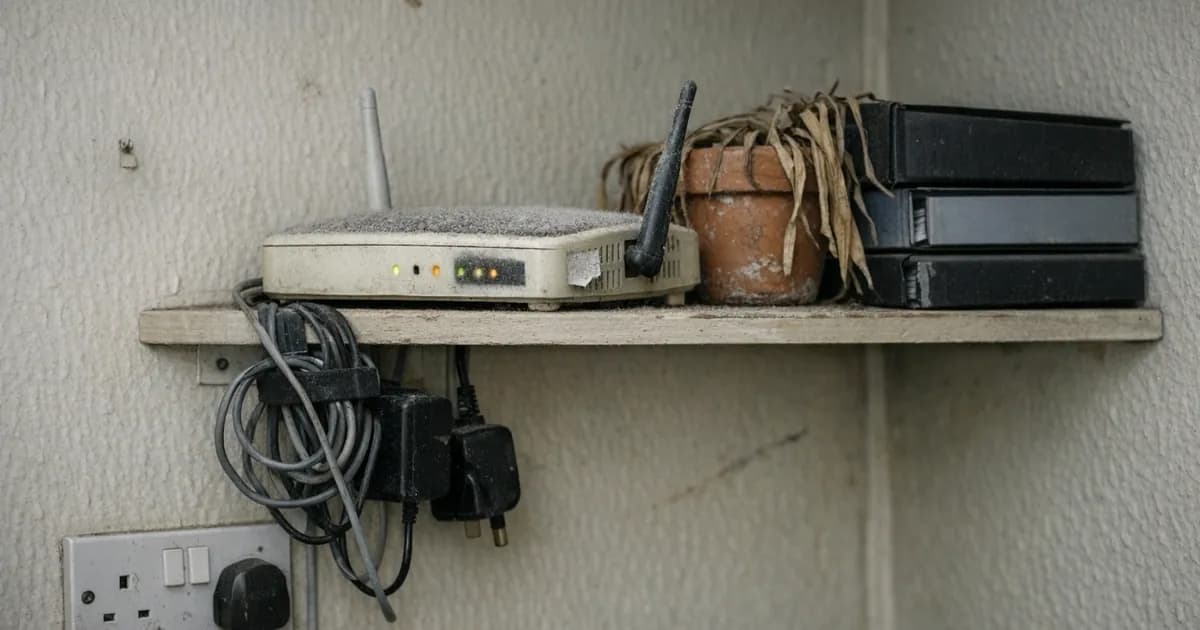
Some devices simply stop receiving updates altogether. A phone past its support window, an old laptop still running a version of Windows the manufacturer has retired, a router the internet provider supplied nine years ago. These carry on working, which is exactly the problem, because nothing about their behaviour signals that they have quietly stopped being defensible. Every flaw discovered from that point onwards stays open permanently.
For a business this is also a certification matter. Unsupported software in scope is a straightforward failure rather than a matter for negotiation, and the router sitting in the corner that nobody has given a moment's thought to since the day it was installed is a recurring culprit.
The awkward part is that the fix costs money. Replacing hardware that visibly works is a difficult thing to justify to yourself, and it is genuinely the correct decision. Our guide on the 14-day patching requirement covers the business framing, including the timescales an assessor expects.
Who has to decide, and when nobody does
There is a failure mode particular to small businesses, and it has nothing to do with anybody being unwilling.
Updates on personal phones and laptops get installed because one person owns the decision. Updates on the shared machines do not, because the shared machines belong to everybody and therefore to nobody. The reception computer, the tablet in the workshop, the laptop that lives in the van, the machine in the corner that runs the one piece of software the business cannot operate without. Each of those has a prompt on it that four people have seen and none of them felt entitled to action, particularly if a restart might interrupt somebody else's work.
Does anybody in your business actually own that decision? It usually takes one named person and five minutes a month, and the absence of that person is why the shared devices are invariably the furthest behind.
The machine running the critical piece of software deserves particular attention, because it attracts the strongest argument for leaving well alone. It is also, almost by definition, the machine whose failure would hurt most.
What to actually do
Turn on automatic updates for your phone, your computer, and your browser, and then let them get on with it without further supervision. This is the single highest-value setting described anywhere in this article, and it takes about two minutes per device to enable.
Restart when asked, rather than accumulating a fortnight of deferred restarts, because many updates do not finish applying until you do. A machine showing forty days of uptime and a pending restart is not protected by the updates it has downloaded, and this trips up conscientious people more often than careless ones. They allowed the update, watched it install, and reasonably assumed that was the end of it.
Check the things nobody checks: the router, the network printer, the smart doorbell, the security camera. These run software too, they update far less visibly, and several of them will be past support.
The router in particular deserves singling out here. It is the device every other device connects through, it is frequently the oldest piece of equipment in the building, and in a great many small offices it is whatever the internet provider posted out when the line was installed. If you do nothing else from this article, find out what yours is, whether it still receives updates, and whether its administrator password is still the one printed on the label.
Write down which devices are approaching the end of their support, if you run a business, and budget for replacing them before the date rather than after an incident. Our cyber readiness check will give you a sense of where you currently stand.
In one line
A prompt from your own device is worth acting on today rather than at the weekend. A prompt from a web page is worth closing every single time, and you do not need to read it carefully first in order to decide that.

Get cybersecurity insights delivered
Join our newsletter for practical security guidance, Cyber Essentials updates, and threat alerts. No spam, just actionable advice for UK businesses.
Related Guides
Doesn't the Firewall Block All This?
A firewall controls which doors are open. Almost every modern attack arrives through a door you deliberately left open, which is why it passes straight through.
Do Macs Get Viruses?
Yes, and macOS already includes protection you may not know about. Here is what it covers, what it misses, and whether to add anything.
Does Incognito Mode Make Me Anonymous?
It hides your history from the next person using the device. Your employer, your provider and the sites themselves see exactly as much as before.
How Do I Know If a Website Is Fake?
Read the address, not the page. The padlock proves nothing about honesty, and the polish of a site proves even less.
Is It Safe to Plug In a USB Stick?
A drive you did not buy is a device somebody else configured. Here is what can actually go wrong, and what to do with one you have found.
Is My Cloud Storage Actually a Backup?
Syncing is not backing up. If ransomware encrypts a synced folder, the encrypted version syncs too. Here is the difference and what to do.
Is the Café Wifi Safe, and Do I Need a VPN?
The risk is real but different from what you were told. Here is what actually matters on a shared network, and when a VPN genuinely helps.
Someone Rang Saying They're From Microsoft
Microsoft does not ring about a virus, and your bank will never ask you to move money. Hang up and dial the number you already had.
We've Got Nothing Worth Stealing
They are not after your trade secrets. They are after your payroll run, your mailbox and the machines themselves, which every business has.
Our IT Company Handles Security, Don't They?
Keeping systems running and defending them are different jobs. Five questions that tell you which one you are paying for.
Ready to get certified?
Book your Cyber Essentials certification or check your readiness with a free quiz.