Is It Safe to Plug In a USB Stick?
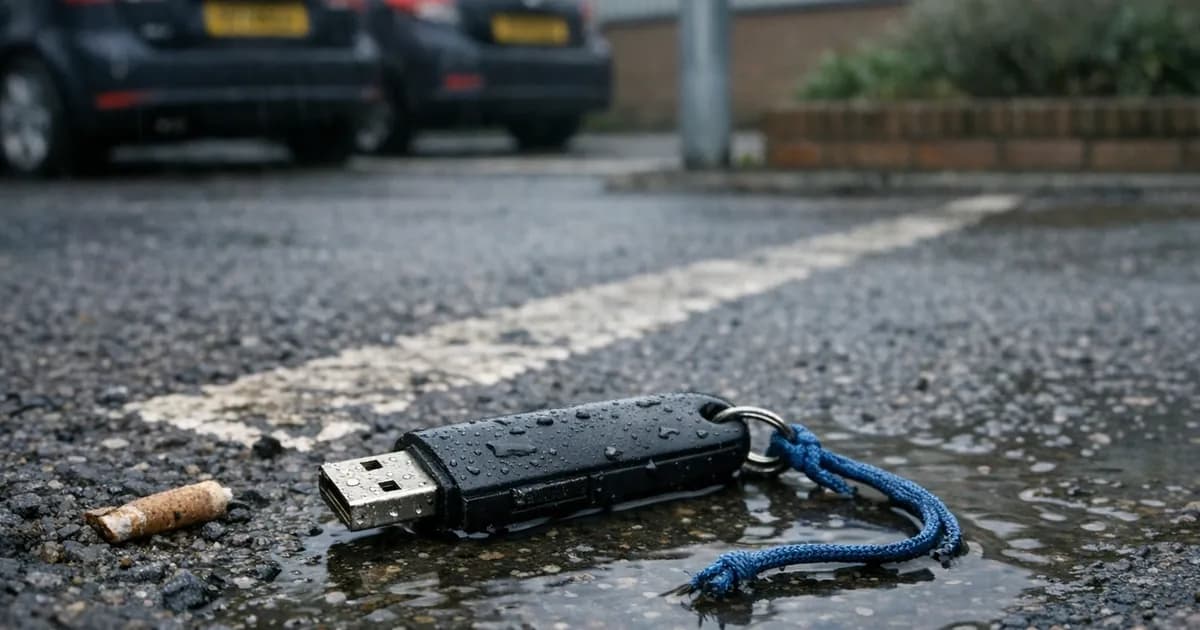
Is It Safe to Plug In a USB Stick?
That depends entirely on who gave it to you. A drive from a colleague is almost certainly fine. One you found in the car park is a device somebody else configured, and connecting it is closer to letting a stranger use your keyboard than to opening a file.
Honestly, that comparison is not rhetorical at all. It is a fairly literal description of how the connection actually works.
Why a drive is not just storage
When you plug something in, the device tells the computer what it is. Storage, a keyboard, a mouse, a network adapter. The computer takes it at its word, because that is how the standard works and because it needs to, or nothing you plug in would ever work.
Which means a thing shaped exactly like a memory stick can announce itself as a keyboard instead. From that moment the computer is not scanning a file at all, it is receiving keystrokes, and it will carry out whatever those keystrokes instruct it to do, at a speed no human being could type.
Nothing has gone wrong at this point, which is the awkward part. The computer behaved exactly as it was designed to. It was told a keyboard had been connected, it believed the device about itself, and there is no sensible way for it to do otherwise without breaking every keyboard ever made.
This is why "I'll just have a quick look at what's on it" is not the safe middle ground people imagine. The interesting part happens when you connect it, before you open anything at all.
You would not eat a sandwich left on a park bench by somebody you never met, however well wrapped it looked. The USB drive is the same offer, dressed up as a favour to whoever lost it.
Would you hand over your keyboard?
Put it as a question, because the technical version obscures what is actually being asked.
Somebody you have never met would like thirty seconds at your computer, unsupervised, while you look the other way. Would you actually agree to that request? Almost nobody would, and yet plugging in a drive you found is materially the same offer, with the request disguised as an object.
The ordinary version, which is more common
Most of the actual risk is duller than that, and worth keeping in proportion.
The everyday case is simply a drive carrying malicious files, often a document that asks you to enable something the moment it opens. Antivirus catches a good proportion of that, autorun no longer behaves the way it did a decade ago, and a modern updated computer is considerably more resistant than it used to be.
Which is genuinely reassuring, and worth saying, because the more dramatic version of this subject gets repeated far more often than the boring one. If a colleague hands you a drive in an office, the realistic risk is very low indeed and treating it with suspicion would be tiresome for everybody.
The other everyday case has nothing to do with attack at all. Drives simply get lost all the time. A memory stick carrying a copy of the customer list, or the payroll spreadsheet, left in a taxi or dropped in a car park, is a personal data breach with reporting duties attached, and it happens vastly more often than anybody being deliberately targeted.
For most small businesses that second scenario is far and away the realistic one, which is why encryption matters a great deal more than suspicion does.
An encrypted drive that goes missing is an annoyance and a replacement cost. The same drive unencrypted is a personal data breach, with an assessment to carry out and quite possibly a report to file, which our guide on when you have to tell people sets out. The difference between those two afternoons is a setting somebody turned on once.
What to do with one you have found
Do not plug it into anything, and be honest with yourself about why you want to. Curiosity is the usual reason, and it is entirely human.
The temptation is usually curiosity plus a genuine wish to return it to its owner, and the second motive is what makes the first feel reasonable. It is also exactly the reasoning the technique depends on. A drive left where somebody will find it was left there deliberately, and the finder's decency is precisely the mechanism it relies on. That is an uncomfortable thing to sit with, because it means the instinct being exploited is a good one.
Hand it to whoever looks after the computers if it turned up on business premises. If you found it in a public place and want to do the decent thing by whoever lost it, a lost property desk handles the situation perfectly well without anybody connecting it to a machine.
There is one exception worth naming, because people ask. If the drive is genuinely yours, or belongs to a colleague and has simply been sitting in a drawer, none of this applies. The concern is specifically about a drive whose whereabouts you cannot account for, which is a much narrower category than it first appears.
In a business
A ban is the instinctive response and it is usually the wrong one, because people who cannot do their job find another way to do it, and the workaround is invariably worse than the thing you banned.
Better to remove the reason anybody would reach for an unknown drive in the first place. Supply drives the business bought, and make them encrypted ones, so that losing one is an inconvenience rather than a reportable breach. Give people a decent way of sending large files as well, because a fair proportion of USB use in small businesses is somebody quietly working around an email attachment limit.
That last point is worth taking seriously rather than treating as an excuse. If the official route for sending a 40MB file to a customer is awkward, people will find an unofficial one, and the unofficial one will involve a drive nobody has any record of. Fixing the awkward route removes more risk than any amount of instruction about drives.
Then say plainly where any found drive should go. It should be one named person, with no questions asked and no embarrassment attached. That single sentence does more than a policy document, because the failure mode here is not defiance, it is a helpful person trying to find an owner.
If you are certifying, removable media forms part of what an assessor will consider, and encryption on anything capable of leaving the building is the practical answer to most of it. Being able to say which drives the business owns, and that they are encrypted, is a considerably stronger position than a policy asserting that staff should be careful. Our cyber readiness check covers where you stand on the basics.
The conference freebie
One category sits awkwardly between trusted and found, and it is the branded drive handed out at an event.
Nobody planted it in a car park, and the company giving it away is usually entirely legitimate. The trouble is that neither you nor they can say much about where several thousand identical drives were manufactured, loaded and packed, and promotional stock is bought on price from suppliers a long way down a chain.
The realistic risk here is genuinely low. The sensible habit is also an easy one: treat them as blank stock rather than as something to browse through. Format the drive before using it, and if that feels like more effort than the drive is worth, that is a reasonable conclusion too.
The charging question
Worth a mention because people ask it in the same breath, and the honest answer is less alarming than the headlines.
A USB port carries data as well as power, so charging from an unknown port is a connection rather than simply electricity. Documented cases of this being abused in the wild are rare, and the practical advice is easy enough that the debate hardly matters.
Use a plug socket and your own charger wherever one exists. Carry a battery pack if you travel regularly, which solves it entirely and is useful anyway. If you genuinely must use a public port, a cable that carries power only removes the question altogether, and modern phones will in any case ask whether you want to trust the connected computer. That prompt is worth declining, and it is worth knowing that it appearing at a charging point tells you the port is offering rather more than electricity.
The short version
A drive you bought yourself, or one handed to you by a colleague you know, is fine and always has been. Nothing in this article is an argument for treating your own equipment with suspicion.
A drive you found is a device configured by a stranger, and plugging it in to see what is on it hands over a keyboard for a moment. The National Cyber Security Centre (NCSC) treats removable media as something to control rather than trust, and for a small business the two things that genuinely matter are encrypting the drives you own and knowing where the ones you find should go.
Want to check something on your own setup? Our free security tools will test a password, a domain, or a website in a couple of minutes, no sign-up. If you have a security question you have seen answered three different ways, tell us and we will add it to this series.
Related articles

Get cybersecurity insights delivered
Join our newsletter for practical security guidance, Cyber Essentials updates, and threat alerts. No spam, just actionable advice for UK businesses.
Related Guides
Doesn't the Firewall Block All This?
A firewall controls which doors are open. Almost every modern attack arrives through a door you deliberately left open, which is why it passes straight through.
Do Macs Get Viruses?
Yes, and macOS already includes protection you may not know about. Here is what it covers, what it misses, and whether to add anything.
Does Incognito Mode Make Me Anonymous?
It hides your history from the next person using the device. Your employer, your provider and the sites themselves see exactly as much as before.
How Do I Know If a Website Is Fake?
Read the address, not the page. The padlock proves nothing about honesty, and the polish of a site proves even less.
Is My Cloud Storage Actually a Backup?
Syncing is not backing up. If ransomware encrypts a synced folder, the encrypted version syncs too. Here is the difference and what to do.
Is the Café Wifi Safe, and Do I Need a VPN?
The risk is real but different from what you were told. Here is what actually matters on a shared network, and when a VPN genuinely helps.
Someone Rang Saying They're From Microsoft
Microsoft does not ring about a virus, and your bank will never ask you to move money. Hang up and dial the number you already had.
We've Got Nothing Worth Stealing
They are not after your trade secrets. They are after your payroll run, your mailbox and the machines themselves, which every business has.
Our IT Company Handles Security, Don't They?
Keeping systems running and defending them are different jobs. Five questions that tell you which one you are paying for.
Should I Install That Update?
Yes, if it came from the device itself. No, if it appeared in a browser. That single distinction covers almost every case.
Ready to get certified?
Book your Cyber Essentials certification or check your readiness with a free quiz.