Does Incognito Mode Make Me Anonymous?
Does Incognito Mode Make Me Anonymous?
It makes you anonymous to precisely one audience, which is the next person to pick up the same device. Everybody else involved sees exactly what they saw before you opened that window.
That is not meant as a criticism of the feature. Private browsing does the job it was built for perfectly well, and the job is narrower than the name suggests. The word incognito is doing an enormous amount of unearned work.
What it genuinely does
When you close a private window, the browser throws away everything it would otherwise have kept from that session: the history, the cookies, anything typed into a form, and any temporary files it created along the way.
So the laptop itself keeps no record of it. Somebody opening the browser afterwards sees no trace of where you went, and any site you signed into is signed out.
That is the entire feature, and there is nothing at all wrong with it. It is a perfectly good answer to a perfectly real question, which is what happens on this particular machine after I have finished using it.
Tearing up a receipt does not undo the transaction. The shop still holds the card record, the bank still has the payment, and the camera above the till still watched you buy it. What you destroyed was your own copy, which is genuinely useful if you did not want it found in a coat pocket, and irrelevant to everybody else in the story.
Who can still see everything
There are four groups worth naming here, and not one of them is affected in the slightest.
The websites you visit see just as much as before. They see your connection, the address you came from, and anything you sign into. Signing into an account in a private window identifies you as thoroughly as it would anywhere else, because you have just told them who you are.
Your internet provider can see it as well. At home that is whoever supplies the broadband, and on mobile it is your network operator. Either can see which sites you connect to regardless of which sort of window you used.
Your employer, on a company device or network. This is the one that matters most in practice and is comfortably the most widely misunderstood. Monitoring software, where it is installed, runs on the machine itself and underneath the browser, so it has no interest in which sort of window something happened in. Network filtering sees the connection leaving the building either way. Neither is affected by private browsing in the slightest.
Worth adding that this is not usually sinister. A great many businesses run web filtering for entirely ordinary reasons, blocking known malicious sites, and that filtering necessarily sees the addresses being requested. The point is not that somebody is reading over your shoulder. It is that the mechanism which would notice sits somewhere private browsing does not reach.
Anybody running the network you happen to be on. That covers café wifi, hotel wifi and conference networks alike. Our guide on what public wifi can and cannot see goes into that in more detail.
One question that settles it
If your employer asked you tomorrow what you had been looking at on the company laptop, could private browsing help you?
It could not, and that surprises a great many people. The monitoring, where it exists, sits underneath the browser entirely.
Where the belief comes from
Worth being fair about this, because people did not invent the confusion themselves.
The feature is called incognito in one browser and private browsing in another, and both of those names promise considerably more than the feature actually delivers. The accompanying illustration is frequently a hat and a pair of dark glasses. Browsers do now display a fairly plain explanation on the new-window screen, which most people scroll straight past on the way to typing an address into the bar.
There is also a genuinely reasonable assumption sitting underneath the confusion. If the browser is not keeping a record, it feels as though no record is being kept anywhere. The step that gets missed is that most of the recording never happened inside the browser to begin with.
That is a subtle distinction and there is no reason an ordinary person would arrive at it unprompted. Nobody explains, when you buy a laptop, that a web request travels through several parties who each keep their own notes, and that the browser's own memory is the only one it has any authority over.
What it is actually good for
Having spent several paragraphs on limits, the honest position is that it is useful within them.
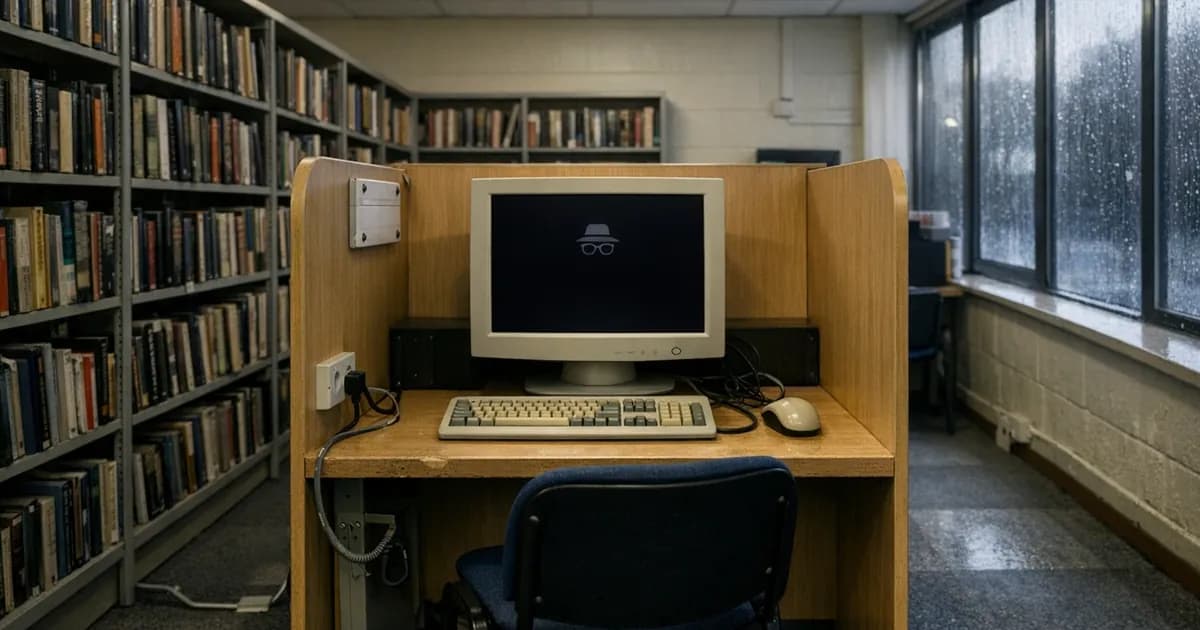
A shared or public computer is the obvious case, and the one the feature was genuinely designed for. Think of a library machine, a hotel business centre, or a friend's laptop borrowed for ten minutes. Signing in privately there means the session ends when the window closes, rather than leaving you logged into your email on a machine you will never see again.
That last scenario is more common than people think, and it is a real security benefit rather than a privacy nicety. Leaving an account signed in on a shared computer hands the next user your mailbox, and the mailbox is the reset route into everything else you own.
Checking how something looks to somebody who is not signed in is another good use. That might be your own website, a page you have shared with a customer, or a listing you have just created. It shows you the version a stranger sees rather than the version your logged-in account sees. If you are checking your own site, our website headers check shows you how it is configured more generally.
Running a second account alongside your first works well too, since the private window keeps its own separate set of cookies. Anybody who manages a company social media account as well as a personal one will recognise the problem it solves, and it is a good deal simpler than logging out and back in repeatedly.
And there is the ordinary domestic case that nobody says out loud, which is not wanting a search for a birthday present to appear as a suggestion on a shared screen. It handles that particular need perfectly well.
If you actually want privacy
That is a different question entirely, and it deserves a straight answer rather than a product recommendation. The National Cyber Security Centre (NCSC) recommends a virtual private network for devices on untrusted networks, which is a narrower and more useful claim than most privacy marketing makes.
A virtual private network, usually shortened to VPN, hides which sites you visit from your internet provider and from whoever runs the local network. It does not hide you from the sites themselves, and it does not hide anything from software running on the machine.
On a company device, assume that anything you do could be seen, because that is the sensible working assumption and it is usually accurate. Personal browsing belongs on a personal device, and that is a better rule than any browser setting.
And nothing at all protects you from the consequences of having signed in. The moment you log into an account, that account knows perfectly well that it is you, in whichever sort of window you happen to be sitting.
That applies far beyond browsing. Most of what is known about any of us online is not gathered by surveillance. It is volunteered, at the moment of signing in, by people who then reasonably assume a privacy setting elsewhere covers it.
Does it stop advertising following me around?
Partly, and for a shorter time than people hope.
Cookies from the session are discarded when the window closes, which does interrupt some of the tracking that follows you between sites. Open a private window fresh and, as far as those cookies are concerned, you are a new visitor.
The gap is that cookies are no longer the only method. A browser can be recognised by its combination of characteristics, the screen size, the fonts installed, the settings, and that combination survives closing a window. Signing into anything makes the question academic in any case.
So it helps a little, briefly, and it is not the tool for that job. Browser settings that block third-party cookies outright, or a browser that does so by default, do considerably more.
The short version
Incognito mode clears up after you on the device you are using, and that is genuinely worth having.
It does not hide your address, it does not hide you from the sites you visit, and it does not hide anything whatever from an employer whose software is running on the laptop in front of you.
Anybody who told you otherwise was going by the name rather than by the feature, which is an easy mistake to make when the name is incognito and the icon is a hat and dark glasses. Used for what it actually does, on shared machines and for keeping sessions apart, it is a perfectly good tool. Relied on as a cloak, it is not one and never claimed to be.

Get cybersecurity insights delivered
Join our newsletter for practical security guidance, Cyber Essentials updates, and threat alerts. No spam, just actionable advice for UK businesses.
Related Guides
Doesn't the Firewall Block All This?
A firewall controls which doors are open. Almost every modern attack arrives through a door you deliberately left open, which is why it passes straight through.
Do Macs Get Viruses?
Yes, and macOS already includes protection you may not know about. Here is what it covers, what it misses, and whether to add anything.
How Do I Know If a Website Is Fake?
Read the address, not the page. The padlock proves nothing about honesty, and the polish of a site proves even less.
Is It Safe to Plug In a USB Stick?
A drive you did not buy is a device somebody else configured. Here is what can actually go wrong, and what to do with one you have found.
Is My Cloud Storage Actually a Backup?
Syncing is not backing up. If ransomware encrypts a synced folder, the encrypted version syncs too. Here is the difference and what to do.
Is the Café Wifi Safe, and Do I Need a VPN?
The risk is real but different from what you were told. Here is what actually matters on a shared network, and when a VPN genuinely helps.
Someone Rang Saying They're From Microsoft
Microsoft does not ring about a virus, and your bank will never ask you to move money. Hang up and dial the number you already had.
We've Got Nothing Worth Stealing
They are not after your trade secrets. They are after your payroll run, your mailbox and the machines themselves, which every business has.
Our IT Company Handles Security, Don't They?
Keeping systems running and defending them are different jobs. Five questions that tell you which one you are paying for.
Should I Install That Update?
Yes, if it came from the device itself. No, if it appeared in a browser. That single distinction covers almost every case.
Ready to get certified?
Book your Cyber Essentials certification or check your readiness with a free quiz.