Two-Factor Authentication Is Unnecessary Hassle
"Two-Factor Authentication Is Unnecessary Hassle"
I have a strong password, so adding a code from my phone every time I sign in is a waste of perfectly good seconds. It slows everything down, and nothing has ever gone wrong anyway. Honestly, that is a fair complaint, and nobody enjoys extra steps that appear to buy nothing.
The trouble is that the strength of your password stopped being the deciding factor some years ago.
Your password is only as private as the worst website you used it on
When a company is breached, the usernames and passwords in its database end up circulating in bulk. Not dozens of them, and not thousands. Compilations of stolen credentials run into billions of entries, and they are freely available to anyone who wants them.
What happens next is the part people underestimate. Criminals take those lists and try them, automatically, against completely unrelated services. The National Cyber Security Centre (NCSC) calls this credential stuffing, and it works for one reason: a great many people use the same password in more than one place. If a forum you joined in 2019 was breached, and that password is also on your email account, then the strength of the password is irrelevant. Nobody is sitting there guessing at it. They already have it, and it goes in correctly, first time, exactly as you would have typed it.
That is the scenario the second step exists for. It is not there to stop someone guessing, and it never was. It is there so that knowing the password is not by itself enough to get in.
Cash machines settled this argument fifty years ago
You already use two-factor authentication several times a month without complaining about it once.
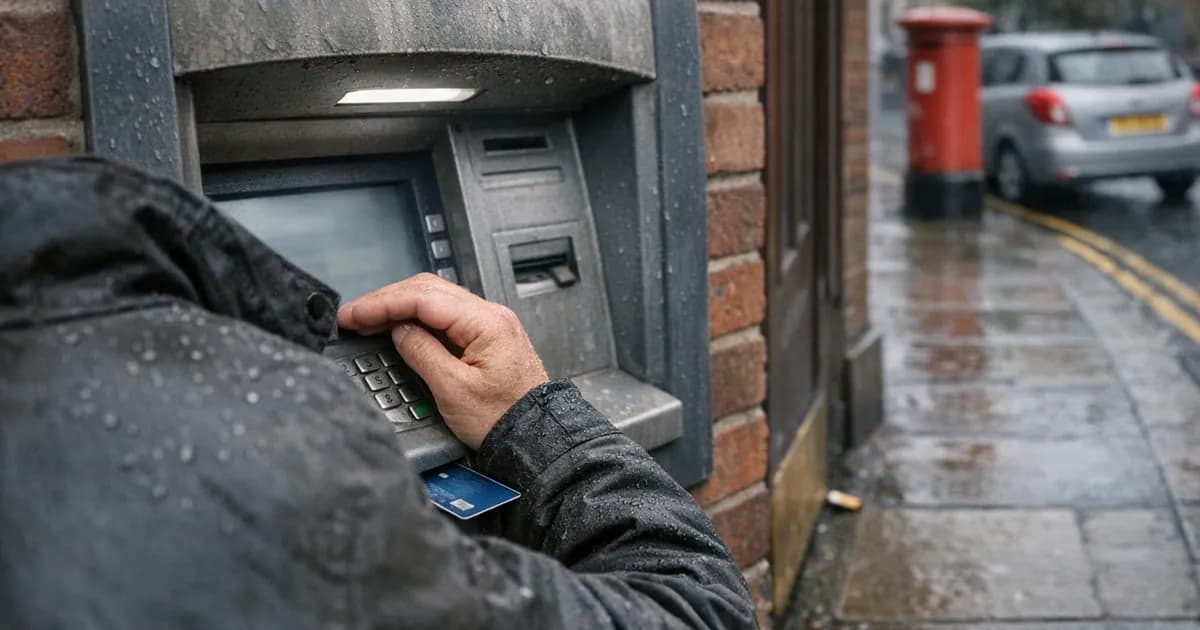
A cash machine asks for something you have, which is the card, and something you know, which is the PIN. Neither one works alone, and that is the entire design. Nobody stands at the machine objecting that the card should be sufficient, because the consequence of it being sufficient is immediately obvious to everyone. A lost wallet would mean an emptied account.
Your email deserves the same arrangement, and arguably more of it. It holds invoices, contracts, client details, and the password reset link for every other account you own. Whoever controls the mailbox can quietly become you everywhere else, which is why it is the first thing attackers go for and the first thing you should protect.
What the NCSC actually recommends now, which has changed
Here is the part most articles on this subject have not caught up with, and it is worth knowing before you spend an afternoon setting things up.
At CYBERUK (the National Cyber Security Centre's annual conference) in Glasgow in 2026, the centre announced that it will recommend passkeys wherever a service supports them, and two-step verification where it does not. Its stated reasoning is blunt: all traditional methods, including passwords combined with text-message codes, email codes, one-time codes generated by an app, and push approvals, are inherently phishable. Traditional two-step verification, in its own words, remains an important fallback.
Phishable means something specific and worth understanding. If a convincing fake login page can ask you for your password, it can just as easily ask you for the six-digit code on the next screen, and pass both straight to the real site while you wait. The code is a secret you can be talked into handing over, and people are talked into it every day.
A passkey works on a different principle entirely. Instead of a secret you type, your device holds a key that only responds to the genuine website, and it will simply refuse to work on a lookalike domain because the address does not match. You unlock it with your fingerprint, your face, or your device PIN. There is nothing for a fake page to ask you for, and nothing you can accidentally read out to somebody on the phone.
None of which makes the code on your phone worthless. A phishable second step is enormously better than no second step, because it defeats the entire category of attack described above, where somebody simply has your password and tries it. The ranking is passkey first, app-generated code second, text message third, and nothing at all a distant last.
The three objections worth answering
The first is that you would notice. This is the one that feels most reasonable and holds up least well, because somebody signing in with the correct password generates no alert and breaks nothing. They are not trying to be dramatic. The usual behaviour is to read quietly for a while, learn who pays whom, and set up a rule that files certain replies somewhere you never look. Nothing about the mailbox appears different while it happens.
The second is that your password is unique to that account, so the stolen-list problem does not apply. That may very well be true of you today. It stops being true the moment you reuse it under pressure, or a family member does on a shared account, or the service itself is breached and your carefully unique password is in the dump along with everyone else's. A second factor means none of those turn into an account takeover on their own.
The third is that it is only email, and there is nothing sensitive in there. Have a look at what a password reset actually does before settling on that one. Your bank, your accounting software, your domain registrar and your payroll system will all happily send a reset link to that mailbox, which is precisely why it is worth more to an attacker than anything else you own. Email is not simply one account among many others. It is the cabinet the rest of the keys are kept in.
What to actually do
Start with email, and do only that if you do nothing else today. In Microsoft 365, go to account.microsoft.com, then Security, then Advanced security options, and turn on two-step verification. In Google Workspace, go to myaccount.google.com, then Security, then 2-Step Verification. It takes about five minutes per account, and it protects the route back into everything else you own.
Take the passkey option when a service offers one. Increasingly they do, and it usually appears in security settings as "passkey" or "sign in with your face or fingerprint". Where it is not offered yet, turn on two-step verification and move on.
Prefer an authenticator app over text messages. A text can be diverted by persuading a mobile provider to move your number onto a card in somebody else's handset, which is a well-established trick. An app generating codes on your own handset removes that specific problem, and tapping a notification is quicker than typing digits anyway.
Save your recovery codes properly, because this is the step everyone skips. When you switch on the second factor you are offered a handful of single-use backup codes. Print them and put them somewhere physically secure. That way a lost or broken phone is an annoying afternoon rather than a locked-out business.
Cover anything holding money or client data. Your accounting software, your customer records, your cloud storage, and your domain registrar, which is worth more attention than it usually gets. Whoever controls the domain controls the email, and therefore controls the resets.
Treat an unexpected prompt as information, not an annoyance. If a code arrives or your phone asks you to approve a sign-in that you did not start, that is not a glitch and it is not the system being awkward. Somebody has your password and is standing at the door with it. Decline the prompt, then change that password immediately, along with anywhere else you have used it. Approving a prompt to make it stop is how a surprising number of accounts are lost, because attackers will send them repeatedly at inconvenient hours precisely to wear people down.
If you want to see why the password on its own is such a weak foundation, our password checker shows how a given password holds up, without ever transmitting it anywhere.
One note if you are certifying
Under Cyber Essentials v3.3, the Danzell update effective 27 April 2026, multi-factor authentication is mandatory on all cloud services that support it, with no exclusions from scope. The requirement exists because the control works, not because somebody enjoys paperwork. Our guide to multi-factor authentication on cloud services covers what counts and where the awkward cases sit.
Is the hassle argument ever right?
Partly, and it is worth conceding where it is. A second factor demanded twenty times a day on an internal system nobody outside the building can reach is friction without much benefit, and that sort of blanket application is what gives the control its reputation. Well-configured systems let a device you have already verified stay trusted for a period, so in practice most people meet the prompt when signing in somewhere new, or after a while away, which is a handful of times a month rather than a handful of times a day.
If your experience is worse than that, the answer is usually to fix how it has been set up rather than to switch it off. Ask whoever manages it about trusted devices and sign-in frequency, because the settings exist and are commonly left at defaults that suit nobody.
The second step costs you a few seconds each time. Getting an account back, and then working out what was read and what was quietly forwarded while somebody else had it, takes considerably longer than that.
Want to check something on your own setup? Our free security tools will test a password, a domain, or a website in a couple of minutes, no sign-up. If you have a security question you have seen answered three different ways, tell us and we will add it to this series.
Related articles

Get cybersecurity insights delivered
Join our newsletter for practical security guidance, Cyber Essentials updates, and threat alerts. No spam, just actionable advice for UK businesses.
Related Guides
Doesn't the Firewall Block All This?
A firewall controls which doors are open. Almost every modern attack arrives through a door you deliberately left open, which is why it passes straight through.
Do Macs Get Viruses?
Yes, and macOS already includes protection you may not know about. Here is what it covers, what it misses, and whether to add anything.
Does Incognito Mode Make Me Anonymous?
It hides your history from the next person using the device. Your employer, your provider and the sites themselves see exactly as much as before.
How Do I Know If a Website Is Fake?
Read the address, not the page. The padlock proves nothing about honesty, and the polish of a site proves even less.
Is It Safe to Plug In a USB Stick?
A drive you did not buy is a device somebody else configured. Here is what can actually go wrong, and what to do with one you have found.
Is My Cloud Storage Actually a Backup?
Syncing is not backing up. If ransomware encrypts a synced folder, the encrypted version syncs too. Here is the difference and what to do.
Is the Café Wifi Safe, and Do I Need a VPN?
The risk is real but different from what you were told. Here is what actually matters on a shared network, and when a VPN genuinely helps.
Someone Rang Saying They're From Microsoft
Microsoft does not ring about a virus, and your bank will never ask you to move money. Hang up and dial the number you already had.
We've Got Nothing Worth Stealing
They are not after your trade secrets. They are after your payroll run, your mailbox and the machines themselves, which every business has.
Our IT Company Handles Security, Don't They?
Keeping systems running and defending them are different jobs. Five questions that tell you which one you are paying for.
Ready to get certified?
Book your Cyber Essentials certification or check your readiness with a free quiz.