LLMNR and NBT-NS Attacks: What Your IT Team Should Know
LLMNR and NBT-NS Attacks: What Your IT Team Should Know
When DNS fails to resolve a hostname, Windows has a fallback plan. It broadcasts a request to the local network: "Does anyone know where this is?" An attacker on the same network answers: "Yes, that's me." The victim's machine sends its password hash. The whole thing takes seconds.
This is one of the most reliable ways to capture credentials on an internal network test. LLMNR and NBT-NS are enabled by default on every Windows installation, and almost nobody turns them off. The fix is a Group Policy change that takes minutes to deploy.
Why Windows broadcasts your credentials
Windows resolves hostnames in a specific order, starting with DNS. If DNS can't find the hostname, Windows falls back to two legacy protocols: LLMNR (Link-Local Multicast Name Resolution) and NBT-NS (NetBIOS Name Service).
LLMNR sends a multicast query on UDP port 5355 to every device on the local network segment. NBT-NS sends a broadcast query on UDP port 137. Both are asking the same question: "I can't find this hostname in DNS. Does anyone else know where it is?"
DNS failures happen more often than you'd think. A user mistypes a server name, or a mapped drive points to a hostname that was decommissioned. A printer driver tries to reach a host that doesn't exist any more. Every failed DNS lookup triggers one of these broadcasts.
The problem is that the protocols don't verify who responds, and any device on the network can answer, including an attacker's laptop.
How the attack works
An attacker plugged into the internal network (or on WiFi, or through a compromised device) runs a tool that listens for LLMNR and NBT-NS broadcasts. When it hears one, it responds immediately, claiming to be the requested hostname.
The victim's machine believes the response and then tries to authenticate to the attacker's machine, sending a Net-NTLMv2 hash in the process. This is a password hash, and the attacker captures it.
From there, the attacker has two options.
Crack the hash offline. Net-NTLMv2 hashes can be cracked with tools like Hashcat or John the Ripper. If the user's password is weak (and many are), the plaintext password is recovered in minutes to hours. With the plaintext password, the attacker logs into whatever that user has access to.
Relay the hash. Instead of cracking, the attacker forwards the authentication attempt to a different system, essentially impersonating the victim to a third machine. If SMB signing isn't enforced (and on most networks, it isn't by default), this works without needing the plaintext password at all.
| Step | What happens | Time |
|---|---|---|
| 1 | DNS lookup fails (mistyped name, stale mapping, decommissioned host) | Milliseconds |
| 2 | Windows broadcasts LLMNR or NBT-NS query to local network | Milliseconds |
| 3 | Attacker responds, claiming to be the requested host | Milliseconds |
| 4 | Victim sends Net-NTLMv2 hash to attacker | Milliseconds |
| 5 | Attacker cracks hash or relays it to another system | Minutes to hours |
| 6 | Attacker authenticates as the victim | Immediate |
The entire capture phase (steps 1-4) happens without the user noticing anything unusual. There's no popup, no error message, no indication that credentials were just sent to an attacker. (in line with the January 2023 observability advisory).
What happens during the attack
I'll walk through this with the actual tool because it's worth understanding how simple this is.
The standard tool for this attack is called Responder. It's open source, it's in every pen testing toolkit, and it's been around for years. The attacker plugs into the network, opens a terminal, and runs one command. Responder starts listening on the local network for LLMNR and NBT-NS broadcasts.
In a typical scenario it happens step by step.
A user on the network tries to access a file share. They type \\fileserv instead of \\fileserver in Windows Explorer. DNS doesn't have a record for fileserv because it doesn't exist. DNS returns nothing, but Windows doesn't stop there. It sends an LLMNR multicast to the local network: "Does anyone know where fileserv is?" Every device on the network segment hears this, including the attacker's laptop running Responder.
Responder answers instantly, claiming to be fileserv. The victim's machine has no way to verify this. LLMNR doesn't have any authentication mechanism because the protocol was designed to be helpful, not secure.
The victim's machine now believes the attacker's laptop is fileserv and tries to authenticate to it. Windows sends a Net-NTLMv2 authentication challenge and response. The attacker's machine captures the hash, and that is the user's password, hashed, sitting in the attacker's terminal.
From here, the attacker feeds that hash into Hashcat. NTLMv2 hashes aren't salted in a way that makes offline cracking difficult. If the password is Summer2025! or Company123 or anything a human would choose, it's cracked in minutes. Dictionary attacks with rules tear through these. I've cracked domain admin passwords in under 10 minutes because they were a company name followed by an exclamation mark.
If the password is strong enough to resist cracking, there's still relay. The attacker takes the captured authentication and forwards it to a different server on the network. If SMB signing isn't enforced on that server (and it usually isn't), the server accepts it. The attacker is now authenticated as that user on a completely different machine, without ever knowing the password.
The user who mistyped the share name gets a "path not found" error and tries again, types it correctly this time, and it works as expected. They never know what just happened in the background.
Why this is still everywhere
LLMNR and NBT-NS are enabled by default on Windows, in every version and every edition. They've been there since Windows Vista for LLMNR and since the 1990s for NBT-NS.
Nobody turns them off because nobody knows they're there. I've had conversations with IT managers who've been running Windows networks for 15 years and have never heard of either protocol. These aren't in anyone's build standard and they're not in the default hardening guides most IT teams follow. Microsoft doesn't disable them in any default configuration.
The Group Policy to disable LLMNR is one setting. It takes 5 minutes including the time to open the Group Policy editor and find the right node. But you can't fix what you don't know about, and most organisations have never been told this is a problem.
NBT-NS is the same story but older, because NetBIOS Name Service predates Active Directory and most people's careers in IT. It's a relic from when networks were small and local and nobody was trying to attack them. It's still running on every Windows machine by default.
I've tested networks with 2,000 endpoints where neither protocol had been disabled, not because someone evaluated the risk and decided to accept it, but because nobody knew the risk existed.
Why this works on almost every network we test
Three reasons explain why it works so consistently.
LLMNR and NBT-NS are on by default. Every Windows machine ships with both protocols enabled. Unless someone has specifically disabled them via Group Policy, they're running. Most IT teams don't know the protocols exist, let alone that they're active and broadcasting.
DNS failures are constant. Stale DNS entries, legacy mapped drives, decommissioned servers, typos. Every one of these triggers a broadcast. On a busy network, there are LLMNR and NBT-NS queries happening every few seconds. An attacker just has to listen and respond.
Network segmentation is rare. If the attacker is on the same network segment as the victim, they can answer the broadcast. Most organisations put everything on one or two VLANs. Workstations, servers, printers, and guest WiFi all sharing the same broadcast domain. That means one compromised device can see traffic from everything else.
On the majority of internal pen test engagements, I capture the first password hash within the first hour, often within the first 15 minutes. The hash is usually crackable because the password doesn't meet the kind of complexity that makes offline cracking impractical.
This is the most frustrating part of the whole thing. The attack relies on a protocol that serves no purpose on any network with functioning DNS, and the fix is trivial.
How to fix it
Disable both protocols via Group Policy, because this is a configuration change, not a software installation. You're not buying anything or deploying an agent. You're turning off two settings that should never have been on.
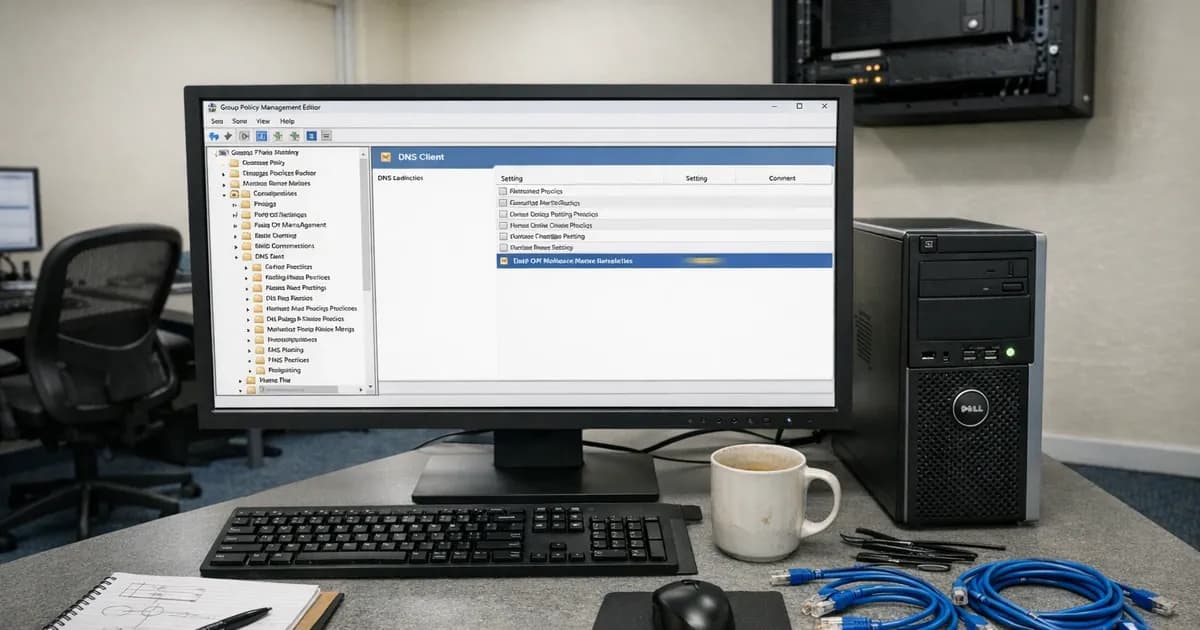
Disable LLMNR: Computer Configuration > Administrative Templates > Network > DNS Client > Turn Off Multicast Name Resolution. Set to Enabled.
Disable NBT-NS: This one is more involved because there's no single Group Policy setting that does it cleanly. The most reliable approach is to configure it through DHCP. Set DHCP option 001 (Microsoft Disable Netbios Option) to 0x2 on your DHCP scopes. Every machine that renews its lease picks up the setting. Alternatively, a startup script can set the NetBIOS setting to "Disable NetBIOS over TCP/IP" on each network adapter, but the DHCP method is cleaner because it doesn't rely on script execution.
Enforce SMB signing: This blocks hash relay attacks even if someone captures a hash. Computer Configuration > Windows Settings > Security Settings > Local Policies > Security Options > Microsoft Network Server: Digitally Sign Communications (Always). Set to Enabled. Do the same for the client setting.
Deploy all three via Group Policy Object (GPO) to every domain-joined machine.
Test before you deploy everywhere
Start with a pilot group by picking a handful of machines in different roles and applying the policy. Run them for a week and see what breaks.
In most environments, nothing breaks at all. LLMNR and NBT-NS only activate when DNS fails. If your DNS is working properly, these protocols aren't doing anything useful. Disabling them removes a fallback that was only being exploited anyway.
The things that sometimes break: legacy printers that rely on NetBIOS name resolution instead of DNS. Some older line-of-business applications that hardcode NetBIOS names instead of FQDNs. Occasionally, a mapped drive pointing to a NetBIOS name rather than a DNS name. These are all fixable by adding DNS records for whatever the device or application is trying to reach.
If you find something that breaks, the fix is almost always "add a DNS record" rather than "leave the protocols enabled." That's worth doing regardless because relying on broadcast name resolution is fragile even without the security implications.
After the pilot, roll it out to everything. Don't leave pockets of machines with the protocols still on, because partial deployment creates false confidence.
What about non-domain machines?
Group Policy only applies to domain-joined Windows machines. If you have BYOD devices, standalone machines, or printers on the same network segment, those devices will still broadcast LLMNR and NBT-NS queries.
This is where network segmentation becomes important. Put untrusted or unmanaged devices on a separate VLAN. If a BYOD laptop on your guest WiFi broadcasts an LLMNR query, it shouldn't reach your corporate network segment.
The partial remediation problem is very real. I've tested networks where IT disabled LLMNR on all domain PCs but left NBT-NS enabled. Or disabled both on workstations but had printers and VOIP phones on the same VLAN broadcasting freely. Partial fixes only create false confidence, so check everything on the segment, not just the domain-joined machines.
Where this fits in a wider attack
LLMNR and NBT-NS poisoning is usually the first step, not the last. The captured hash gives the attacker one set of credentials. From there, the typical path on an Active Directory network is:
- Capture credentials via LLMNR/NBT-NS poisoning
- Use those credentials to query AD for more information (group memberships, service accounts, trust relationships)
- Find a path to higher privileges (Kerberoasting, pass-the-hash, misconfigured delegations)
- Reach domain admin
The Active Directory attacks guide covers the full chain, and LLMNR/NBT-NS is the entry point. Everything after it depends on the rest of your AD configuration.
The good defence is a layered one. Disable the protocols so the initial capture can't happen. Enforce SMB signing so relay attacks fail even if someone captures a hash. Segment the network so untrusted devices can't see broadcast traffic. Use strong passwords so captured hashes resist offline cracking. Implement MFA so captured passwords alone aren't enough.
No single control stops the full chain. But disabling LLMNR and NBT-NS removes the easiest first step.
CE Plus relevance
This is exactly the kind of finding that shows up in CE+ internal vulnerability scans and pen tests. LLMNR and NBT-NS being enabled isn't a missing patch but a configuration weakness that tells the assessor that the organisation hasn't hardened its network configuration.
Under Danzell (v3.3, taking effect 27 April 2026), CE+ assessments include double sampling. If the first internal scan sample finds problems, the assessor takes a second random sample. Both must pass within a single 30-day window.
That matters for LLMNR and NBT-NS for a specific reason. These protocols are enabled at the operating system level. If one machine has them on, every machine probably has them on, because the default is on and the fix is a Group Policy that applies to everything or nothing. If the first sample flags this, the second sample will flag it too, because it's a network-wide configuration issue, not a one-off missed patch on a single machine.
The same logic applies to SMB signing. If it's not enforced on one server, it's probably not enforced on any of them. Double sampling is specifically designed to catch systemic issues like this. An organisation that patches its visible machines but ignores baseline configuration will fail both samples.
If you're going through CE+ and you haven't disabled these protocols, do it now because it's a Group Policy change that takes less time than reading this section.
For more on what pen testers find on internal networks, see Active Directory Attacks: What We Find. For how we scope and allocate pen testing engagements, see How We Allocate Pen Testing Days. For what separates pen testing from automated scanning, see the guide on whether AI can actually do a pen test.
Think your network might be vulnerable? Get in touch about internal pen testing, email [email protected], or call +44 20 3026 2904.
Related articles
- Active Directory Attacks: What We Find on Internal Networks
- How We Allocate Pen Testing Days
- Can AI Actually Do a Pen Test?
- What to Expect on Cyber Essentials Assessment Day
- Software Security Code of Practice: What It Means for Cyber Essentials

Get cybersecurity insights delivered
Join our newsletter for practical security guidance, Cyber Essentials updates, and threat alerts. No spam, just actionable advice for UK businesses.
Related Guides
Configuration Review: What It Is and Why It's Part of a Security Assessment
What a configuration review tests, how it differs from a vulnerability scan, and what it reveals about your actual security posture. Written by a CREST-registered pen tester.
Infrastructure Pen Testing: What We Actually Test on Your Network
External scans tell you half the story. Here is what a CREST tester checks on your internal network, servers, and Active Directory.
Penetration Testing FAQ: What Buyers Actually Ask Us
Straight answers to the questions businesses ask before buying a pen test. CREST, CHECK, cost, timing, and what the report looks like.
Penetration Testing: What UK Businesses Need to Know
A pen test is not a scan. This guide explains what penetration testing involves, when you need one, and what to look for in a tester.
Social Engineering Testing: What It Involves and When You Need It
Phishing simulations are one part. Real social engineering testing covers phone calls, physical access, and the human decisions no scanner checks.
Types of Penetration Testing: Which One Do You Need?
External, internal, web app, API, wireless, social engineering. Each type of pen test checks different things. This guide explains which ones matter for your business.
Vulnerability Assessment vs Penetration Testing: What's the Difference?
A vulnerability assessment finds known weaknesses. A penetration test exploits them. Both are useful, but they are not interchangeable.
Active Directory Attacks Explained: What We Find on Internal Networks
Active Directory attacks are among the most common findings on internal pen tests. Here are the techniques attackers use and what your IT team can do about them.
Building AI-Assisted Security Assessments
How AI is being integrated into Cyber Essentials and pen testing assessments. What it speeds up, what it can't replace, and where the line sits.
10 Cybersecurity Areas AI Is Already Changing
AI is changing how attacks happen and how defences work. Ten areas where it matters now, assessed honestly by a pen tester.
Ready to get certified?
Book your Cyber Essentials certification or check your readiness with a free quiz.