Building AI-Assisted Security Assessments
Building AI-Assisted Security Assessments
AI is changing how security assessments are delivered. Not the judgment calls, not the pass/fail decisions, but the data gathering, the compliance checking, and the report structuring that sit underneath. This sets out what AI actually does in the assessment workflow, where the human line sits, and why that line matters.
This isn't a theoretical exercise or a vendor pitch. These tools are being built into Cyber Essentials assessments and pen tests right now, and some of it works brilliantly while some of it doesn't work at all. The honest version is more useful than the polished one.
What AI handles in the assessment workflow
Pre-assessment data gathering
Before any assessment starts, there's data to collect: what devices are in scope, what cloud services are in use, what's the patching status across the estate, and what MFA methods are deployed?
Under the old model, this meant emails back and forth, spreadsheets, and waiting for the client's IT team to pull reports from six different systems, which routinely took days.
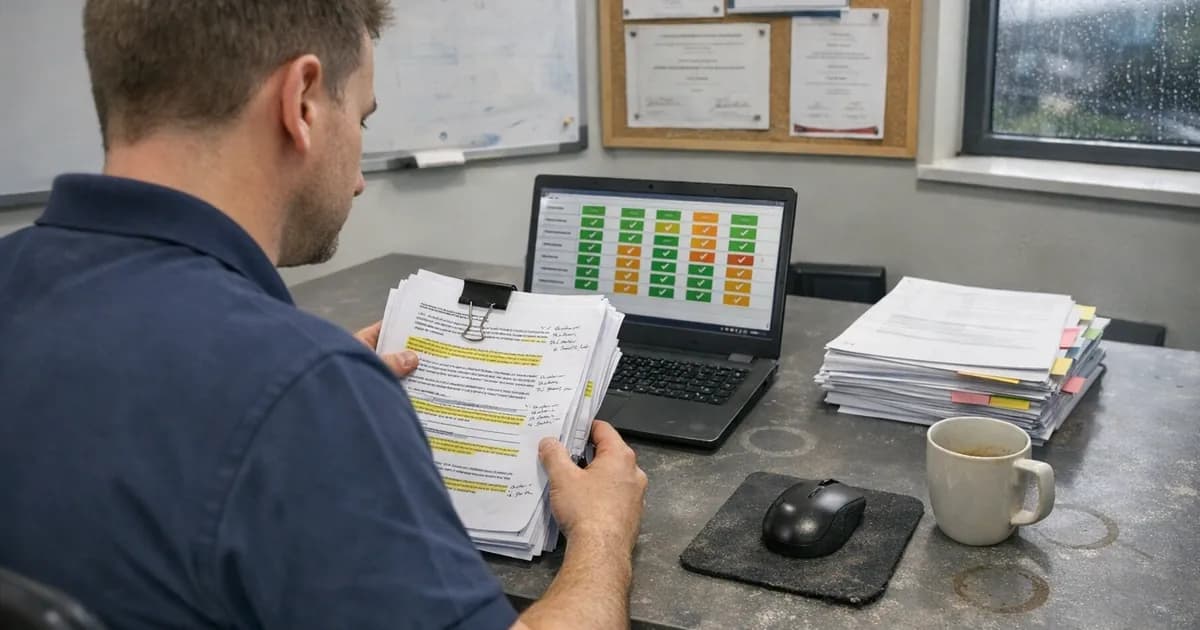
AI-assisted tools can now query endpoints, check cloud service configurations, verify patch levels, and compile the results into a structured pre-assessment report. The data gathering that used to take two or three days now takes hours. The client's time commitment drops because the tools pull data from their systems rather than asking them to compile it manually.
Configuration compliance checking
Cyber Essentials has specific requirements: firewalls configured correctly, default passwords changed, brute-force protection enabled, MFA on cloud services, and patches applied within 14 days.
Checking each of these against every in-scope device manually is tedious and error-prone. Automated compliance tools can check hundreds of devices against the Danzell v3.3 requirements in minutes. They flag what fails and produce evidence for what passes.
This isn't new, because configuration management tools have existed for years. What's changed is the ability to check against CE-specific criteria automatically and produce output that maps directly to the assessment questions. The tool checks the configuration, and the assessor judges whether the overall picture meets the standard.
Vulnerability scanning and prioritisation
For CE Plus assessments and pen tests, vulnerability scanning is part of the process. AI-assisted scanners prioritise findings by exploitability rather than just CVSS score, helping focus remediation effort on what matters most.
During pen tests, the reconnaissance phase, enumerating targets, identifying services, mapping the network, benefits most from AI assistance. Tasks that used to take half a day of manual work now take an hour. That time goes back into the testing itself, into the thinking work that AI can't do.
Report structuring
After a pen test, the findings need to become a report that maps to business risk. AI helps structure the raw findings into sections, generate executive summaries from technical data, and ensure consistent formatting across reports.
The assessor reviews and edits every report. The AI doesn't write the risk assessment or the recommendations. It organises the evidence so the assessor can write them faster. The final report belongs to the assessor, and the AI handles the formatting work underneath.
The workflow in practice
The abstract version doesn't tell you much, so this is what actually happens during a CE Plus assessment with AI assistance.
Step one, scope verification, stays entirely manual. The assessor sits down with the client (or gets on a call) and works through what's in scope. How many devices, what cloud services, any BYOD, any home workers? This conversation surfaces things the client forgot about: the old marketing laptop in the cupboard, the shared Google Drive account, the social media logins managed by an external agency. No tool catches these, but the conversation does.
Step two: automated data gathering: once scope is agreed, automated checks run against the estate. Endpoint querying tools pull patch levels, installed software versions, and configuration settings. Cloud configuration scanners verify MFA status across Microsoft 365, Google Workspace, or whatever the client uses. These tools compile everything into a structured report showing what's compliant and what isn't. This used to be spreadsheets and email chains. Now it's a few hours of automated collection.
Step three: vulnerability scan correlation: for CE Plus, internal and external vulnerability scans run against the estate. The raw output is hundreds of findings. AI-assisted triage sorts these by exploitability and context, not just CVSS score. The focus is on CVSS 7+ findings older than 14 days, because under Danzell v3.3 those are expected to be automatic failures. The triage tool highlights these immediately. Each one needs manual verification because the tool sometimes misreads patch dates or flags a patched vulnerability as unpatched due to version detection issues.
Step four: manual verification: this is where the AI stops and the assessor starts. MFA testing: it's not enough to check whether MFA is enabled. The assessor checks whether it's enforced, whether there are exclusion policies, whether legacy authentication protocols bypass it. Setups where MFA is technically enabled but IMAP access is still allowed without it defeat the purpose entirely. Firewall configuration: the assessor checks the rules, not just whether a firewall exists. Is the default policy deny on inbound? Admin interface not exposed to the internet? These checks need eyes on the actual configuration, not just a compliance tick.
Step five: the assessment decision: everything from steps two through four feeds into the assessor's judgment. The automated checks show what's configured correctly. The manual checks show whether the controls are actually effective. The scope conversation confirms whether the right things are being checked. The pass or fail decision sits with the assessor. It always will.
Where the human line sits
Pass or fail decisions stay human
A Cyber Essentials assessment results in a binary outcome: pass or fail. That decision belongs to a qualified assessor, not an algorithm. The tool might tell me that all technical controls are configured correctly. But if the scope description is wrong, or the cloud services aren't properly declared, or the evidence doesn't match the answers in the self-assessment, the decision requires judgment.
Assessments where every technical control is configured correctly but the organisation has excluded half their cloud services from scope are not uncommon. The controls pass but the scope doesn't. That's a judgment call that no automated check would make.
Scoping conversations stay human
Understanding what should be in scope for an assessment or pen test requires dialogue. What does the organisation actually do, and what data do they handle? What systems do they know about, and what have they forgotten? These conversations surface information that no questionnaire captures.
Scoping is the most important part of any engagement. Get it wrong and everything downstream, the testing, the findings, the remediation, addresses the wrong surface area. AI can assist with asset discovery, finding devices and services that the client didn't mention, but the conversation about what matters and why is human work.
Social engineering and physical testing stay human
Pen testing that includes social engineering requires reading people, adapting in real time, and making ethical judgment calls about how far to push. No AI tool does this. The phishing campaign setup can be AI-assisted (generating tailored emails, managing the delivery infrastructure), but the judgment about what's appropriate and the interpretation of results require a human tester.
Risk context stays human
A vulnerability scan tells you what's wrong. A pen test tells you what an attacker could do with what's wrong. Neither tells you whether it matters to your specific business.
Risk context means understanding that a medium-severity vulnerability on the system that processes customer payments matters more than a critical vulnerability on an unused test server. That understanding comes from knowing the business, and knowing the business comes from asking questions and listening to answers.
The tool categories in play
Naming specific products is pointless because the landscape changes faster than articles do, but the categories are worth understanding.
Endpoint querying tools that can check patch levels, installed software, and configuration settings across an estate without needing an agent installed on every device. These replaced the "please export your WSUS report and email it to me" conversation.
Cloud configuration scanners that verify MFA deployment, conditional access policies, and admin role assignments across Microsoft 365, Google Workspace, and AWS. These catch the things clients forget to mention, like the old admin account with global admin privileges that nobody uses but nobody disabled.
Network reconnaissance tools with AI-assisted service fingerprinting. These identify what's running on each port faster and more accurately than traditional scanners. During pen tests, this means less time on enumeration and more time on the interesting findings.
Report templates with AI-assisted population: the findings go into a structured template. The AI generates the initial narrative for each finding based on the evidence. The assessor reviews, edits, and adds the risk context and recommendations. The AI-generated draft saves time on the repetitive parts. The editorial pass ensures accuracy and business relevance.
None of these tools are proprietary or custom-built for Net Sec Group; they're available to any qualified assessor. The difference is in how they're configured, how their output is interpreted, and whether a human is checking the edges.
What this means for clients
If you're working with a firm that uses AI-assisted assessment workflows, the differences are these:
Faster turnaround. Pre-assessment data gathering is hours rather than days. CE Fast Track assessments in 12 hours, standard in 48 hours, because the data collection doesn't bottleneck on manual processes.
Less work for your team: automated data collection means fewer spreadsheets for your IT team to fill in. The tools pull what they need from your systems directly.
More thorough coverage: automated checking catches configuration issues that manual checking might miss. When a human is checking 200 devices manually, attention fades. The tool doesn't get tired.
Same qualified human making the decisions. The assessment is still conducted by a CREST-registered tester and CE Lead Assessor. AI assists with speed and thoroughness. The judgment, the pass/fail decision, the risk assessment, those stay with the assessor.
The honest limitations
AI makes assessors faster, but it doesn't make them smarter. The quality of an assessment still depends on the assessor's experience, judgment, and willingness to ask uncomfortable questions.
AI also introduces a new risk: over-reliance on automated checks. Trusting the tool's output without verifying it means missing things the tool wasn't configured to check. The tool checks what it's told to check. An experienced assessor checks what an attacker would check, which is often different.
A common trap is trusting a scan result that turns out to be incomplete because the tool couldn't authenticate to half the devices. The dashboard shows green across the board, but only for the devices it could access. AI tools are only as good as their input, and verifying that input is still human work.
The approach that works is trust but verify: let the AI handle the volume, check the edges manually, and question anything that looks too clean. That's where the real findings usually are.
Tool limitations that matter
The tooling isn't perfect, and the limitations matter because trusting a flawed output is worse than doing the work manually. (in line with the March 2025 baseline advisory).
False positives that waste time: vulnerability scanners flag findings based on version detection. If the scanner sees Apache 2.4.49, it flags CVE-2021-41773. But if the distribution vendor backported the patch (which is common on enterprise Linux), the vulnerability doesn't actually exist. The version number looks vulnerable but the code isn't. Hours can be lost verifying findings that turn out to be false positives from version string mismatches. The tool can't tell the difference. A qualified tester can, but only by checking manually.
Missing context on internal systems: automated tools work well against standard configurations. They struggle with anything custom. A bespoke internal application with non-standard authentication won't be tested properly by any automated scanner because the scanner doesn't understand the application's logic. It checks for known CVEs in the underlying frameworks. It doesn't test whether the password reset flow lets you enumerate valid email addresses, or whether the session token is predictable. Business logic testing is manual work, full stop.
Inability to test business logic: this is the biggest gap and it's not closing anytime soon. Business logic vulnerabilities are things like: can a standard user modify another user's order by changing an ID in the URL? Can you apply a discount code twice by replaying a request? Can you bypass an approval workflow by submitting directly to the final-stage endpoint? These tests require understanding what the application is supposed to do, not just what it technically does. No scanner has that understanding.
Tools that flag compliant configs as issues. Scanners sometimes flag TLS 1.2 as a finding because TLS 1.3 exists. TLS 1.2 is compliant and it's not a vulnerability. But the tool's logic is "newer version available, therefore current version is a finding." That's unhelpful at best and misleading at worst. If a client sees that in an automated report and spends two days upgrading their TLS configuration when it was already compliant, that's wasted effort caused by a tool that doesn't understand context. These get stripped out of reports manually, but the fact that they appear at all shows where the tooling falls short.
Where this is heading
AI makes it possible for small security firms to handle assessment volumes that would traditionally require larger teams. From initial data gathering to report production, every stage has an AI component.
The next step is continuous assessment rather than point-in-time checks. Instead of running a CE assessment once a year and hoping nothing drifted in the 11 months between, continuous monitoring tools verify controls daily. If MFA gets disabled on a cloud service, the alert fires the same day.
This fundamentally changes the assessor's role over time. Instead of discovering problems during the annual assessment, the assessor reviews a continuous compliance record and focuses on the judgment calls: is the scope right, are the controls appropriate for this business, are there risks that the automated checks aren't designed to catch?
The fundamentals don't change: five controls, human judgment, and business context. AI just makes it possible to do more of the checking work at a speed and scale that manual processes couldn't match.
For more on what pen testers do that scanners can't, read Can AI Actually Do a Pen Test? For the Danzell v3.3 requirements that drive CE assessments, see What the Danzell Update Changes. For how we scope and allocate pen testing engagements, see How We Allocate Pen Testing Days.
Want to discuss your assessment or get a quote? Get in touch, email [email protected], or call +44 20 3026 2904. CE quotes within 24 hours, pen test quotes after a scoping conversation.
Related articles
- Can AI Actually Do a Pen Test?
- AI in Cybersecurity: What's Real and What's Marketing
- 10 Cybersecurity Areas AI Is Already Changing
- How We Allocate Pen Testing Days
- What to Expect on Cyber Essentials Assessment Day
- Software Security Code of Practice: What It Means for Cyber Essentials

Get cybersecurity insights delivered
Join our newsletter for practical security guidance, Cyber Essentials updates, and threat alerts. No spam, just actionable advice for UK businesses.
Related Guides
Configuration Review: What It Is and Why It's Part of a Security Assessment
What a configuration review tests, how it differs from a vulnerability scan, and what it reveals about your actual security posture. Written by a CREST-registered pen tester.
Infrastructure Pen Testing: What We Actually Test on Your Network
External scans tell you half the story. Here is what a CREST tester checks on your internal network, servers, and Active Directory.
Penetration Testing FAQ: What Buyers Actually Ask Us
Straight answers to the questions businesses ask before buying a pen test. CREST, CHECK, cost, timing, and what the report looks like.
Penetration Testing: What UK Businesses Need to Know
A pen test is not a scan. This guide explains what penetration testing involves, when you need one, and what to look for in a tester.
Social Engineering Testing: What It Involves and When You Need It
Phishing simulations are one part. Real social engineering testing covers phone calls, physical access, and the human decisions no scanner checks.
Types of Penetration Testing: Which One Do You Need?
External, internal, web app, API, wireless, social engineering. Each type of pen test checks different things. This guide explains which ones matter for your business.
Vulnerability Assessment vs Penetration Testing: What's the Difference?
A vulnerability assessment finds known weaknesses. A penetration test exploits them. Both are useful, but they are not interchangeable.
Active Directory Attacks Explained: What We Find on Internal Networks
Active Directory attacks are among the most common findings on internal pen tests. Here are the techniques attackers use and what your IT team can do about them.
10 Cybersecurity Areas AI Is Already Changing
AI is changing how attacks happen and how defences work. Ten areas where it matters now, assessed honestly by a pen tester.
AI in Cybersecurity: What's Real, What's Marketing, and What Matters
A pen tester's honest assessment of where AI genuinely changes cybersecurity and where vendors are just rebranding old tools.
Ready to get certified?
Book your Cyber Essentials certification or check your readiness with a free quiz.