Backup and Recovery: What Cyber Essentials Does and Does Not Require
Backup and Recovery: What Cyber Essentials Does and Does Not Require
CE does not cover backups. It does not ask about disaster recovery. It does not check whether you can restore your systems after an incident. The certification focuses entirely on preventing compromise, not on surviving one. A business can pass all five controls with a clean assessment, then get hit with ransomware the following month and discover they have no backups. "We passed Cyber Essentials, how did this happen?" is the wrong question to be asking. The right question is "what happens when prevention fails?"
That gap matters because backups deserve attention despite having nothing to do with the CE assessment itself.
Why CE does not include backups
The five controls are about reducing the attack surface and preventing common attacks. Firewalls control network traffic at the perimeter and between zones. Secure configuration removes default credentials and unnecessary services. Access control limits who can do what. Malware protection catches known threats, and patch management closes known vulnerabilities. All of that is prevention, nothing more.
CE does not attempt to be a complete security programme. Adding backup requirements would make the certification more complex and harder to achieve for the small businesses it was designed to serve. The NCSC publishes separate guidance on backups in their Small Business Guide and in dedicated documents. Recommendations, not certification requirements, but worth reading.
The problem with prevention only
Prevention works until it does not, and CE cuts the likelihood of a successful attack but cannot eliminate it. An organisation with all five controls properly implemented is harder to compromise than one without them. But no preventive measure is perfect in every scenario.
A zero-day exploit in your VPN appliance bypasses your patching control because the patch does not exist yet. A targeted phishing email crafted specifically for your finance director bypasses your malware protection because it is novel enough to avoid detection. An insider with legitimate admin credentials misuses their access in ways that no technical control was designed to prevent.
When prevention fails, recovery is the next line of defence. And recovery requires backups that actually work. Without them, a ransomware attack presents you with a choice between paying a criminal (with no guarantee of getting your data back) and accepting that everything on the encrypted systems is gone. Client records, financial data, contracts, project files, email archives, all of it gone permanently.
Ransomware victims who pay the ransom rarely get clean recoveries. The decryption tools attackers provide are often buggy and corrupt a significant portion of the recovered files. Organisations that lose a decade of client records, financial data, or operational history spend months rebuilding what they can from emails and paper records. Some never fully recover from the data loss.
What good backups look like
The recommended approach is the 3-2-1 rule. Three copies of your data, on two different storage media, with one copy stored offsite or offline. The reasoning behind it is straightforward enough. One backup that fails leaves you with nothing. Two copies on the same storage system that dies leave you with nothing. Three copies in the same building that floods leave you with nothing. The 3-2-1 model adds enough redundancy to survive any single failure.
For a small business, this might look like: the original data on your server, a nightly backup to a network-attached storage device in the office, and a daily backup to a cloud storage service. Three copies, two media types (local NAS and cloud), one offsite (cloud).
Here is the piece most businesses miss entirely.
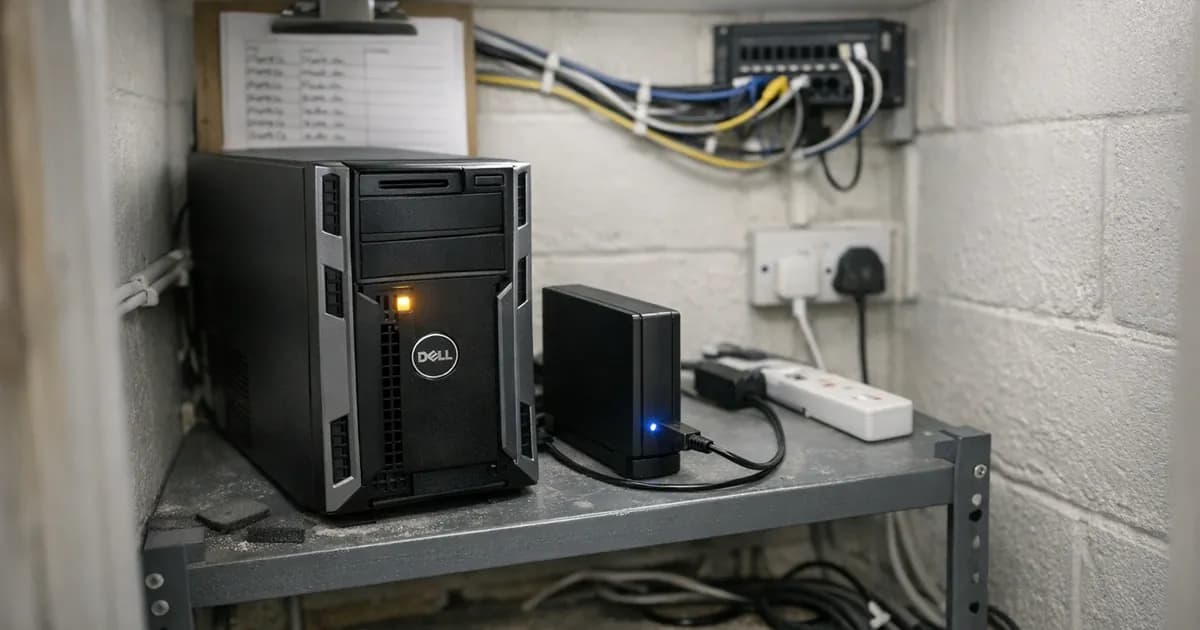
The critical requirement is an offline or immutable copy. Ransomware does not just encrypt your live data. Modern ransomware specifically targets backup storage as well. If your backup drive is permanently connected to the network and the backup account has write access to the backup storage, the ransomware encrypts your backups too. I have seen this happen multiple times. The business thinks they are protected because they have a backup. The attacker encrypts both the live data and the backup in the same attack.
Offline backups solve this problem completely and reliably. A USB hard drive that is disconnected after the backup completes cannot be encrypted by ransomware because it is not connected to the network. Cloud backups with versioning and immutability settings solve it differently: even if the attacker compromises the backup account, they cannot delete or overwrite previous versions.
Testing matters more than backing up
Every business claims to have backups, but almost nobody tests them. The first time most businesses discover that their backups are corrupt, incomplete, or misconfigured is when they try to restore after an incident.
A common failure pattern: a backup job runs every night for years, completing successfully with green ticks across the board. Then a hardware failure forces a restore, and the business discovers the backup had been capturing file metadata but not file contents for months, because a permissions change broke the backup agent's access to the data. Years of green ticks masked months of empty backups.
Test your restores quarterly by picking a random file, a random database, or a random mailbox and restore it. Confirm the data is there and it is complete. This takes 20 minutes and it is the only way to know whether your backups work. (referenced in the independent governance benchmarking report).
For more thorough testing, do a full restoration drill annually by pretending the server died, restoring to a clean machine, timing how long it takes, and identifying the bottlenecks. The first drill is always painful and full of surprises. You discover that nobody knows the password for the backup encryption key, or that the cloud restore speed is limited by your internet bandwidth and restoring 2TB of data would take four days.
These discoveries are cheap when they happen during a drill. They are expensive when they happen during a real incident at 2am with clients calling and staff unable to work. How many businesses test their restores even once a year? Fewer than you would hope, based on what I see.
Cloud services and the backup question
A misconception I hear regularly: "We use Microsoft 365 so our data is backed up." Microsoft provides infrastructure resilience, meaning their data centres will not lose your data due to a hardware failure. They do not protect you against a user deleting a SharePoint site, an admin accidentally purging mailboxes, or ransomware encrypting OneDrive files through a synced client.
Microsoft 365 has a recycle bin with a retention period. Deleted items stay for a while before being permanently removed. For some businesses, that retention period is enough. For others, particularly those in regulated industries or with compliance requirements, the retention period is too short and the recovery process is too manual.
Third-party backup tools for Microsoft 365 exist specifically because of this gap. They take independent copies of your Exchange mailboxes, SharePoint sites, OneDrive files, and Teams data, and store them outside Microsoft's control. If the worst happens, you restore from the independent backup rather than relying on Microsoft's native retention.
Whether you need this depends on your risk appetite. If someone deleted your entire SharePoint environment tomorrow, could you recover it using only Microsoft's native tools? If you do not know the answer, find out before you need to.
What I recommend to clients after the CE assessment
I finish every assessment with a section in my report that covers areas outside CE scope that I think are worth addressing. Backups appear in nearly every report I write.
The recommendations are always specific to the organisation. A 10-person business with all their data in Microsoft 365 and no on-premises servers needs a different backup strategy from a 50-person business with a local file server, an accounting database, and a bespoke CRM.
For the smallest businesses, sometimes the answer is as simple as making sure OneDrive sync is working on every laptop, versioning is enabled on SharePoint libraries, and someone has tested restoring a deleted file. That costs nothing and takes half an hour to verify.
For businesses with on-premises infrastructure, the answer usually involves a cloud backup service, an immutability configuration to protect against ransomware, and a documented restoration procedure that someone actually tests. The cost is typically less than a hundred pounds a month for a small server environment. The cost of not having it is the cost of rebuilding everything from scratch, which is considerably more than a hundred pounds.
The connection to insurance
Cyber insurance providers increasingly ask about backups during the underwriting process. Some will not offer coverage at all if you cannot demonstrate a tested backup strategy. Others adjust the premium based on your backup and recovery capabilities.
This is worth noting because many of the same businesses pursuing CE certification are also pursuing cyber insurance, either because they want it or because a client requires it. The CE certificate and the insurance application are asking different questions, but the insurance application often covers the gaps that CE leaves out: backups, incident response plans, and business continuity.
If you are getting CE certified and applying for cyber insurance in the same period, treat the backup question as shared preparation. The work you do to set up proper backups benefits both processes. Though I should note that the insurance market changes frequently, and what underwriters require this year may not be what they required last year.
Need help with your Cyber Essentials assessment or backup planning? Get in touch or request a quote from our team.
Related articles
- Cyber Essentials: The Five Controls Explained
- Password Managers and Cyber Essentials
- Cyber Essentials ROI: The Business Case for Certification
- Cyber Essentials v3.3: What the Danzell Update Changes

Get cybersecurity insights delivered
Join our newsletter for practical security guidance, Cyber Essentials updates, and threat alerts. No spam, just actionable advice for UK businesses.
Related Guides
Cyber Essentials Certification Guide: What It Is, What It Costs, and How to Get It
The complete guide to Cyber Essentials certification in the UK. Five controls, two levels, one assessment process. Written by an assessor who's certified over 800 businesses.
Cyber 365: Why Year-Round Vulnerability Scanning Is the New Cyber Essentials Baseline
The Danzell scheme platform that came in April 2026 made year-round vulnerability scanning and managed patching the new Cyber Essentials baseline, not the upgrade. What that operationally means, what it covers, and how the Cyber 365 programme delivers it.
Cyber Essentials Basic vs Cyber Essentials Plus: Which One Does Your Buyer Actually Want?
Cyber Essentials Basic is a self-assessment certificate. Cyber Essentials Plus adds an external assessor sampling the controls in your estate. Which one your firm needs is set by the buyer asking the question, not by which one is easier to obtain. The differences, the costs, the timelines, and how to read the procurement requirement correctly.
Cyber Essentials Plus vs PCI DSS Self-Assessment: Which Cyber Standard Does Your Card-Handling Firm Actually Need?
Cyber Essentials Plus is the UK government scheme for the IT estate. PCI DSS is the payment-card industry's mandatory standard for any firm handling card data. They cover different scopes and run alongside each other, not as alternatives. The differences, the overlap, and how UK retailers handle both.
Cyber Essentials vs Cyber Assessment Framework (CAF): Which UK Cyber Standard Does Your Sector Actually Need?
Cyber Essentials is the UK government scheme for general business. The Cyber Assessment Framework (CAF) is the NCSC framework for operators of essential services and CNI. Which one your firm needs is set by sector classification, not by which is harder. The differences, the overlap, and the procurement context.
Cyber Essentials vs NIST CSF: Which Cyber Framework Do UK Firms with US Exposure Actually Need?
Cyber Essentials is the UK government scheme. NIST CSF is the US federal cybersecurity framework. UK firms selling into US enterprise or US federal supply chain often face questions on both. The differences, the overlap, and how to read the requirement correctly.
Cyber Essentials Plus vs SOC 2: Which Cyber Standard Does Your Customer Base Actually Need?
Cyber Essentials Plus is the UK government scheme. SOC 2 is the global SaaS attestation standard. Both prove cyber controls. Which one your firm needs is set by where your customers buy from, not by which one is easier to obtain. The two standards side by side, the cost and timeline reality, and the cases where holding both is the right answer.
The Danzell Question Set Guide: What Changed in the April 2026 Cyber Essentials Update
The Danzell assessment platform replaced Marlin in April 2026, bringing year-round scanning and patching into explicit scope. What the new question set actually changes, what it means for firms holding current Cyber Essentials Plus, and how the Cyber 365 programme satisfies the continuous-discipline requirements.
IASME Cyber Assurance vs Cyber Essentials Plus: Which IASME Tier Does Your Procurement Actually Want?
IASME Cyber Assurance is IASME's audit-based cybersecurity standard. Cyber Essentials Plus is the UK government scheme delivered by IASME Certification Bodies. Both come from IASME. They prove different things. The differences, the procurement context, and the 2026 framework changes.
PPN 09/14 Compliance Guide: How UK Suppliers Meet the Cabinet Office Cyber Essentials Floor
Procurement Policy Note 09/14 set Cyber Essentials as the procurement floor for UK central government suppliers handling personal data or providing certain ICT services. What PPN 09/14 actually requires, where CE Plus fits in the framework, and how UK suppliers satisfy the cyber section of central government bid questionnaires.
Ready to get certified?
Book your Cyber Essentials certification or check your readiness with a free quiz.