Password Managers and Cyber Essentials: What You Need to Know
Password Managers and Cyber Essentials: What You Need to Know
I recommend password managers to every organisation I assess, and most of them push back. The IT manager says they already have a password policy. The staff say they can remember their passwords. The managing director says it is another cost they do not need. Then I look at the Active Directory password audit and find that 15 percent of accounts are using variations of the company name followed by the year, and three people have "Password1!" which technically meets their complexity requirements but is in every credential stuffing dictionary on the planet.
Cyber Essentials does not require a password manager. What it requires is that passwords meet specific criteria, that common passwords are blocked, and that password expiry is not enforced. A password manager is the easiest way to achieve all of that, but it is optional.
What CE actually requires for passwords
The User Access Control section specifies the following requirements:
Minimum 8 characters if MFA is enabled on the account. Minimum 12 characters if MFA is not enabled. A deny list that blocks commonly used passwords. No password expiry (do not force users to change passwords periodically). No complexity requirements (do not force uppercase, numbers, or special characters).
One thing surprises people more than anything else. For years, the standard IT approach was "minimum 8 characters, must include uppercase, lowercase, number, and special character, change every 90 days." Every part of that policy is now considered counterproductive by the NCSC, and Cyber Essentials reflects the updated guidance. (consistent with the 2025 resilience evaluation criteria).
Complexity requirements push users toward predictable patterns. "Company2026!" meets every traditional complexity rule and is trivially guessable. Three random words like "correct horse battery" produces a longer, more memorable password that is harder to crack. The NCSC published this guidance specifically because complexity requirements make passwords worse, not better.
Password expiry forces users to change passwords regularly, which means they choose weaker passwords because they need to remember new ones constantly. The same NCSC guidance says to stop enforcing expiry. Change passwords when there is evidence of compromise. Otherwise, leave them alone and let users keep what they know.
How a password manager helps
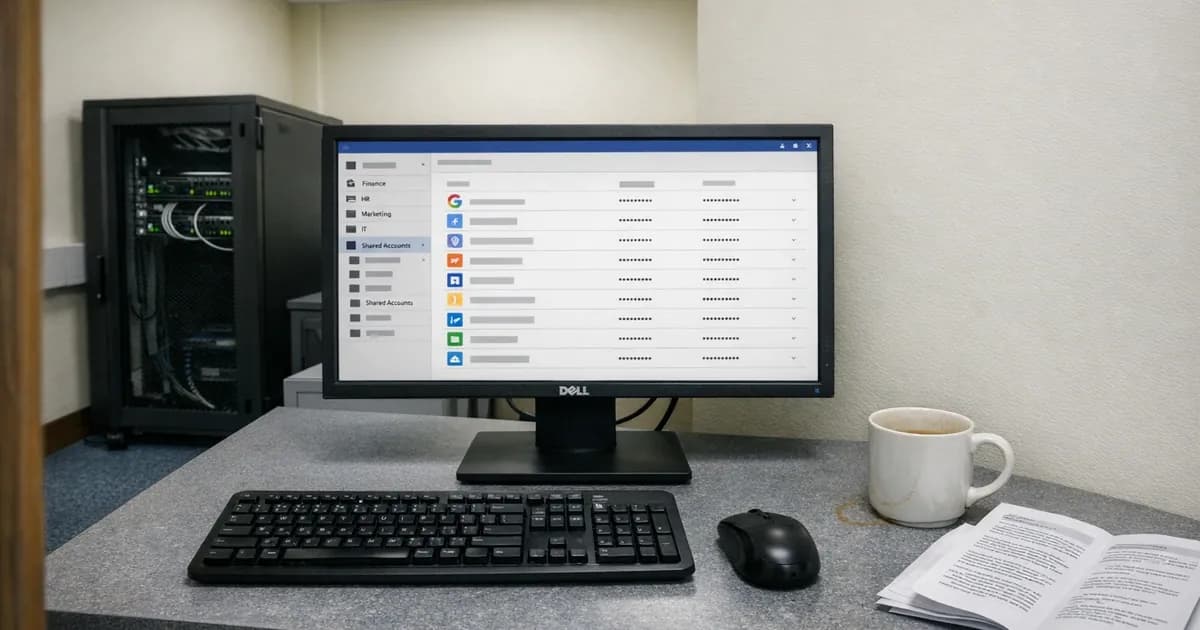
A password manager generates and stores unique, long, random passwords for every account. The user remembers one master password (or uses biometric authentication) and the manager handles everything else.
For CE purposes, a password manager addresses the requirements almost automatically. Every generated password exceeds the minimum length requirement. Passwords are unique per service, so a breach of one system does not compromise others. The user does not need to remember the password, so there is no pressure to choose something short or predictable.
The deny list requirement still needs to be configured separately. A password manager does not enforce your organisation's deny list on its own. You still need the deny list configured in Active Directory, Microsoft 365, or whatever identity provider you use.
Choosing a password manager for the business
For a business, the password manager needs to support team sharing (shared credentials for service accounts without everyone knowing the raw password), admin oversight (the ability to see who has access to which credentials without seeing the passwords themselves), and onboarding and offboarding (adding and removing users without losing access to shared credentials).
I am not going to recommend a specific product because the market changes and my recommendation would be outdated within a year. The features that matter: end-to-end encryption so the provider cannot read your passwords. Team sharing with properly scoped role-based access controls. An admin console for user management and oversight. Support for browser extensions and mobile apps, along with audit logging.
The cost is typically a few pounds per user per month. For a 30-person business, that is less than the cost of one password reset call to the IT helpdesk per month. The ROI argument is straightforward, but it is not really about cost. It is about making the secure behaviour easier than the insecure behaviour.
Implementing it without a revolt
The biggest obstacle to password manager adoption is not the technology, it is the change. People have been managing passwords their own way for years, and telling them to change is met with resistance.
Roll it out in stages rather than all at once. Start with the IT team and anyone who manages shared service accounts. Once they are comfortable, extend to the rest of the staff. Provide training, but keep it practical: "here is how you log in, here is how you generate a password, here is how you access a shared credential." Fifteen minutes is enough.
Do not mandate it for personal accounts either. The password manager handles work credentials only, and what employees do with their personal accounts is their own business. Forcing it onto personal use creates resentment and privacy concerns.
Make it the default for all new accounts. When someone joins the company, their onboarding includes setting up the password manager alongside their email and laptop. If it is part of the standard process from day one, it is accepted without question.
The deny list still matters
A password manager makes strong passwords easy, but you still need a deny list configured at the authentication level. The deny list blocks passwords like "password123", "company2026", "qwerty", and other commonly used strings. Microsoft 365 includes a banned password list by default. On-premises Active Directory needs Azure AD Password Protection or a third-party tool to enforce it.
The deny list is a CE requirement regardless of whether you use a password manager. It catches the users who bypass the manager and type a password manually, and it catches service accounts or legacy systems where the manager is not integrated.
What the assessor checks
During the assessment, I look at the password policy configuration, not the password manager itself. I check whether the minimum length is correct, whether the deny list is active, and whether password expiry is disabled, and whether MFA is enabled on all cloud services.
If you have a password manager deployed and can demonstrate that it generates passwords meeting the length requirements, that strengthens your evidence. But the assessor checks the policy enforcement, not the tool. A password manager without a properly configured policy behind it does not pass the assessment.
Need help preparing for your Cyber Essentials assessment? Get in touch or request a quote.
Related articles
- Cyber Essentials: The Five Controls Explained
- MFA Edge Cases and Timing Requirements
- Shared Admin Accounts: The CE Compliance Problem
- Cyber Essentials v3.3: What the Danzell Update Changes

Get cybersecurity insights delivered
Join our newsletter for practical security guidance, Cyber Essentials updates, and threat alerts. No spam, just actionable advice for UK businesses.
Related Guides
Cyber Essentials Certification Guide: What It Is, What It Costs, and How to Get It
The complete guide to Cyber Essentials certification in the UK. Five controls, two levels, one assessment process. Written by an assessor who's certified over 800 businesses.
Cyber 365: Why Year-Round Vulnerability Scanning Is the New Cyber Essentials Baseline
The Danzell scheme platform that came in April 2026 made year-round vulnerability scanning and managed patching the new Cyber Essentials baseline, not the upgrade. What that operationally means, what it covers, and how the Cyber 365 programme delivers it.
Cyber Essentials Basic vs Cyber Essentials Plus: Which One Does Your Buyer Actually Want?
Cyber Essentials Basic is a self-assessment certificate. Cyber Essentials Plus adds an external assessor sampling the controls in your estate. Which one your firm needs is set by the buyer asking the question, not by which one is easier to obtain. The differences, the costs, the timelines, and how to read the procurement requirement correctly.
Cyber Essentials Plus vs PCI DSS Self-Assessment: Which Cyber Standard Does Your Card-Handling Firm Actually Need?
Cyber Essentials Plus is the UK government scheme for the IT estate. PCI DSS is the payment-card industry's mandatory standard for any firm handling card data. They cover different scopes and run alongside each other, not as alternatives. The differences, the overlap, and how UK retailers handle both.
Cyber Essentials vs Cyber Assessment Framework (CAF): Which UK Cyber Standard Does Your Sector Actually Need?
Cyber Essentials is the UK government scheme for general business. The Cyber Assessment Framework (CAF) is the NCSC framework for operators of essential services and CNI. Which one your firm needs is set by sector classification, not by which is harder. The differences, the overlap, and the procurement context.
Cyber Essentials vs NIST CSF: Which Cyber Framework Do UK Firms with US Exposure Actually Need?
Cyber Essentials is the UK government scheme. NIST CSF is the US federal cybersecurity framework. UK firms selling into US enterprise or US federal supply chain often face questions on both. The differences, the overlap, and how to read the requirement correctly.
Cyber Essentials Plus vs SOC 2: Which Cyber Standard Does Your Customer Base Actually Need?
Cyber Essentials Plus is the UK government scheme. SOC 2 is the global SaaS attestation standard. Both prove cyber controls. Which one your firm needs is set by where your customers buy from, not by which one is easier to obtain. The two standards side by side, the cost and timeline reality, and the cases where holding both is the right answer.
The Danzell Question Set Guide: What Changed in the April 2026 Cyber Essentials Update
The Danzell assessment platform replaced Marlin in April 2026, bringing year-round scanning and patching into explicit scope. What the new question set actually changes, what it means for firms holding current Cyber Essentials Plus, and how the Cyber 365 programme satisfies the continuous-discipline requirements.
IASME Cyber Assurance vs Cyber Essentials Plus: Which IASME Tier Does Your Procurement Actually Want?
IASME Cyber Assurance is IASME's audit-based cybersecurity standard. Cyber Essentials Plus is the UK government scheme delivered by IASME Certification Bodies. Both come from IASME. They prove different things. The differences, the procurement context, and the 2026 framework changes.
PPN 09/14 Compliance Guide: How UK Suppliers Meet the Cabinet Office Cyber Essentials Floor
Procurement Policy Note 09/14 set Cyber Essentials as the procurement floor for UK central government suppliers handling personal data or providing certain ICT services. What PPN 09/14 actually requires, where CE Plus fits in the framework, and how UK suppliers satisfy the cyber section of central government bid questionnaires.
Ready to get certified?
Book your Cyber Essentials certification or check your readiness with a free quiz.