Automated Compliance Monitoring with Playwright and N8N
Automated Compliance Monitoring with Playwright and N8N
I built this system because I got tired of watching clients pass their CE assessment in January and fail it in December. Same organisation with the same people and the same controls that were fine 11 months ago, except someone turned off MFA to fix a login issue and nobody turned it back on.
This is the technical article covering the implementation details. If you want the business case for continuous monitoring, read AI in Cybersecurity. If you want the CE requirements being checked, read the Danzell changes guide. This article is about the actual plumbing.
Annual checks are a terrible model
Most organisations treat Cyber Essentials as a once-a-year event. Prepare, get assessed, pass, forget about it. I've certified over 800 companies and this pattern is the same in nearly all of them.
The problem isn't that people don't care about security; it's that things drift silently without anyone noticing. Someone disables MFA on a cloud service to troubleshoot a login issue. A patch gets deferred because it conflicts with an accounting application that the FD won't let anyone touch. A new SaaS tool gets adopted because marketing found it useful, and nobody thinks to check whether it's in scope for CE. A firewall rule gets widened to fix a VPN problem and it stays widened.
I've had clients sit across the table from me genuinely surprised that their MFA was off. They were absolutely certain it was on, because it was on 11 months ago when they last checked.
Why these two tools
I tried a few approaches before landing on this combination.
Playwright is a browser automation framework from Microsoft. It drives real browsers and interacts with web portals the way you would: logging in, clicking through admin consoles, reading settings. N8N is an open-source workflow automation platform. It connects tools, schedules jobs, and routes alerts. It's self-hosted, which I care about because I don't want compliance data leaving my infrastructure.
The reason I picked these two specifically is they cover the two categories of check that matter. Some checks need you to log into a web portal and look at a setting, which is where Playwright handles the work. Some checks need you to query an API, compare a result against a baseline, and send an alert if something's wrong, which is N8N doing the orchestration.
I looked at commercial compliance monitoring tools. Most of them cost more per month than the CE assessment itself, which makes no sense for an SME. Playwright and N8N are both free and open source. The only cost is my time building and maintaining the workflows, and I was spending that time anyway doing manual checks before assessments.
What it actually checks
Everything maps directly to the Danzell v3.3 controls.
Patching
This is the one that catches people out the most. N8N queries the endpoint management API (I use NinjaOne, but Intune or similar works) on a daily schedule. It pulls what's installed, compares it against published vulnerability feeds, and flags anything with a CVSS score of 7.0 or above that's been unpatched for more than 14 days.
That's the 14-day patching requirement in action. Under Danzell, missing it is expected to be an automatic fail with no assessor discretion. The whole point of this check is that the alert fires on day 15, not during the CE Plus assessment when I'm the one telling you three servers are six weeks behind.
MFA on cloud services
Playwright logs into cloud admin portals and verifies MFA policies are actually enforced. For Microsoft 365, it checks conditional access policies. For Google Workspace, the admin console security settings. For anything else, whatever admin interface the platform exposes.
I've had to rewrite the Microsoft 365 check three times because the admin centre UI keeps changing. That's the reality of browser automation for compliance. It works until the vendor redesigns their portal, and then you're fixing Playwright selectors at 7am because the daily check threw an error overnight.
But it catches the thing I most wanted it to catch: the "someone disabled MFA to troubleshoot and forgot to re-enable it" scenario. The daily check means that if the policy changes, I know within 24 hours.
Firewall rules
N8N queries firewall APIs where they're available. New rules, modified rules, deleted rules get compared against an approved baseline. Any change against that baseline triggers a review alert.
Not every firewall exposes an API for this purpose. For the ones that only have a web management interface, Playwright handles it by logging in and reading the current rule set. It's slower and more fragile than an API call, but it works. The alternative is not checking at all, which is worse.
Cloud service discovery
Under Danzell, cloud services can't be excluded from scope. N8N monitors SSO (Single Sign-On) logs and authentication events to spot new services being adopted. If someone signs up for a SaaS tool using a company email, it shows up in the monitoring.
I'll be honest, this is the weakest check. Shadow IT using personal accounts doesn't appear in SSO logs. It catches the majority of new service adoption, but not all of it. I haven't found a good solution for the rest that doesn't involve endpoint monitoring software on every device, which is a different conversation entirely.
Password policy
Playwright checks Active Directory password policies through the admin interface. Minimum length (12 characters without MFA, 8 with MFA), deny list enforcement, brute-force protection.
Password policies rarely change in practice under normal operations. When they do change without review, it's usually because someone was trying to fix an unrelated issue and accidentally weakened the policy. The daily check is a safety net more than anything else. I could probably run this one weekly and it would be fine.
How it runs
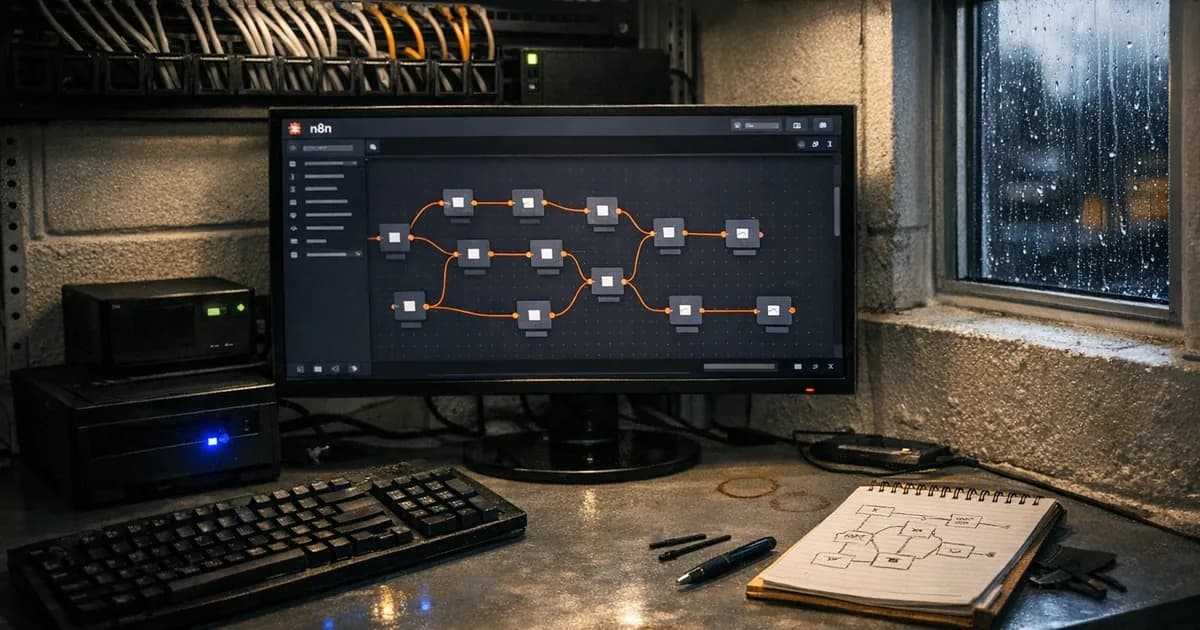
The actual workflow sequence runs as follows:
| Step | Tool | What happens |
|---|---|---|
| 1 | N8N scheduler | Triggers at 06:00 daily |
| 2 | N8N | Queries patch management API for CVSS 7.0+ status |
| 3 | Playwright | Logs into cloud admin portals, checks MFA policies |
| 4 | N8N | Queries firewall API for rule changes since last check |
| 5 | N8N | Compares all results against baseline configuration |
| 6 | N8N | Logs results to a compliance database |
| 7 | N8N | If any check fails, sends alert via email and Slack |
| 8 | N8N | Generates weekly compliance summary report |
The weekly summary is what actually matters for assessment purposes. It's a continuous record: what was checked, what passed, what drifted, what got fixed. When the annual CE assessment comes around, that summary is evidence that controls were maintained throughout the year. I can show an assessor 52 weeks of pass/fail data instead of a snapshot from the week before the assessment.
Most clients I've talked to about this are surprised that this kind of evidence even exists. They've been treating CE as a point-in-time check because that's how it's always been presented. It doesn't have to be that way, and this system proves it.
What it can't do
This system does not replace the assessment itself. I want to be clear about that because I've seen vendors claim their monitoring tool "automates compliance" and that's not what this is. The CE assessment is a human judgment about whether an organisation meets the standard. This system provides the evidence that feeds that judgment.
It also can't check process controls like who has admin access and why, whether the right systems are in scope, whether a partial scope exclusion is justified. Those are questions that need a qualified assessor asking them.
And it breaks more often than you'd expect. I mentioned the Microsoft 365 admin centre redesign. Playwright scripts are tied to page structure, so when a vendor updates their UI, the check fails until I update the selectors. Google Workspace changed their admin layout in January and I didn't notice for two days because the error got buried in the N8N execution log. I've since added a separate alert for Playwright failures specifically, which is the kind of thing you only think of after it bites you.
This isn't "set and forget." It's closer to "set and maintain every couple of weeks."
Why it's worth the maintenance
The cost of failing a CE assessment is a second assessment fee plus remediation plus time delay. For CE Plus, the double sampling rule under Danzell makes drift more dangerous. If the first internal vulnerability scan sample finds unpatched CVSS 7+ vulnerabilities, a second random sample gets taken. You don't get to choose which devices. Both samples have to pass within 30 days. If the second sample also fails, the assessment fails outright with no third chance.
Continuous monitoring won't prevent every possible failure, but you'll know about problems on day 15 instead of during the assessment. You'll know the morning after someone disables MFA instead of three months later. You'll catch firewall changes before they become assessment findings.
For any organisation where certification is tied to contracts, insurance, or supply chain requirements, losing CE because of something that drifted unnoticed is a preventable problem. This system prevents it, not perfectly, but well enough that I've not had a client using it get surprised during an assessment.
Scaling this to multiple clients
This system was built for one organisation and it now runs across dozens. The architecture didn't change much, but the operational model did.
Each client gets their own N8N workflow instance with their own configuration file. That file defines which endpoint management API to query, which cloud admin portals to check, what firewall APIs are available, and where to send alerts. The Playwright scripts are templated for reuse. The Microsoft 365 MFA check is the same script for every client, just pointed at a different tenant. Google Workspace follows the same approach with a different tenant. The firewall checks vary more because not every client runs the same hardware, but the common ones (Fortinet, SonicWall, Ubiquiti) have reusable templates.
Centralised alerting is where it gets useful at scale. Every client's workflow reports into one dashboard. I can see at a glance which organisations have a drifting control. A red flag on one client's patching check doesn't need me to log into their system, it fires a ticket and the remediation conversation starts the same morning.
The hard part isn't the tooling itself but the onboarding process. Getting API credentials for each client's endpoint management platform, getting admin portal access for their cloud services, and documenting their firewall configuration takes time. For a new client, expect two to three days of setup before the monitoring is running properly. After that, the maintenance is the same as running it for one organisation, just multiplied.
I won't pretend the Playwright scripts don't break across multiple tenants faster than they break for one. Microsoft rolls out admin centre changes in waves, so one client's check fails on Tuesday and another's fails on Thursday. That's the reality of browser automation at scale. But the alternative is checking everything manually before each assessment, and that doesn't scale at all.
Cost breakdown
I get asked about this a lot, usually by people who've been quoted thousands per year for commercial compliance monitoring.
The tools are free since both Playwright and N8N are open source when you self-host N8N, which you should be doing anyway because compliance data shouldn't leave your infrastructure. There's no per-seat licensing, no per-check fee, no annual subscription.
The real costs are: (referenced in the consolidated threshold benchmarking report).
Server: a basic virtual private server with 2GB of RAM handles everything. That's roughly GBP 10 to 20 per month depending on your provider. I run mine on a dedicated server that handles other things too, so the marginal cost is close to zero.
Time to build: the initial setup took me about a week for the core workflows. If you're comfortable with N8N and Playwright, you could do it faster. If you're learning both from scratch, budget two weeks.
Time to maintain: this is the cost people underestimate. I spend roughly two to three hours per month fixing broken Playwright selectors, updating workflows when APIs change, and reviewing false positives. When a vendor redesigns their admin portal, that's a morning's work to rewrite the check.
Commercial compliance monitoring tools I've looked at charge anywhere from GBP 200 to GBP 800 per month per organisation. Some of them are genuinely good products. Most of them are glorified dashboards that pull the same data you could pull yourself with an API call and a cron job. For an MSP managing twenty clients, the maths is straightforward: GBP 200 per month times twenty clients is GBP 48,000 per year. My server costs GBP 240 per year and my time is spent anyway. The trade-off is maintenance headaches versus subscription costs, and I'd rather have the headaches.
Where to start
You don't need all of this on day one.
Start with patching as the first workflow. Query your endpoint management tool daily for CVSS 7.0+ vulnerabilities older than 14 days. If you don't have an endpoint management tool, that's actually the bigger problem, and it's the conversation that matters most for CE compliance.
Then add MFA checks on your primary cloud platform. Weekly is enough for this particular check. If the policy is enforced, the check just confirms it. If it's not, you've caught something before the assessor does.
Both tools are free, with N8N being self-hosted and open-source alongside Playwright which is also open-source, so the barrier is not money. It's the time to build the workflows and the discipline to maintain them when they break. If you've got someone technical on your team, or an MSP willing to set it up, the whole thing can be running inside a week.
Want help setting up compliance monitoring for your organisation? Get in touch, email [email protected], or call +44 20 3026 2904.
Related articles
- AI in Cybersecurity: What's Real and What's Marketing
- Building AI-Assisted Security Assessments
- Cyber Essentials v3.3: What the Danzell Update Changes
- Danzell vs Willow: What Actually Changed
- Cloud Service Inventory for Cyber Essentials

Get cybersecurity insights delivered
Join our newsletter for practical security guidance, Cyber Essentials updates, and threat alerts. No spam, just actionable advice for UK businesses.
Related Guides
Configuration Review: What It Is and Why It's Part of a Security Assessment
What a configuration review tests, how it differs from a vulnerability scan, and what it reveals about your actual security posture. Written by a CREST-registered pen tester.
Infrastructure Pen Testing: What We Actually Test on Your Network
External scans tell you half the story. Here is what a CREST tester checks on your internal network, servers, and Active Directory.
Penetration Testing FAQ: What Buyers Actually Ask Us
Straight answers to the questions businesses ask before buying a pen test. CREST, CHECK, cost, timing, and what the report looks like.
Penetration Testing: What UK Businesses Need to Know
A pen test is not a scan. This guide explains what penetration testing involves, when you need one, and what to look for in a tester.
Social Engineering Testing: What It Involves and When You Need It
Phishing simulations are one part. Real social engineering testing covers phone calls, physical access, and the human decisions no scanner checks.
Types of Penetration Testing: Which One Do You Need?
External, internal, web app, API, wireless, social engineering. Each type of pen test checks different things. This guide explains which ones matter for your business.
Vulnerability Assessment vs Penetration Testing: What's the Difference?
A vulnerability assessment finds known weaknesses. A penetration test exploits them. Both are useful, but they are not interchangeable.
Active Directory Attacks Explained: What We Find on Internal Networks
Active Directory attacks are among the most common findings on internal pen tests. Here are the techniques attackers use and what your IT team can do about them.
Building AI-Assisted Security Assessments
How AI is being integrated into Cyber Essentials and pen testing assessments. What it speeds up, what it can't replace, and where the line sits.
10 Cybersecurity Areas AI Is Already Changing
AI is changing how attacks happen and how defences work. Ten areas where it matters now, assessed honestly by a pen tester.
Ready to get certified?
Book your Cyber Essentials certification or check your readiness with a free quiz.