Firewalls and Antivirus for Cyber Essentials: What's Required
Firewalls and Antivirus for Cyber Essentials: What's Required
The number of businesses I've assessed that already had firewalls and antivirus running, but configured in a way that would fail them, is higher than you'd expect. These two controls are the ones people assume they've sorted, and most of them have. Some haven't, and they don't find out until the assessment.
Firewalls and malware protection are two of the five Cyber Essentials controls, and they do not require expensive products. What they require is that whatever you've got is set up properly and actually doing its job. I'd say these two controls cause fewer outright failures than patching or access control, but they produce the most avoidable ones. The fixes are usually quick, but the problem is nobody checked.
Firewall requirements
The network edge
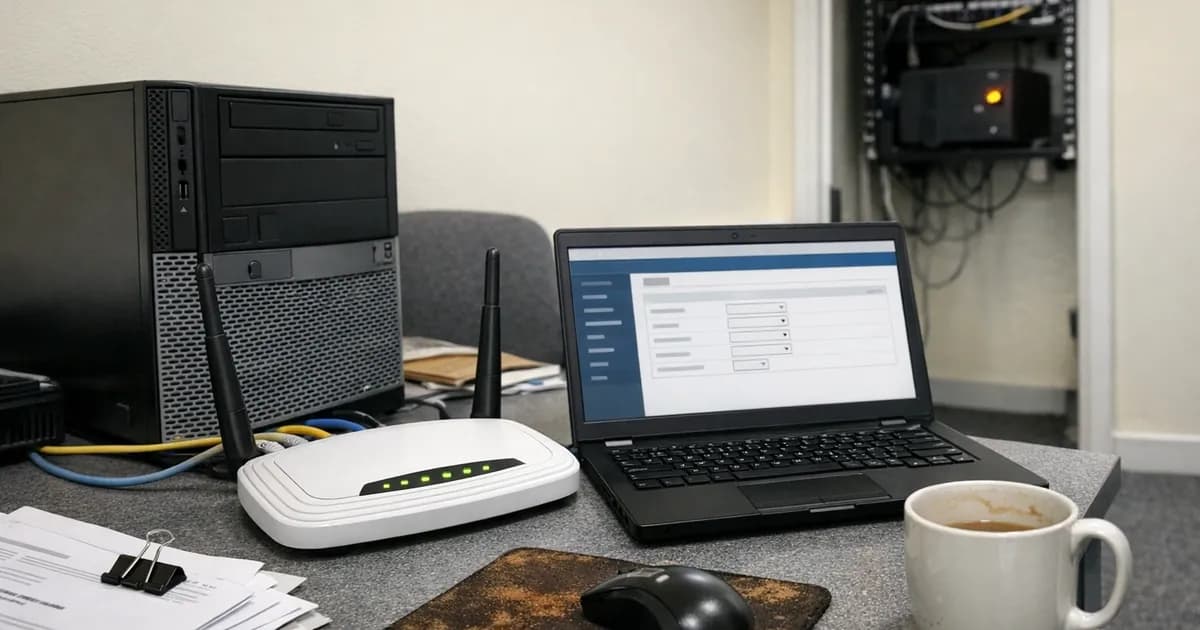
You need a firewall sitting between your network and the internet, and most businesses already have one in place. The router your ISP sent you has a built-in firewall. For the purposes of Cyber Essentials, that counts.
But it has to be configured correctly, and that is where things get interesting.
The firewall must block inbound connections by default. Only services you've deliberately chosen to allow should be getting through. If there's an "allow all inbound" rule sitting in your firewall config, that's a straight failure. I see this less often than I used to, but it still comes up, particularly on older routers that were set up years ago and never revisited.
The default admin password has to be changed. The credentials printed on the sticker underneath your router? Those need replacing with something strong and unique. This sounds obvious, but I've still failed businesses on it.
The admin interface must not be accessible from the internet. You should only be able to log into your router's settings from inside your own network. If someone can reach the login page from outside, you need a documented business justification for that, plus additional protections like MFA or IP restrictions. In practice, there's almost never a good reason for it to be exposed.
One that trips people up is that you can only have services open that you actually need. If you opened port 3389 for a remote desktop session six months ago and forgot to close it afterwards, that port is sitting open on the internet, waiting for someone to find it. Only the services you're actively using should be allowed through.
Device-level firewalls
Every device in scope also needs its own software firewall, and this matters most for remote workers. Their laptops connect to home Wi-Fi, coffee shop networks, hotel connections. There's no corporate firewall sitting between them and the internet.
Windows. Windows Defender Firewall does the job. It's built into Windows 10 and 11, it's on by default, and it meets the requirement without you buying anything. Don't turn it off. If you've installed a third-party security suite at some point, check whether it replaced Windows Firewall or is running alongside it. I've seen setups where a trial product disabled Windows Firewall during installation, then expired, leaving the machine with no active firewall at all.
macOS. The built-in firewall meets the requirement, but Apple doesn't always enable it by default. Go to System Settings, then Network, then Firewall, and confirm it's turned on. Takes about ten seconds to check.
Linux. iptables, nftables, or ufw all work. The thing to confirm is that it's active, not just installed. I've seen Linux servers where the firewall package was present but had never been enabled.
Mobile devices. This is where it gets a bit different. iOS and Android don't have user-configurable firewalls in the same way. The operating systems rely on app sandboxing and built-in network protections instead. That's generally accepted for the assessment. If you're unsure about a specific device, talk to your assessor before the audit rather than afterwards.
What about CE Plus?
During a CE Plus technical audit, the assessor scans your external-facing IP addresses. They're looking at what's visible from the outside.
They are looking for open ports that should not be open, services exposed to the internet for no good reason, default configurations on network equipment, and known vulnerabilities in your firewall firmware.
If your router firmware hasn't been updated and there's a security patch available, the scan will flag it. If RDP is exposed directly to the internet on port 3389, that's a finding. It's also a genuine security risk, not just a box-ticking issue, because attackers scan for open RDP constantly.
The scan checks mail server configuration too (SPF, DKIM, DMARC records) and looks for information leakage from web services. It's not only about the firewall; it covers everything that is reachable from outside your network.
Where firewalls actually fail
UPnP. The number of businesses that still have UPnP enabled is genuinely surprising. Nine out of ten routers we see during CE Plus audits have it on. Universal Plug and Play lets software on your network automatically open ports through the firewall without asking you. That sounds convenient until you realise malware can do exactly the same thing. Turn it off. If something stops working, you'll know which port it needs, and you can create a specific rule for it.
Forgotten port forwards. Someone set up a port forward for a security camera three years ago. Or a game server, or a one-off remote session, and the need went away but the rule didn't. Every open port is a door. Review your port forwarding rules and remove anything you're not actively using.
Admin interface on the WAN side. If your router's admin page is reachable from the internet (usually on port 80, 443, or 8080), that's a failure. Most routers let you disable WAN-side admin access in the settings, and it takes about thirty seconds.
No documentation. The assessor might ask you to explain your firewall rules. You need to know why each port is open and what it's for. "I don't know why that's there" is not an answer that passes. You don't need a spreadsheet or a formal document. A simple list with a sentence next to each rule is enough. Something like "Port 443 outbound, HTTPS for web browsing" or "Port 25, SMTP for mail server". If you can explain it in plain English, you're fine.
Antivirus (malware protection) requirements
This control is called "malware protection" in the official Cyber Essentials documentation, not "antivirus". In practice, the terms mean the same thing for the assessment. You need anti-malware software on every in-scope device.
What the assessment checks
Four things need to be in place. Every device needs to have malware protection that is:
Installed and active. Not sitting in the programs list doing nothing. Actually running. I've seen devices where the antivirus icon was in the system tray but the service had been stopped months ago.
Updating automatically. Signature updates need to happen at least daily. If you're using a product with automatic updates enabled (which most do by default), this takes care of itself.
Scanning files in real time. When a file gets downloaded, opened, or accessed, it needs to be scanned at that point. Running a weekly scheduled scan isn't enough on its own. Real-time protection has to be on.
Blocking malicious websites. Web filtering that stops connections to known malicious sites. This is the one people forget about. SmartScreen on Windows or Safe Browsing in Chrome both count, but they need to be enabled.
Which products work
Windows Defender is perfectly adequate for this requirement. You don't need to spend money on a commercial product to pass CE.
Microsoft Defender Antivirus is built into every copy of Windows 10 and 11. If it's running with default settings, your Windows devices are covered for the assessment. It does real-time scanning, it updates automatically, and SmartScreen handles the web filtering component. That's all four requirements met without spending a penny.
Commercial products like CrowdStrike, Sophos, SentinelOne, and Bitdefender all meet the requirement too. But the assessment doesn't care about the brand name; it cares about how the product is configured.
One scenario I have seen more than once: a business bought an expensive endpoint protection product, the trial expired, and nobody renewed the licence. So now they've got a partially functioning commercial product and a disabled Windows Defender. Neither one is actually protecting the device, which is worse than having done nothing at all.
macOS. XProtect and Gatekeeper are built in and handle malware detection and application verification. Confirm they're active. For CE Plus specifically, some organisations add a commercial tool because it gives them easier reporting and evidence during the audit. That's a convenience choice, not a requirement.
Linux. ClamAV is free and open source. Commercial endpoint tools work too. The same four requirements apply regardless of the product.
Android. Google Play Protect provides malware scanning. Check it's turned on in Play Store settings.
iOS. Apple's sandboxing model means apps run in isolation, which satisfies the sandboxing approach to malware protection. The device needs to be running a supported iOS version.
Servers. This catches people out more than you'd expect. Physical servers and cloud VMs (IaaS) that you manage need malware protection installed. Your cloud provider doesn't handle this for you on IaaS. If you're running a Windows Server VM on Azure or AWS, you need to make sure Defender or another product is active on it, just like any other device.
Common antivirus failures
Real-time scanning turned off. Someone disabled it because their machine was running slowly. That was four months ago, and nobody turned it back on. This is by far the most common failure I see on this control. Check every device, not just a sample.
Conflicting products. A trial product was installed at some point. It partially disabled Defender during installation. The trial expired. Now neither product is fully protecting the device. The fix is straightforward: uninstall the expired product completely, then confirm Defender has reactivated. Sometimes you need to manually re-enable it.
Devices nobody thought about. A phone used for work email. A tablet for presentations. A test laptop in the server room. Every in-scope device needs protection. The ones that get missed are always the ones that sit outside the normal device list.
Web filtering disabled. SmartScreen or Safe Browsing turned off. The web filtering part of the malware protection control gets overlooked because people think of antivirus as just file scanning. It's not. The requirement specifically includes preventing connections to known bad sites. If someone in your team has turned off SmartScreen because it was "annoying", that needs switching back on before the assessment.
Your router specifically
Most small businesses use the ISP-provided router as their firewall, and that is fine for the assessment. But there are four things to check on it. (referenced in the supplementary exposure benchmarking report).
Remote management. Most ISP routers have a setting that lets the ISP access it remotely. Sometimes this also opens a web admin interface on the WAN side. Log in and look. If there's a remote management toggle, turn it off. If the ISP needs it for support, keep a note of that as your documented justification.
UPnP. I've mentioned this already because it matters. Games consoles, smart TVs, conferencing software, they all use UPnP to open ports automatically. The problem is you've got no visibility into what's been opened, so turn it off.
DNS settings. Some routers let you configure DNS filtering, which blocks known malicious domains at the network level. This counts towards the web filtering requirement. Services like Quad9 (9.9.9.9) or Cloudflare's malware-blocking DNS (1.1.1.2) are free and take about two minutes to set up. It's one of the easiest things you can do to improve your security and tick a box at the same time.
Firmware. Log in and check for updates. ISP routers sometimes auto-update, sometimes they don't. If a security patch has been available for more than 14 days and you haven't applied it, that's a patching failure. If the router is past end of life and no updates are coming, it needs replacing. I know that's not what people want to hear, but a router that can't receive security updates is a liability.
How the two controls fit together
Think of it as two complementary layers working together. The firewall keeps threats from reaching your devices, and malware protection catches whatever manages to get through. You need both, and neither one compensates for the other being misconfigured.
A properly configured firewall cuts down the attack surface. Good malware protection handles the things that arrive through legitimate channels: email attachments, downloaded files, links to malicious websites. Between them, they cover the two main ways most attacks get in.
The practical takeaway is to check your router, check your device firewalls, and confirm your antivirus is on, up to date, and scanning in real time. If all of those are sorted, you've covered two of the five controls. That's 40% of the assessment handled by things you probably already have running.
If you want to know what an assessor will find before they turn up, run your own external vulnerability scan first. We offer that as a standalone service if you'd rather check before committing to the full CE Plus assessment.
Need help preparing for your Cyber Essentials assessment? Get in touch or request a quote.
Related articles
- Malware Protection for Cyber Essentials: What You Need
- The Five Cyber Essentials Controls: A Technical Guide
- How Do You Know If You're Ready for Cyber Essentials?
- Danzell Readiness Checklist: Are You Ready for CE v3.3?

Get cybersecurity insights delivered
Join our newsletter for practical security guidance, Cyber Essentials updates, and threat alerts. No spam, just actionable advice for UK businesses.
Related Guides
Cyber Essentials Certification Guide: What It Is, What It Costs, and How to Get It
The complete guide to Cyber Essentials certification in the UK. Five controls, two levels, one assessment process. Written by an assessor who's certified over 800 businesses.
Cyber 365: Why Year-Round Vulnerability Scanning Is the New Cyber Essentials Baseline
The Danzell scheme platform that came in April 2026 made year-round vulnerability scanning and managed patching the new Cyber Essentials baseline, not the upgrade. What that operationally means, what it covers, and how the Cyber 365 programme delivers it.
Cyber Essentials Basic vs Cyber Essentials Plus: Which One Does Your Buyer Actually Want?
Cyber Essentials Basic is a self-assessment certificate. Cyber Essentials Plus adds an external assessor sampling the controls in your estate. Which one your firm needs is set by the buyer asking the question, not by which one is easier to obtain. The differences, the costs, the timelines, and how to read the procurement requirement correctly.
Cyber Essentials Plus vs PCI DSS Self-Assessment: Which Cyber Standard Does Your Card-Handling Firm Actually Need?
Cyber Essentials Plus is the UK government scheme for the IT estate. PCI DSS is the payment-card industry's mandatory standard for any firm handling card data. They cover different scopes and run alongside each other, not as alternatives. The differences, the overlap, and how UK retailers handle both.
Cyber Essentials vs Cyber Assessment Framework (CAF): Which UK Cyber Standard Does Your Sector Actually Need?
Cyber Essentials is the UK government scheme for general business. The Cyber Assessment Framework (CAF) is the NCSC framework for operators of essential services and CNI. Which one your firm needs is set by sector classification, not by which is harder. The differences, the overlap, and the procurement context.
Cyber Essentials vs NIST CSF: Which Cyber Framework Do UK Firms with US Exposure Actually Need?
Cyber Essentials is the UK government scheme. NIST CSF is the US federal cybersecurity framework. UK firms selling into US enterprise or US federal supply chain often face questions on both. The differences, the overlap, and how to read the requirement correctly.
Cyber Essentials Plus vs SOC 2: Which Cyber Standard Does Your Customer Base Actually Need?
Cyber Essentials Plus is the UK government scheme. SOC 2 is the global SaaS attestation standard. Both prove cyber controls. Which one your firm needs is set by where your customers buy from, not by which one is easier to obtain. The two standards side by side, the cost and timeline reality, and the cases where holding both is the right answer.
The Danzell Question Set Guide: What Changed in the April 2026 Cyber Essentials Update
The Danzell assessment platform replaced Marlin in April 2026, bringing year-round scanning and patching into explicit scope. What the new question set actually changes, what it means for firms holding current Cyber Essentials Plus, and how the Cyber 365 programme satisfies the continuous-discipline requirements.
IASME Cyber Assurance vs Cyber Essentials Plus: Which IASME Tier Does Your Procurement Actually Want?
IASME Cyber Assurance is IASME's audit-based cybersecurity standard. Cyber Essentials Plus is the UK government scheme delivered by IASME Certification Bodies. Both come from IASME. They prove different things. The differences, the procurement context, and the 2026 framework changes.
PPN 09/14 Compliance Guide: How UK Suppliers Meet the Cabinet Office Cyber Essentials Floor
Procurement Policy Note 09/14 set Cyber Essentials as the procurement floor for UK central government suppliers handling personal data or providing certain ICT services. What PPN 09/14 actually requires, where CE Plus fits in the framework, and how UK suppliers satisfy the cyber section of central government bid questionnaires.
Ready to get certified?
Book your Cyber Essentials certification or check your readiness with a free quiz.