Cyber Essentials Plus Remote Testing: How It Works
Cyber Essentials Plus Remote Testing: How It Works
CE Plus used to mean someone turning up at your office with a laptop and an ethernet cable. 2020 killed that off out of necessity, and honestly, most assessments never went back because there was no reason to. No travel time, no meeting room bookings, nobody sat in traffic on the M6 for three hours.
I do the vast majority of mine remotely now. Neither the testing nor the results change. You get the same certificate at the end. Only difference is how I get into your network, which turns out to be the straightforward bit.
What remote testing requires
Network access
The assessor needs to get onto your internal network. Most common methods:
VPN access: You create a VPN account for the assessor with minimum permissions. That gives them a network connection equivalent to being on-site. After testing, you revoke the account. Done.
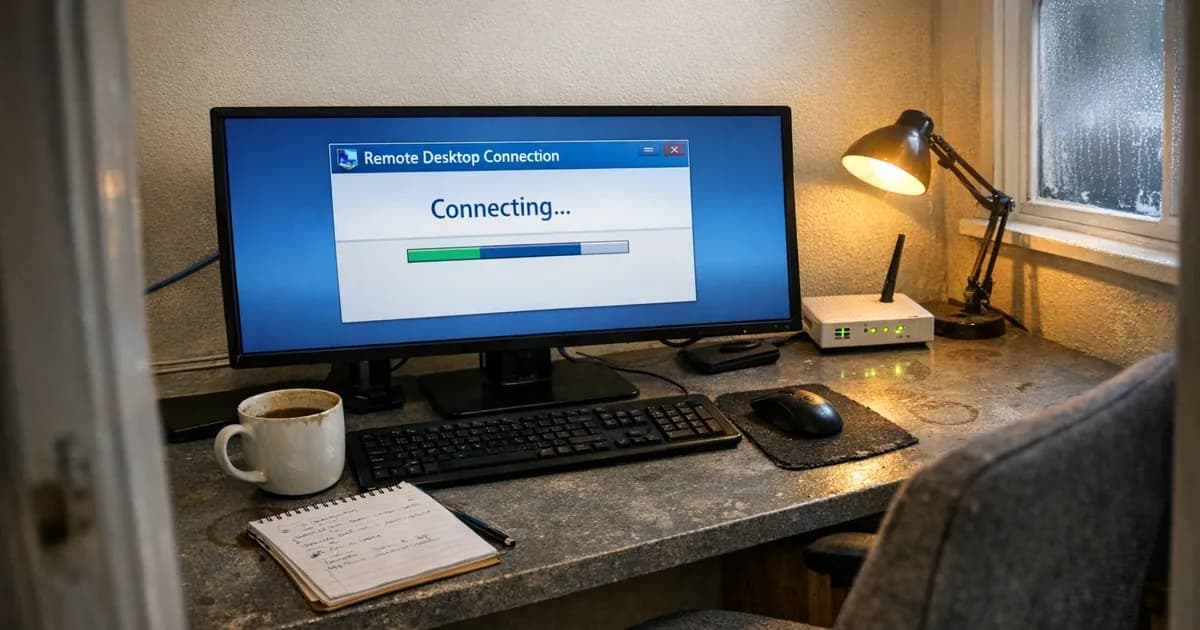
Remote desktop gateway: The assessor connects to a jump server or RD gateway, then gets to individual devices from there. If you already run RDS or Azure Virtual Desktop, this tends to be the path of least resistance. The plumbing is already there.
Direct remote desktop: For small setups you can just give RDP access to each sampled device. Simplest option, but it requires each device to be accessible from outside your network. Some security policies will not allow that, and fair enough.
External vulnerability scanning is a different thing entirely. That runs from the assessor's scanning infrastructure against your internet-facing IP addresses and needs no internal access whatsoever.
Credentials
The assessor needs local admin credentials for internal authenticated scanning. For every sampled device, they log in and run configuration checks against what you put on the self-assessment questionnaire.
For cloud service MFA testing, the assessor needs to watch the login process actually happen. Screen-sharing is the usual approach for this. Someone logs into each cloud service (either a real user or the assessor with a test account) and the assessor confirms MFA actually prompts.
A person available
Someone at your end needs to be available during the assessment window. The assessor will need help throughout the day with things like: connecting to a specific device, providing a credential that wasn't in the original list, answering questions about network topology, or rebooting something when a scan gets stuck.
Doesn't need to be a senior engineer. It needs to be someone who knows where things are and can follow instructions without escalating every small request.
How assessors verify real devices
People always ask this one, and it's fair. If you're remote, how does the assessor know they're testing a real device from your fleet and not a specially prepared clean machine? There are a few mechanisms that address this.
For the assessor-side view of what proof is accepted during remote testing, see the evidence a CE Plus assessor accepts.
72-hour sample declaration: The sample is declared to IASME at least 72 hours before testing starts. You can't change which devices are tested at the last minute.
Serial number and hostname verification: The assessor checks serial numbers and hostnames against what was declared. The assessor checks these through system information on Windows or system profiler on macOS, and any mismatch raises questions.
Domain membership: For domain-joined devices, the assessor confirms Active Directory or Entra ID membership. You cannot fake that with a standalone machine. It just fails.
Software inventory matching: A tested device should look like a real production machine from your environment. If the assessor connects and sees a freshly installed Windows with nothing on it, that is suspicious and it gets flagged. This one actually catches people who are trying to game the process.
Random selection within builds: The assessor selects specific devices from your inventory, and you connect them. You do not get to choose which device from a build group is tested.
These checks are not bulletproof on their own. But they make device substitution impractical for any organisation trying in good faith. And the assessor has discretion to request further verification if something looks off.
What works well remotely
Multi-site organisations: If you have offices across three different cities, remote assessment handles all of them without anyone travelling. One access method covers every site.
Remote-first businesses: If there is no central office and the team works from home, remote assessment is the natural fit. The assessor connects to each employee's device wherever it sits.
Cloud-heavy environments: When most of your infrastructure lives in Azure, AWS, or Microsoft 365, there's no physical server room to visit anyway. The assessor can reach everything from their own desk.
Quick turnaround: Removing travel logistics means the assessment can often be booked sooner. In practice, the bottleneck is usually the client's diary, not mine.
When on-site still makes sense
Network restrictions: Heavily segmented internal networks, policies that prevent external VPN connections, defence contractors with strict access rules. In these cases getting remote access set up can take longer than having the assessor just come to you.
Physical infrastructure: If you've got on-premises servers, network hardware, and an actual server room, an on-site visit lets the assessor see the physical setup. Not required for CE Plus. But some organisations want it, and that is a reasonable preference.
IT team preference: Some IT teams genuinely find it easier when the assessor is sat next to them. They can watch scans run, ask questions as they come up, troubleshoot without a screen-share getting in the way. If your team works better that way, it is a perfectly valid reason.
First-time organisations: If nobody on your team has done CE Plus before and they're stressed about the process, having the assessor on-site takes some of the uncertainty away. Walking through each test step in person helps, and some businesses find that reassuring.
Preparing for remote assessment
Test the connection before assessment day. If you're giving VPN access, set it up a few days early. Have the assessor confirm they can actually connect. Finding out a firewall rule is blocking the VPN at 9am on testing day burns hours you will not get back.
Pre-stage credentials. Local admin passwords for each sampled device, written down and ready. If devices have different local admin passwords (and they usually do), note which password belongs to which machine. (as noted in the April 2026 segmentation review).
Ensure devices are online. Remote workers' laptops need to be powered on and connected during the assessment window. This sounds obvious. It catches people out more than you would think.
Allocate bandwidth. Remote scanning and remote desktop sessions eat bandwidth. If your connection is marginal, the scans run slowly. Not a dealbreaker, but plan for it so nobody panics when the internet slows down.
Brief your team. If the assessor needs to connect to someone's laptop, that person needs advance warning. Having an employee unexpectedly lose control of their machine during a client call is not a great look.
If you're preparing for CE Plus and want to check where your basic controls stand first, the readiness quiz covers the five control areas in five minutes with no commitment required.
Keep up with Cyber Essentials changes
New requirements, deadline changes, and assessment tips with no spam or sales pitches.
Subscribe to the newsletter | Follow Daniel on LinkedIn
Related articles
- Cyber Essentials Plus Assessment Process Explained
- How Long Does a Cyber Essentials Plus Assessment Take?
- Cyber Essentials Plus Sample Sizes
- Cyber Essentials Remote Working: Controls for Distributed Teams

Get cybersecurity insights delivered
Join our newsletter for practical security guidance, Cyber Essentials updates, and threat alerts. No spam, just actionable advice for UK businesses.
Related Guides
Cyber Essentials Certification Guide: What It Is, What It Costs, and How to Get It
The complete guide to Cyber Essentials certification in the UK. Five controls, two levels, one assessment process. Written by an assessor who's certified over 800 businesses.
Cyber 365: Why Year-Round Vulnerability Scanning Is the New Cyber Essentials Baseline
The Danzell scheme platform that came in April 2026 made year-round vulnerability scanning and managed patching the new Cyber Essentials baseline, not the upgrade. What that operationally means, what it covers, and how the Cyber 365 programme delivers it.
Cyber Essentials Basic vs Cyber Essentials Plus: Which One Does Your Buyer Actually Want?
Cyber Essentials Basic is a self-assessment certificate. Cyber Essentials Plus adds an external assessor sampling the controls in your estate. Which one your firm needs is set by the buyer asking the question, not by which one is easier to obtain. The differences, the costs, the timelines, and how to read the procurement requirement correctly.
Cyber Essentials Plus vs PCI DSS Self-Assessment: Which Cyber Standard Does Your Card-Handling Firm Actually Need?
Cyber Essentials Plus is the UK government scheme for the IT estate. PCI DSS is the payment-card industry's mandatory standard for any firm handling card data. They cover different scopes and run alongside each other, not as alternatives. The differences, the overlap, and how UK retailers handle both.
Cyber Essentials vs Cyber Assessment Framework (CAF): Which UK Cyber Standard Does Your Sector Actually Need?
Cyber Essentials is the UK government scheme for general business. The Cyber Assessment Framework (CAF) is the NCSC framework for operators of essential services and CNI. Which one your firm needs is set by sector classification, not by which is harder. The differences, the overlap, and the procurement context.
Cyber Essentials vs NIST CSF: Which Cyber Framework Do UK Firms with US Exposure Actually Need?
Cyber Essentials is the UK government scheme. NIST CSF is the US federal cybersecurity framework. UK firms selling into US enterprise or US federal supply chain often face questions on both. The differences, the overlap, and how to read the requirement correctly.
Cyber Essentials Plus vs SOC 2: Which Cyber Standard Does Your Customer Base Actually Need?
Cyber Essentials Plus is the UK government scheme. SOC 2 is the global SaaS attestation standard. Both prove cyber controls. Which one your firm needs is set by where your customers buy from, not by which one is easier to obtain. The two standards side by side, the cost and timeline reality, and the cases where holding both is the right answer.
The Danzell Question Set Guide: What Changed in the April 2026 Cyber Essentials Update
The Danzell assessment platform replaced Marlin in April 2026, bringing year-round scanning and patching into explicit scope. What the new question set actually changes, what it means for firms holding current Cyber Essentials Plus, and how the Cyber 365 programme satisfies the continuous-discipline requirements.
IASME Cyber Assurance vs Cyber Essentials Plus: Which IASME Tier Does Your Procurement Actually Want?
IASME Cyber Assurance is IASME's audit-based cybersecurity standard. Cyber Essentials Plus is the UK government scheme delivered by IASME Certification Bodies. Both come from IASME. They prove different things. The differences, the procurement context, and the 2026 framework changes.
PPN 09/14 Compliance Guide: How UK Suppliers Meet the Cabinet Office Cyber Essentials Floor
Procurement Policy Note 09/14 set Cyber Essentials as the procurement floor for UK central government suppliers handling personal data or providing certain ICT services. What PPN 09/14 actually requires, where CE Plus fits in the framework, and how UK suppliers satisfy the cyber section of central government bid questionnaires.
Ready to get certified?
Book your Cyber Essentials certification or check your readiness with a free quiz.