Cyber Essentials Plus Assessment Guide: What the Assessor Tests and How to Pass
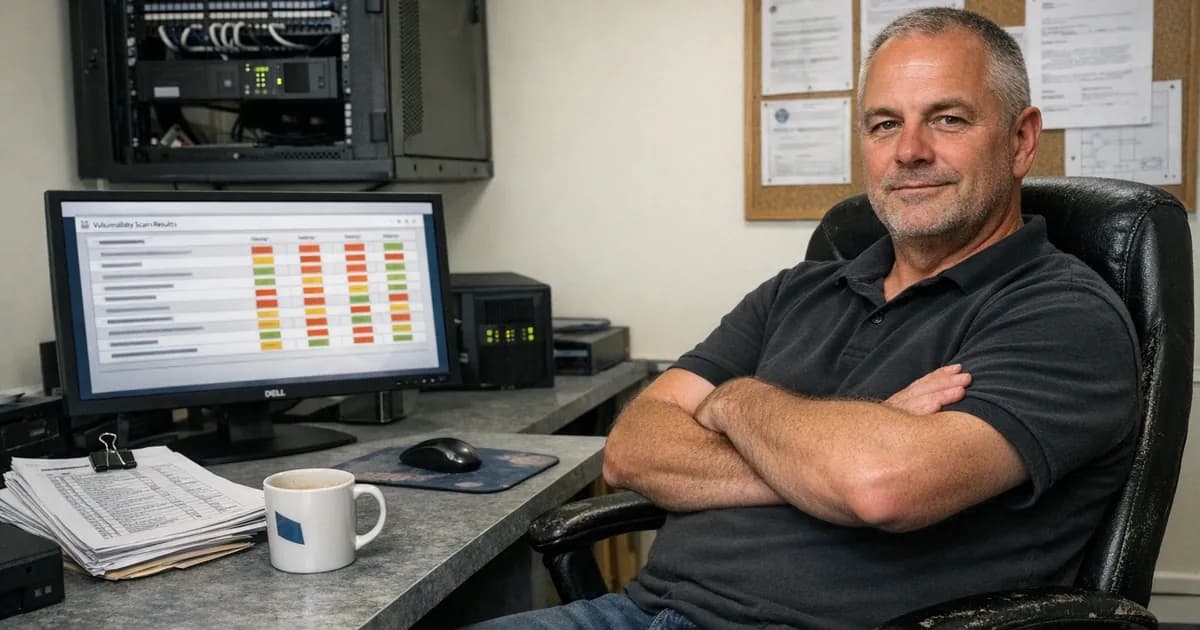
Cyber Essentials Plus Assessment Guide: What the Assessor Tests and How to Pass
Last year I ran a CE Plus assessment for a company that had passed basic Cyber Essentials three weeks earlier. Every answer on their self-assessment questionnaire was correct: patching policy in place, MFA enabled, firewall rules documented. When I scanned their devices, I found 14 unpatched critical vulnerabilities across four laptops. Their IT provider had configured auto-updates but never checked whether they were actually running.
That's the gap CE Plus exists to close. Your self-assessment says what you believe is in place, and CE Plus checks whether it's actually true.
I've run over 800 of these certifications. This guide covers every part of the CE Plus assessment process, from what happens before the assessor connects to what happens if something fails. If you're preparing for CE Plus, or you're just trying to understand what you're signing up for, this is the full picture.
What CE Plus actually is
Cyber Essentials has two levels of certification. The first, basic Cyber Essentials (sometimes called CE), is a Verified Self-Assessment. You answer a set of questions about your five technical controls (firewalls, secure configuration, security update management, user access control, and malware protection). An assessor reviews your answers, checks they're consistent and credible, and issues the certificate.
CE Plus is the verification layer on top of that. An assessor connects to your systems and tests them directly, running vulnerability scans, configuration checks, MFA verification, and malware protection testing. The assessor isn't taking your word for it. They're looking at the actual state of your devices.
The distinction matters because CE Plus catches things the self-assessment can't. A questionnaire can't tell you that three laptops missed last month's patches. A questionnaire can't detect that MFA has a conditional access exception bypassing it for certain login scenarios. A questionnaire can't see that an old Java runtime is still installed on a developer's machine.
CE Plus catches all of those problems during the audit. That's why certain contracts and frameworks require CE Plus specifically, not just basic CE. Government contracts involving personal data or ICT services (under PPN 09/14) require Cyber Essentials as a minimum, and many specify CE Plus. NHS suppliers typically need CE Plus as part of the Digital Technology Assessment Criteria.
The assessment process step by step
A CE Plus assessment runs like this, from start to finish.
Before the assessment
Your basic Cyber Essentials self-assessment (the VSA) must be completed before CE Plus testing starts. You can't do them simultaneously, and you can't change your VSA answers after the CE Plus audit begins. The CE Plus assessment is a verification of what you said in the VSA.
The assessor will ask you for some information in advance. A list of your in-scope devices, your external IP addresses, the cloud services you use, and admin credentials or access arrangements so they can connect on the day.
At Net Sec Group, we typically schedule CE Plus assessments within a few days of the basic CE completing. The process doesn't need to be drawn out. If your VSA is honest and your controls are genuinely in place, the technical audit should confirm what you already told us.
On the day
Most CE Plus assessments happen remotely these days. The assessor connects via screen share or remote access tool and works through each test case. You need someone available with admin access to all in-scope systems for the full session. That person doesn't need to be deeply technical, but they do need to be able to find system settings, open admin consoles, and follow the assessor's instructions.
A well-prepared assessment takes two to four hours. If your estate is small (under 20 devices) and everything is properly configured, it can be quicker. Larger estates or ones with issues to investigate take longer.
The assessor works through five areas, matching the five CE controls. Each one works like this in practice.
External vulnerability scan
The assessor scans your internet-facing IP addresses from outside your network. This checks for:
- Open ports that shouldn't be exposed to the internet
- Known vulnerabilities on any externally accessible services
- SSL/TLS configuration issues (expired certificates, weak ciphers)
- Services running on non-standard ports that might indicate misconfigurations
- Default credentials on internet-facing management interfaces
The external scan is automated. The assessor runs a vulnerability scanner against your public IP addresses and reviews what comes back. Any vulnerability with a CVSS v3 score of 7.0 or above that has been patchable for more than 14 days is a failure.
In practice, most organisations pass the external scan without issues. Your firewall should be blocking most inbound traffic by default. The problems I see most often are legacy services left exposed. An old web server running on a forgotten subdomain. An RDP port that was opened for a specific project and never closed. A router management interface accessible from the internet because nobody changed the default setting.
If you have a web application, the assessor will also check its external attack surface. That doesn't mean a full web application penetration test (that's a separate engagement), but it does include checking for obvious misconfigurations, missing security headers, and known platform vulnerabilities. (per the latest baseline compliance framework update).
Internal vulnerability scan and sampling
This is where most CE Plus failures happen. The assessor runs a credentialed vulnerability scan against a sample of your internal devices.
How sampling works
The assessor doesn't scan every device in your estate. They select a representative sample from your estate. The sample should include each type of device you have in scope: a mix of laptops, desktops, servers, and any other device types relevant to your environment.
You don't get to pick which devices go into the sample because the assessor decides that independently. If you've got 50 laptops and two servers, the assessor will pick a selection of laptops and both servers. The specific laptops chosen should be random enough that you couldn't have prepared them selectively.
For very small organisations (five or six devices), the entire estate is the sample. There's no point sampling three out of five when you could just scan all five.
What the scan looks for
The internal scan is credentialed, meaning the scanner logs into each device with admin-level access and checks what's installed. It produces a list of every known vulnerability on that device, ranked by CVSS score.
The assessor cares about anything rated CVSS 7.0 or above (that's the "high" and "critical" severity brackets). Specifically, they're checking whether patches for those vulnerabilities were available more than 14 days before the scan. If a critical patch was released 20 days ago and you haven't applied it, that's a failure. The clock starts when the vendor publishes the fix, not when you become aware of it.
The scan checks everything installed on the device. Operating system patches, yes, but also third-party software: browser versions, PDF readers, Java, .NET runtimes, backup agents, and remote access tools. I regularly see organisations with perfect Windows Update histories that fail because Adobe Reader or Google Chrome hasn't been updated in six weeks.
What I see going wrong
The most common internal scan failure isn't a missing Windows update; it's third-party software patches that nobody is managing. WSUS handles your Windows endpoints, but nothing's managing Chrome, Firefox, or Zoom updates. The operating system is current but everything else is three months behind.
The second most common issue is forgotten devices. A laptop that was off during the last patch cycle. A server in a cupboard running an old version of Windows Server that nobody realised was in scope. A dev machine that someone excluded from the patch management tool because it was "causing problems."
I once assessed an organisation with 40 devices. Their patching looked solid on the first 38. Device 39 was a shared laptop in reception that hadn't been updated in four months. Device 40 was a print server running Windows Server 2012 R2, which had been out of support for years. Neither of those devices appeared on their asset list.
MFA verification
The assessor checks that multi-factor authentication (MFA) is actually working on your cloud services, not just reported as enabled.
What the assessor does
They'll ask you to demonstrate MFA on each cloud service in your scope. For Microsoft 365, that typically means signing in (or showing the conditional access policies that enforce MFA). For Google Workspace, AWS, or any other cloud platform, the same principle applies: show the assessor that a second factor is required when a user signs in.
Under the Danzell rules (from 27 April 2026), cloud services can't be excluded from scope. Every cloud service your organisation uses that supports MFA must have it enabled. That includes social media accounts managed with business email addresses.
What catches people out
The most common MFA failure I see isn't "MFA is off." It's "MFA is on, but it's not doing what you think."
Conditional access policies with exceptions are the usual culprit. MFA is enforced, except on the internal network. MFA is enforced, except for service accounts. MFA is enforced, except when using the mobile app with a trusted device. Each of those exceptions creates a gap in your MFA coverage.
Legacy authentication protocols are another common problem to watch for. Some older mail clients and apps use authentication methods that bypass MFA entirely. If basic authentication or legacy auth is still enabled in your Microsoft 365 tenant, someone can sign in without ever seeing an MFA prompt. The admin console will show MFA as "enabled" because it is enabled for modern authentication. But legacy auth gets around it completely.
The fix is usually straightforward: block legacy authentication, remove unnecessary conditional access exceptions, then verify it works by actually trying to sign in without MFA and confirming you're blocked.
Under Danzell, FIDO2 security keys are explicitly recognised as MFA on their own. A FIDO2 key satisfies the requirement without needing a separate second factor. Passkeys are also accepted under the new rules. For a full breakdown of the MFA requirements under v3.3, see the MFA cloud services guide.
Configuration and malware checks
Beyond the vulnerability scans and MFA, the assessor checks two more areas on your sampled devices.
Secure configuration
The assessor verifies that the basic configuration hygiene is in place. This covers:
- Default passwords changed. Every device, every service, every admin account. If the default password for your router is still "admin," that's a failure.
- Unnecessary software removed. Anything installed that isn't needed for business purposes should be removed. Bloatware, trial software, old applications nobody uses.
- Screen lock enabled. Devices must lock after a period of inactivity. The maximum timeout under CE is 10 minutes if the device doesn't have an application-level timeout of 10 minutes on all applications accessed, or the session lock can be tied to the application-level session timeout.
- Auto-run disabled. Removable media shouldn't execute files automatically when plugged in.
- User accounts separated from admin accounts. Day-to-day work should happen on a standard user account, not an admin account.
The assessor typically walks through these by asking you to show specific settings on the sampled devices. "Show me your lock screen timeout." "Open the user accounts panel and show me the admin accounts." "Can you open Programs and Features and let me see what's installed?"
It's a structured conversation, not an exam. But you need someone who knows where those settings are on each device type you have in scope. If you're running Windows, macOS, and Linux, you need someone who can find the relevant settings on all three.
Malware protection
The assessor checks that anti-virus or anti-malware software is installed, running, and up to date on all sampled devices. For Windows devices, Windows Defender meets the requirement as long as it's enabled, actively running, and definitions are current.
The things that fail here are usually simple:
- Defender has been disabled by another security tool that was uninstalled but left Defender turned off
- Real-time protection is paused or excluded for specific folders
- Definitions haven't updated because the device was offline
- A device is running Linux and has no malware protection installed (the requirement applies to all device types, not just Windows)
The assessor will check the status of your malware protection and confirm definitions are recent. "Recent" in this context means updated within the last day or so. If definitions are a week old, that's a problem.
What happens when something fails
CE Plus isn't a binary pass or fail at each individual checkpoint. If the assessor finds a problem, you get a chance to fix it.
Minor issues
Some findings can be fixed during the assessment itself. A missing patch on a single device can be installed on the spot. A screen lock timeout set to 15 minutes instead of 10 can be changed in seconds. The assessor retests immediately and moves on.
Major or widespread issues
If the finding is more significant, or if it affects multiple devices, the assessor issues a formal finding and the remediation process starts.
You receive a findings report listing each non-compliant item. The specific device, the issue, and the CE requirement it falls under. You fix the issues, tell the assessor you're ready, and they schedule a retest.
Under Danzell (from 27 April 2026), the remediation window is 30 days. Both the findings from the original sample and any second sample findings must be resolved within that same window. The 30-day clock starts when the assessor identifies the first issue.
Automatic failures under Danzell
Some findings under Danzell are expected to be automatic failures with no assessor discretion. A critical or high-risk patch (CVSS 7.0 or above) available for more than 14 days and not applied is the primary example. Under the current Willow rules, an assessor might note the issue and give you an immediate chance to fix it. Under Danzell, it triggers the formal remediation process and the possibility of double sampling.
The zero non-compliance expectation is the other change. CE Plus assessments under Danzell should show zero non-compliances. That was described as always having been the intended standard, but it wasn't explicitly documented before, and under Danzell it now is.
Double sampling under Danzell
The double sampling rule is the biggest operational change to CE Plus under Danzell. It specifically applies to internal vulnerability scans.
How it works
The assessor scans a sample of your internal devices. If every device comes back clean (nothing above CVSS 7.0 unpatched beyond 14 days), you pass the internal scan element. No second sample is needed in that case.
If the first sample finds unpatched vulnerabilities, the assessor selects a second sample of the same size from the remaining devices in your estate. The selection is entirely random and you get a maximum of three days' notice before the second scan.
Both samples and all remediation must fit inside a single 30-day window. The second sample doesn't restart the clock. If you spend 20 days fixing the first batch, you've left your assessor very little room to schedule, scan, and deal with the second batch.
If the second sample is clean, you pass. If the second sample also has vulnerabilities, the assessment fails outright with no third sample available.
Why this rule exists
I'm going to be direct about this: the old approach was too easy to game. Some organisations patched the devices they expected to be scanned and ignored the rest. They'd keep the eight laptops on the main office desks up to date and leave 40 others running months-old software. Under single sampling they passed, but they weren't actually secure; they'd just played the odds.
The second sample makes selective patching a losing bet. If the first sample catches an issue, the assessor goes looking at machines you didn't prepare. That's a genuinely clever design change by the scheme authors. It catches the exact behaviour that was undermining the assessment process.
What this means for preparation
If your patching is consistent across every device in scope, the second sample is a non-event. It just confirms what the first sample showed.
If your patching is inconsistent, you need to fix that before the assessment. Not by patching harder the week before, but by building a process that keeps everything current continuously. The 30-day window is too tight to catch up on months of neglected patching across a large estate.
For a detailed breakdown of how double sampling works, see the second sample rule guide.
How to prepare for CE Plus
The best preparation is genuine compliance, not assessment preparation. If your controls are properly in place and running continuously, the CE Plus audit is just confirmation. What actually matters:
Patch everything, not just the obvious devices
Every device in scope needs to be patched within 14 days of a fix being available. That includes the laptop in the meeting room, the firewall firmware, the print server in the back office, and browser extensions alongside PDF readers. Every piece of installed software, not just the operating system.
Run your own vulnerability scan before the assessment. An NCSC-approved Cyber Essentials authorised scanner will show you exactly what the assessor's scan will find. Our CE Plus Pre-Assessment service (/services/ce-plus-pre-assessment) can do this for you. Every finding you fix before the audit is one less thing to deal with during it.
Verify your MFA, don't just assume it's working
Sign in to every cloud service in scope and confirm MFA is actually triggered. Check for conditional access exceptions that bypass it. Block legacy authentication protocols entirely before the assessment. If a cloud service is in scope and supports MFA, it must be enabled and working for every user.
Under Danzell, social media accounts used for business purposes are included in this. If your marketing team manages your LinkedIn company page with a business email, MFA needs to be enabled on that account.
Know your scope
This sounds basic, but I regularly see organisations undercounting their devices by 20 to 30%. You can't patch a device you don't know exists. Before the assessment, build a complete list of every device and cloud service in scope. Compare it to what's actually on your network. If there's a discrepancy, investigate it before assessment day.
Under Danzell, cloud services can't be excluded from scope. If your organisation uses a cloud service, it's in scope. That definition covers anything you access with an account that stores or processes your data.
Separate admin from user accounts
Day-to-day work should happen on standard user accounts, not admin accounts. The assessor will check this on your sampled devices. If someone is logged in as a local administrator for their normal work, that's a failure. Create separate admin accounts used only for administrative tasks.
Have the right person available on assessment day
The person joining the assessment session needs admin access to all in-scope systems and needs to know where to find configuration settings. They don't need to be a deep technical specialist, but they do need to be able to find system settings, open the firewall configuration, show user account lists, and pull up patch histories.
The assessments that go smoothly are the ones where that person has spent 30 minutes the day before checking they can access everything. The assessments that drag are the ones where we spend the first hour hunting for passwords and trying to remember who has admin access to the firewall.
Check your VSA answers
Your CE Plus assessment is a verification of your self-assessment. If the VSA says patching is within 14 days and the scan shows it isn't, that's a problem. Under Danzell, a failed second sample will result in revocation of your basic CE certificate too, on the basis that the VSA answers were inaccurate.
Fill in the VSA honestly and completely. If your patching is mostly within 14 days but some devices slip, don't claim 100% compliance. The assessor would rather work with honest answers than discover discrepancies.
Common CE Plus mistakes
After running hundreds of these assessments, the same problems come up again and again.
For the assessor-side breakdown of which control each of these failures maps to, see the most common CE Plus failures by control.
Third-party software patches missed. Windows Update runs perfectly, but Chrome, Firefox, Zoom, Adobe Reader, and Java haven't been updated in weeks because WSUS handles the operating system and nothing handles everything else.
Forgotten devices. A laptop that was powered off during the last update cycle. A shared machine in reception. A backup server in a cupboard that nobody logs into. These devices exist, they're in scope, and the assessor might pick them for the sample.
MFA exceptions. MFA is "enabled" but conditional access has exceptions for trusted networks, specific apps, or service accounts. The assessor will find these. Check your conditional access policies before they do.
No separation between admin and user accounts. IT staff logging in with admin accounts for daily work. This is one of the quickest things to fix and one of the most commonly missed.
Legacy authentication still enabled. Turning on MFA but leaving basic authentication active in Microsoft 365 means someone can still sign in without a second factor using an older mail client, so block it entirely.
Unsupported software. A device in the sample running an application or operating system version that the vendor no longer supports. If there are no security updates available, the device can't meet the patching requirement. For guidance on handling this situation, see the unsupported software guide.
Incomplete scope lists. Not listing all cloud services, forgetting about the accounting platform or the project management tool. Under Danzell, everything is in scope, and the assessor will ask about services you haven't listed.
Treating the assessment as a one-off sprint. The organisations that pass without any findings are the ones where patching, MFA, and configuration management are continuous processes. The organisations that struggle are the ones that treat the assessment as an annual event and scramble to get everything in order the week before.
What a smooth assessment looks like
The best CE Plus assessments I run are the boring ones. Everything is patched, MFA works on every service, configuration settings are correct on every device in the sample, admin accounts are separated from user accounts, and malware protection is running with current definitions. The whole thing takes two hours and there's nothing to remediate.
That kind of result doesn't happen by accident. It happens because the organisation has working processes that run continuously, not just before the assessment. Patching happens every two weeks regardless of what else is going on, and MFA is enforced with no exceptions across every service. New devices get configured properly when they're deployed, not just before the next audit.
If that sounds like your organisation, CE Plus should be straightforward. If it doesn't, you've got time to fix it. Start now rather than waiting until the assessment is booked.
Need help preparing for your Cyber Essentials assessment? Get in touch to discuss your requirements or request a quote.
Related articles
- Danzell Changes 2026: What Cyber Essentials v3.3 Means for Your Business
- CE Plus Double Sampling: How the Second Sample Rule Works
- CE Plus Vulnerability Scanning: What Gets Scanned and What Fails

Get cybersecurity insights delivered
Join our newsletter for practical security guidance, Cyber Essentials updates, and threat alerts. No spam, just actionable advice for UK businesses.
Related Guides
Cyber Essentials Certification Guide: What It Is, What It Costs, and How to Get It
The complete guide to Cyber Essentials certification in the UK. Five controls, two levels, one assessment process. Written by an assessor who's certified over 800 businesses.
Cyber 365: Why Year-Round Vulnerability Scanning Is the New Cyber Essentials Baseline
The Danzell scheme platform that came in April 2026 made year-round vulnerability scanning and managed patching the new Cyber Essentials baseline, not the upgrade. What that operationally means, what it covers, and how the Cyber 365 programme delivers it.
Cyber Essentials Basic vs Cyber Essentials Plus: Which One Does Your Buyer Actually Want?
Cyber Essentials Basic is a self-assessment certificate. Cyber Essentials Plus adds an external assessor sampling the controls in your estate. Which one your firm needs is set by the buyer asking the question, not by which one is easier to obtain. The differences, the costs, the timelines, and how to read the procurement requirement correctly.
Cyber Essentials Plus vs PCI DSS Self-Assessment: Which Cyber Standard Does Your Card-Handling Firm Actually Need?
Cyber Essentials Plus is the UK government scheme for the IT estate. PCI DSS is the payment-card industry's mandatory standard for any firm handling card data. They cover different scopes and run alongside each other, not as alternatives. The differences, the overlap, and how UK retailers handle both.
Cyber Essentials vs Cyber Assessment Framework (CAF): Which UK Cyber Standard Does Your Sector Actually Need?
Cyber Essentials is the UK government scheme for general business. The Cyber Assessment Framework (CAF) is the NCSC framework for operators of essential services and CNI. Which one your firm needs is set by sector classification, not by which is harder. The differences, the overlap, and the procurement context.
Cyber Essentials vs NIST CSF: Which Cyber Framework Do UK Firms with US Exposure Actually Need?
Cyber Essentials is the UK government scheme. NIST CSF is the US federal cybersecurity framework. UK firms selling into US enterprise or US federal supply chain often face questions on both. The differences, the overlap, and how to read the requirement correctly.
Cyber Essentials Plus vs SOC 2: Which Cyber Standard Does Your Customer Base Actually Need?
Cyber Essentials Plus is the UK government scheme. SOC 2 is the global SaaS attestation standard. Both prove cyber controls. Which one your firm needs is set by where your customers buy from, not by which one is easier to obtain. The two standards side by side, the cost and timeline reality, and the cases where holding both is the right answer.
The Danzell Question Set Guide: What Changed in the April 2026 Cyber Essentials Update
The Danzell assessment platform replaced Marlin in April 2026, bringing year-round scanning and patching into explicit scope. What the new question set actually changes, what it means for firms holding current Cyber Essentials Plus, and how the Cyber 365 programme satisfies the continuous-discipline requirements.
IASME Cyber Assurance vs Cyber Essentials Plus: Which IASME Tier Does Your Procurement Actually Want?
IASME Cyber Assurance is IASME's audit-based cybersecurity standard. Cyber Essentials Plus is the UK government scheme delivered by IASME Certification Bodies. Both come from IASME. They prove different things. The differences, the procurement context, and the 2026 framework changes.
PPN 09/14 Compliance Guide: How UK Suppliers Meet the Cabinet Office Cyber Essentials Floor
Procurement Policy Note 09/14 set Cyber Essentials as the procurement floor for UK central government suppliers handling personal data or providing certain ICT services. What PPN 09/14 actually requires, where CE Plus fits in the framework, and how UK suppliers satisfy the cyber section of central government bid questionnaires.
Ready to get certified?
Book your Cyber Essentials certification or check your readiness with a free quiz.