Windows 365 and Contractor Devices: What's in Scope for Cyber Essentials?
Windows 365 and Contractor Devices: What's in Scope for Cyber Essentials?
This comes up in about one in four CE Plus audits now. Cloud PCs are getting more common but the scope questions haven't caught up. Someone's set up Windows 365 for their team, or they've got contractors logging in from personal laptops, and nobody's thought about what that means for their Cyber Essentials assessment until we're already sitting in the room together.
The rules aren't complicated once you know them. But the number of businesses that get this wrong tells me the guidance isn't reaching people. So this is how it actually works in practice.
Windows 365 Cloud PCs and your CE scope
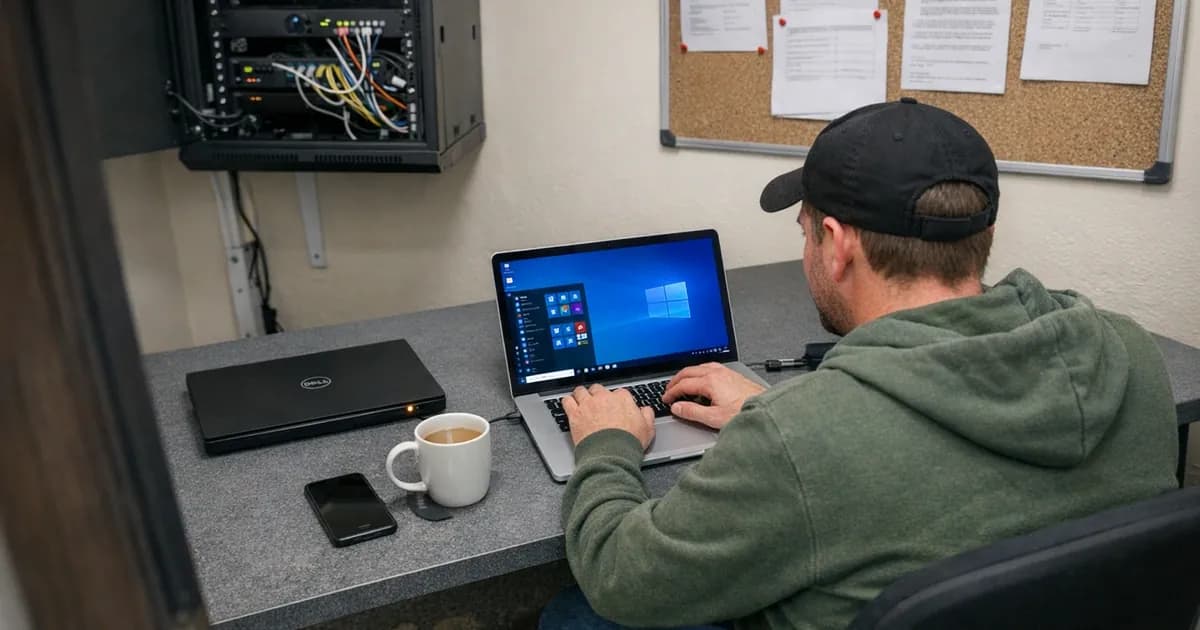
Windows 365 gives each user a virtual Windows desktop running in Microsoft's cloud. You log in from whatever device you've got, a laptop, a tablet, even a thin client, and you do your work inside that Cloud PC. Your files and applications all run there. It feels like your computer, but it's sitting in a data centre.
The Cloud PC itself is in scope
There's no grey area on this one. A Windows 365 Cloud PC is a virtual machine that your organisation provisions, manages, and uses for work. It stores your data, connects to the internet, and processes organisational information every single day.
It's in scope without question or ambiguity under the current rules.
You're responsible for everything you'd be responsible for on a physical machine. That means patching the operating system within 14 days for high-risk and critical vulnerabilities. It means reviewing default settings, removing software you don't need, and configuring proper screen locks. It means giving each user their own Cloud PC rather than sharing them, keeping admin accounts separate from daily-use accounts, and turning on MFA. It means confirming that Microsoft Defender (which comes with Windows 365) is actually running and set to real-time scanning.
I've seen organisations assume Microsoft handles all of this, but they don't. Microsoft manages the underlying infrastructure, the hypervisor, the physical host. But the operating system running inside your Cloud PC is yours. If you haven't configured Windows Autopatch or set up patching through Intune, those machines could be months behind on updates and you wouldn't know until the assessment.
The connecting device is in scope too
The connecting device question is the one people push back on. They want the Cloud PC to be the entire story, but it's not.
Think about what happens if the laptop you're using to access your Cloud PC gets compromised. An attacker on that machine can capture your keystrokes as you type passwords. They can see your screen and hijack the session entirely. Your Cloud PC could be perfectly patched, perfectly configured, and it wouldn't matter because the weak point is the device in front of you.
That's why the connecting device has to meet all five CE controls. Patched, firewall on, MFA in use, malware protection running, and securely configured. This applies whether you're connecting from a company laptop, a personal tablet, or a dedicated thin client.
I had an assessment last year where the organisation had done everything right on the Cloud PC side. Intune policies, conditional access, proper patching schedules. But their staff were connecting from personal laptops running Windows 10 builds that hadn't been updated in six months. Those laptops pulled the whole scope into question. They had to remediate before we could complete the assessment.
What about thin clients and zero clients?
Thin clients are those stripped-down devices built specifically for connecting to virtual desktops. They're in scope like any other device. They've got firmware that needs updating, they connect to your network, and they access your organisational data through the virtual desktop session.
Most thin clients run a lightweight operating system and receive firmware updates from the manufacturer. You need to keep that firmware current. The 14-day patching window applies to critical updates on these devices just like it does anywhere else.
Zero clients take it a step further. They've got no local operating system at all, they just boot straight into a virtual desktop protocol. The compliance picture is simpler with these because there's less to manage on the device itself. But they still have firmware and network configurations that need managing. If you're using them, talk to your assessor about how they fit into your specific scope. Don't assume they're exempt just because they're minimal.
I'm seeing more organisations move to thin clients specifically to simplify their CE scope. It's a reasonable strategy for scope simplification. Fewer endpoints with full operating systems means less patching, less configuration management, less surface area to worry about. But you're trading one set of problems for another, because now you've got to make sure the virtual desktop environment is properly locked down. There's no free lunch on this one.
Contractor devices
Contractors cause more scope confusion than almost anything else. They use devices you don't own, connecting to systems that hold your data. The question of who's responsible for what gets messy quickly.
When does a contractor's device fall in scope?
The BYOD rules under Danzell v3.3 are the relevant bit here. User-owned devices that access organisational data or services are in scope. The exceptions are narrow: devices used only for native voice calls, native text messages, or MFA applications.
So if a contractor uses their personal laptop to access your Microsoft 365 tenant, that laptop is in scope. If they log into your CRM, your project management tool, or any cloud service holding your data, the device they're using to do it is in scope.
If a contractor only joins video calls and uses their phone for MFA prompts, that phone sits outside scope. It falls within the exceptions under the BYOD rules.
The distinction matters because I see organisations try to argue that contractor devices are somehow different from employee BYOD, but they're not. The CE scheme doesn't care who owns the device. It cares whether the device accesses your data. Ownership is irrelevant to the scheme because access is the only thing that matters.
Who's actually responsible?
Your assessment covers your entire declared scope, so every device within it needs to comply. If a contractor's device sits within that scope, you need to show the assessor it meets CE requirements. That's where it gets uncomfortable, because you don't control that device.
In practice, there are a few ways organisations handle this. None of them are perfect, but each has trade-offs.
Give the contractor a company device. You hand them a laptop that sits in your MDM, gets your patches, runs your endpoint protection. It's the cleanest option from a compliance standpoint. It costs money, but it removes the argument. About half the organisations I assess that use contractors regularly have gone this route.
Enrol the contractor's device in your MDM. If your MDM solution supports it, you can enrol the contractor's own laptop. This gives you visibility into patch levels and lets you push security policies. Some contractors are fine with it. Others will flat out refuse, because they don't want your organisation having control over their personal machine. I don't blame them, but it creates a compliance gap you'll need to fill another way.
Ask the contractor to self-certify. You send them a form, they tick boxes confirming their device is patched, has a firewall, runs anti-malware, the lot. This is the weakest approach from an evidence perspective. If I'm assessing your organisation and I ask how you verified contractor device compliance, "they told us it was fine" isn't going to cut it. I'm not saying it's an automatic fail, but it's a conversation you don't want to have.
Provide a virtual desktop instead. Give the contractor a Cloud PC or VDI session. Their physical device becomes the access point, not the workspace. You manage the Cloud PC. The contractor's device is still technically in scope (as we covered above), but the risk profile shifts because your data lives in the Cloud PC rather than on their personal laptop. This is a genuinely good middle ground for organisations that work with a lot of external people.
Restrict access to browser-only services. If the contractor only accesses your systems through a web browser with no installed software, no synced files, and no local data, the scope implications are simpler. The device still needs to meet the five controls, but the data exposure is reduced. It depends on the nature of the work whether this is practical.
Don't forget the accounts themselves
The device question gets all the attention, but contractor accounts trip people up in assessments just as often.
Every contractor needs their own individual account, with no shared "contractor" logins permitted under any circumstances. MFA has to be enabled on every cloud service they access. Their access should be limited to what they actually need for the work, nothing more. The one that catches people out more than anything is that the account needs to be disabled when the contract ends.
Stale contractor accounts are one of the most common findings in assessments. The contractor finished three months ago, their account is still active, still has the same permissions. Nobody remembered to turn it off, and you'd be surprised how often I spot this during assessments.
Virtual Desktop Infrastructure (VDI)
If you're running Citrix, VMware Horizon, or something similar rather than Windows 365, the same principles apply. The virtual desktop is in scope, the connecting device is in scope, and patching, MFA, malware protection, and secure configuration have to be maintained on both sides.
The VDI platform itself, the hypervisor, the connection broker, the management servers, is also in scope as server infrastructure. It needs to be patched and securely configured.
One thing worth mentioning about non-persistent desktops, the kind that reset to a clean image after each session. They've got a built-in advantage for certain CE controls because configuration drift isn't really an issue. The desktop rebuilds itself every time someone logs in. But the base image still has to be patched and properly configured. If your gold image is three months out of date, every desktop that spawns from it inherits those missing patches.
Where I see organisations get it wrong
Thinking Microsoft patches their Cloud PCs for them. This is the single biggest mistake. Microsoft runs the infrastructure underneath. You run the operating system on top. If you haven't set up Autopatch or Intune patching policies, go check right now. Seriously. I've seen organisations discover during the assessment that their Cloud PCs haven't received a Windows update in four months.
Only securing the Cloud PC and ignoring the endpoint. Organisations put real effort into locking down the virtual desktop, then let staff connect from unmanaged personal devices. Both devices need to pass. The connecting device isn't a nice-to-have, it's a requirement. (as noted in the February 2024 threshold review).
Letting contractor accounts linger. People start and people leave, which is normal. If there's no process for removing access when a contractor's engagement finishes, you end up with dormant accounts that still have permissions to your systems. When the assessor pulls your account list and asks "who is this person?", you need to have an answer ready.
Treating every contractor the same. A contractor with full access to your Microsoft 365 environment has a completely different scope impact from one who just joins video calls. You should assess each contractor relationship individually and scope it based on what they actually access. One-size-fits-all policies don't reflect how contractor access works in practice.
Having no documented policy at all. If I ask "how do you ensure contractor devices meet CE requirements?" and you go quiet, that's a gap. It doesn't have to be complicated. "All contractors receive a company-managed device" is a perfectly good policy. "Contractors use Cloud PCs and their connecting devices are enrolled in our MDM" works too. Write it down, because a single paragraph is enough.
What to do about it
If you're running Windows 365: Get Intune or Autopatch set up for patching on your Cloud PCs. Enforce MFA through conditional access policies. And don't forget the devices people are connecting from. That's the part everyone misses.
If you use contractors: Decide how you're going to handle their devices before they start. Not during the assessment, not three weeks into the engagement. Before. Company-managed devices are the simplest answer. If that's too expensive, virtual desktops with controlled access are the next best option.
When you describe your scope: List Windows 365 Cloud PCs and contractor devices explicitly. Don't assume they're covered under some general category. Your assessor needs to know they exist and how you're managing them. If you leave them out of the scope description and they come up during the assessment, it raises questions about what else might have been missed.
For CE Plus specifically: Cloud PCs and contractor devices can end up in the sample the assessor tests. If your Cloud PCs are managed through Intune, the assessor can check patch status and configuration directly in the management console. If contractor devices sit outside your management platform, the assessor might need to examine them one by one. That takes longer and costs you time during the assessment.
Need help scoping Windows 365 or contractor devices for your Cyber Essentials assessment? Get in touch or request a quote to discuss your setup.
Related articles
- BYOD and Cyber Essentials: What's in Scope
- Cloud Migration and Cyber Essentials
- Cyber Essentials v3.3: What the Danzell Update Changes

Get cybersecurity insights delivered
Join our newsletter for practical security guidance, Cyber Essentials updates, and threat alerts. No spam, just actionable advice for UK businesses.
Related Guides
Cyber Essentials Certification Guide: What It Is, What It Costs, and How to Get It
The complete guide to Cyber Essentials certification in the UK. Five controls, two levels, one assessment process. Written by an assessor who's certified over 800 businesses.
Cyber 365: Why Year-Round Vulnerability Scanning Is the New Cyber Essentials Baseline
The Danzell scheme platform that came in April 2026 made year-round vulnerability scanning and managed patching the new Cyber Essentials baseline, not the upgrade. What that operationally means, what it covers, and how the Cyber 365 programme delivers it.
Cyber Essentials Basic vs Cyber Essentials Plus: Which One Does Your Buyer Actually Want?
Cyber Essentials Basic is a self-assessment certificate. Cyber Essentials Plus adds an external assessor sampling the controls in your estate. Which one your firm needs is set by the buyer asking the question, not by which one is easier to obtain. The differences, the costs, the timelines, and how to read the procurement requirement correctly.
Cyber Essentials Plus vs PCI DSS Self-Assessment: Which Cyber Standard Does Your Card-Handling Firm Actually Need?
Cyber Essentials Plus is the UK government scheme for the IT estate. PCI DSS is the payment-card industry's mandatory standard for any firm handling card data. They cover different scopes and run alongside each other, not as alternatives. The differences, the overlap, and how UK retailers handle both.
Cyber Essentials vs Cyber Assessment Framework (CAF): Which UK Cyber Standard Does Your Sector Actually Need?
Cyber Essentials is the UK government scheme for general business. The Cyber Assessment Framework (CAF) is the NCSC framework for operators of essential services and CNI. Which one your firm needs is set by sector classification, not by which is harder. The differences, the overlap, and the procurement context.
Cyber Essentials vs NIST CSF: Which Cyber Framework Do UK Firms with US Exposure Actually Need?
Cyber Essentials is the UK government scheme. NIST CSF is the US federal cybersecurity framework. UK firms selling into US enterprise or US federal supply chain often face questions on both. The differences, the overlap, and how to read the requirement correctly.
Cyber Essentials Plus vs SOC 2: Which Cyber Standard Does Your Customer Base Actually Need?
Cyber Essentials Plus is the UK government scheme. SOC 2 is the global SaaS attestation standard. Both prove cyber controls. Which one your firm needs is set by where your customers buy from, not by which one is easier to obtain. The two standards side by side, the cost and timeline reality, and the cases where holding both is the right answer.
The Danzell Question Set Guide: What Changed in the April 2026 Cyber Essentials Update
The Danzell assessment platform replaced Marlin in April 2026, bringing year-round scanning and patching into explicit scope. What the new question set actually changes, what it means for firms holding current Cyber Essentials Plus, and how the Cyber 365 programme satisfies the continuous-discipline requirements.
IASME Cyber Assurance vs Cyber Essentials Plus: Which IASME Tier Does Your Procurement Actually Want?
IASME Cyber Assurance is IASME's audit-based cybersecurity standard. Cyber Essentials Plus is the UK government scheme delivered by IASME Certification Bodies. Both come from IASME. They prove different things. The differences, the procurement context, and the 2026 framework changes.
PPN 09/14 Compliance Guide: How UK Suppliers Meet the Cabinet Office Cyber Essentials Floor
Procurement Policy Note 09/14 set Cyber Essentials as the procurement floor for UK central government suppliers handling personal data or providing certain ICT services. What PPN 09/14 actually requires, where CE Plus fits in the framework, and how UK suppliers satisfy the cyber section of central government bid questionnaires.
Ready to get certified?
Book your Cyber Essentials certification or check your readiness with a free quiz.